Why buy a bumper sticker when you can make your own? Use a bumper sticker template. Publisher makes it easy to customize stickers to advertise your business, show your pride or share a funny thought. Here are some free Microsoft Publisher templates to get you started.
Overview
For each bumper sticker template, Publisher 2003, 2007 or 2010 can be used to customize and print it. Use your imagination and change the colors, fonts and other aspects. Making your own bumper stickers can be a fun way to express yourself, a way to raise funds for a program or organization or even a lucrative side business. You will need to purchase special adhesive printer paper in order to use the printed bumper stickers.
Caution, Funny
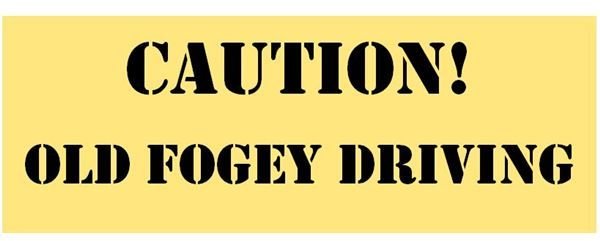
Warn other drivers about your tendency to drive under the posted speed limit and leave your blinker on for miles with this fun bumper sticker template. Publisher makes it easy to customize the text, but the sample text reads: CAUTION! OLD FOGEY DRIVING in a bold, black, stencil text. You can change the text in the second text box to anything from “Student Driver” to “Blonde on Board” to “I Break for Coffee Shops.” The text box is set to shrink the text to fit whatever you type. These bumper stickers print two to one page.
Download Page: Caution, Old Fogey Driving
I Heart
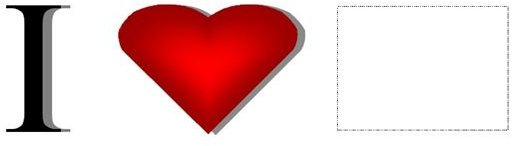
Everybody “hearts” something and this bumper sticker template will allow you to share your heart with the world. Simply click inside of the picture placeholder provided to find and insert your own image. Once you do, you may wish to remove the dotted line around the placeholder by right-clicking it and selecting Format Picture. Go to the Colors and Lines tab and choose No Outline in the Line Color box. These bumper stickers print two to one page.
Download Page: I Heart
Business Impact

In this bumper sticker template, Publisher provides the impact you need to make a statement about your business. Replace the sample logo with your own by right-clicking the Your Logo Here image and choosing Change Picture. Type in your own custom text and contact information. These bumper stickers print two to one page.
Download Page: Business Impact
Team Support

Every parent is proud of their child’s extracurricular activities. Display your pride by customizing this bumper sticker template with the name of your child’s sports team. The text box is set to shrink the text to fit whatever you type. You can change the image as well, replacing it with a photo of your child, the team logo or relevant clip art. These bumper stickers print two to one page.
Download Page: Team Support
Candidate Support
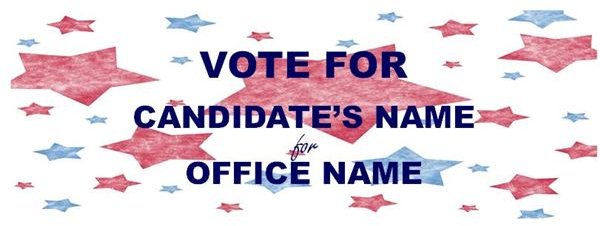
Voting is a privilege, an honor, a duty and a right. Show your support of a candidate by customizing this bumper sticker template with the candidate’s name and the office for which he or she is running. The box with sample text is outlined with a dotted line border to make it easier to find and alter. Remove this border once you have personalized the template by right-clicking the border of the text box and selecting Format Text Box. Go to the Colors and Lines tab, click the Border Art button and choose None. These bumper stickers print two to one page.
Download Page: Candidate Support
Check back regularly, as more Microsoft Publisher templates are continuously being added. For more help with Publisher, go to the Bright Hub MS Publisher Tips library.


