So you need to convert CMYK to spot colors in Illustrator? The easiest way to do this is using Illustrator’s Live Color feature, which I’ll describe in step-by-step detail below. First though, I’ll lead you through a few steps to help you decide if converting from CMYK to spot is really necessary.
Do you really need to convert your Illustrator document’s colors from CMYK to spot?
First, be sure that converting CMYK to spot is really what you need to do. I say this because CMYK-to-spot (Pantone) conversions are rare. Usually it happens the other way around: the designer selects a palette of Pantone colors, designs a logo, icon, or 1- or 2-color print piece (like a brochure) using those colors, and finds somewhere down the line they must convert it to CMYK. This could happen for any number of reasons. The client might decide to add more colors to the piece, making printing in spot cost-prohibitive. The client may change the project to include color photos, in which case with spot you’re looking at a 5- or 6-color job which, again, may be cost-prohibitive. The client may decide to get the piece digitally printed, and their printer may suggest converting to CMYK on your end as a better alternative to converting on their end.
Spot color is called for in items like logos or simple branding icons, or in print pieces with, say, a 1- to 3-color palette. Example: a brochure that is black type with a lime-green accent color.
Spot color is NOT called for in online/electronic-only pieces such as websites or overhead presentations, not in pieces that use 3 or more colors. Note that this overlaps with the above recommendation. This is when you use your judgement. Will it be more cost-effective to print CMYK or spot? Are my spot colors outside the CMYK palette and how much am I/my client willing to accept a conversion?
Converting CMYK to spot color using Illustrator’s Live Color feature
Open the file to be converted.

For this tutorial, I’ve selected some 3D targets that I want printed in two colors: Black and a reddish pink. Check your color palette to see what you’re starting from.
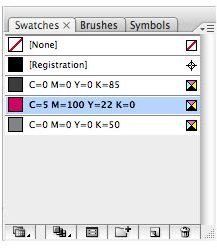
Everything is already in CMYK. The two shades of gray are just screens of black, so that’s good to go. The reddish pink, however, needs converting.
First, select all instances of the reddish pink color.
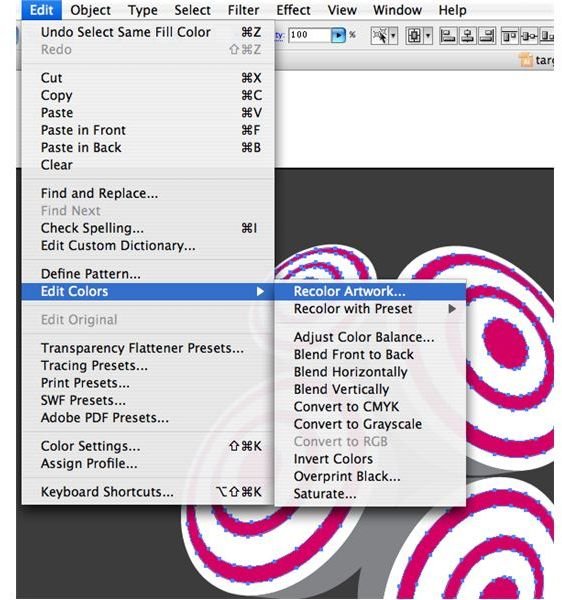
Then, in the menu bar, click “Edit” –> “Edit Colors” –> “Recolor Artwork”
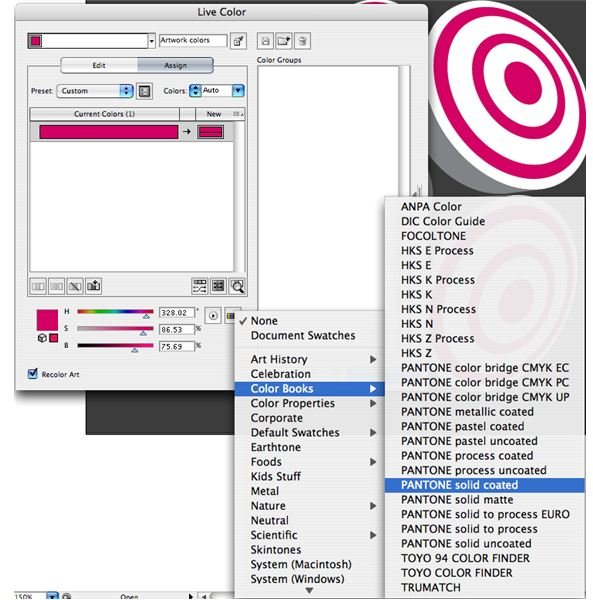
This brings up the Live Color palette. Click the icon that is a small six-rectangle grid to bring up a list of spot color libraries to convert to. When in doubt, choose “Pantone Solid Coated.”
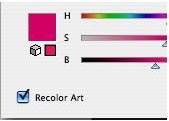
Click the little box in the lower left of the window that says “Recolor Art.”
Click “OK.” The Pantone color that Illustrator judged to be closest to your original CMYK values has filled in your art and been added to the document’s color palette.
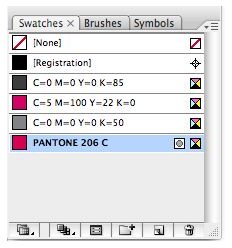
You should be able to safely delete the old CMYK color now, and now this document is two colors: Black and Pantone 206 (spot).


