If you have a small school with a limited yearbook budget or belong to a group of homeschoolers who want to create your own yearbook, you may want to use one or more of the following templates.
There are four unique templates, each including two corresponding pages, and each template is available in both Publisher and Word formats. The templates vary slightly from Publisher to Word, as not all features are available in both programs.
Basic Yearbook Template
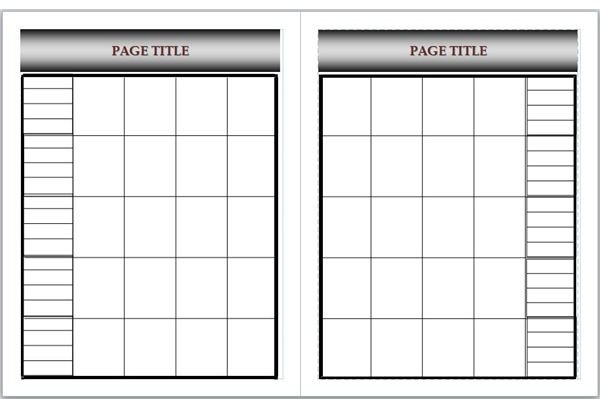
If you simply need a basic template to create yearbook pages with student photos and their names, this may be ideal for you.
Each page has a section for the title. In Publisher, simply select the sample text and type over it. In Word, the title is in the header.
The Publisher template includes picture placeholders, so you can click inside a box to open the Insert Picture dialog automatically.
In Word, you can click inside the box and select Picture from the Insert tab or menu, although you may need to resize the photo once you insert it. Each box in the column bordering the photos is a text box into which you can type student names.
Downloads:
- Basic Yearbook Template - Microsoft Word Format
- Basic Yearbook Template - Microsoft Publisher Format
Brick Wall Yearbook Template
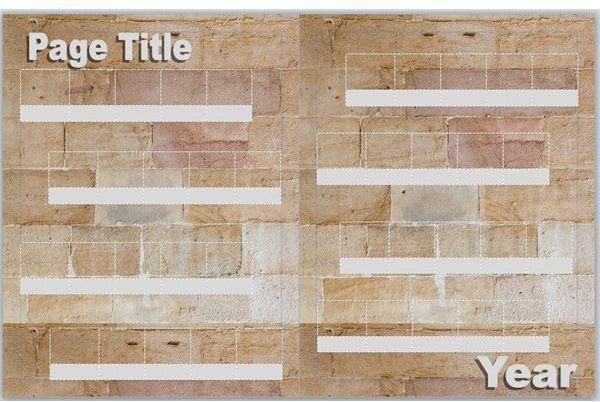
Students (as well as staff) might appreciate the classic rock reference of this template, or it may simply serve as a fond reminder of the school building.
The Word and Publisher templates are very similar, with brick wall backgrounds, WordArt objects for a page title and the year, as well as tables into which you can insert photos and names or captions. In Publisher, the picture placeholders are clickable and open the Insert Picture dialog, but you will have to insert and format photos in Word.
Downloads:
- Brick Wall Yearbook Template - Microsoft Word Format
- Brick Wall Yearbook Template - Microsoft Publisher Format
Corkboard Yearbook Template
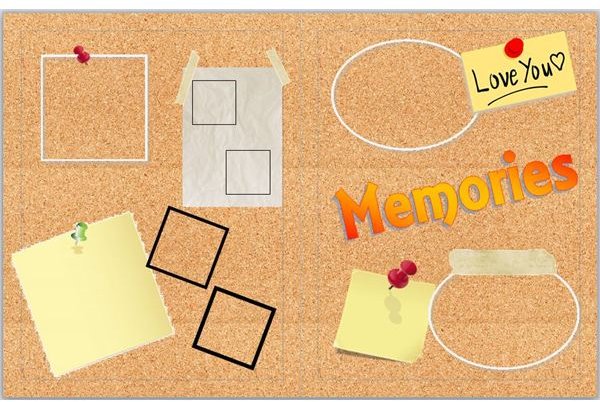
This yearbook page template may be better suited for a general page or an extracurricular group page as opposed to individual students’ photos.
The corkboard background looks like something you might find in a locker or student’s bedroom. Most of the objects on the pages have picture placeholders in Publisher. In Word, simply click on the shape to select it. Right-click and choose Format Shape or Format Object. Select the Picture option on the Fill tab and insert the photo you want to add.
In addition, the Memories design across the second page is a WordArt object, which means you can change the text or select another font style, color or WordArt style.
Downloads:
- Corkboard Yearbook Template - Microsoft Word Format
- Corkboard Yearbook Template - Microsoft Publisher Format
Filmstrip Yearbook Template
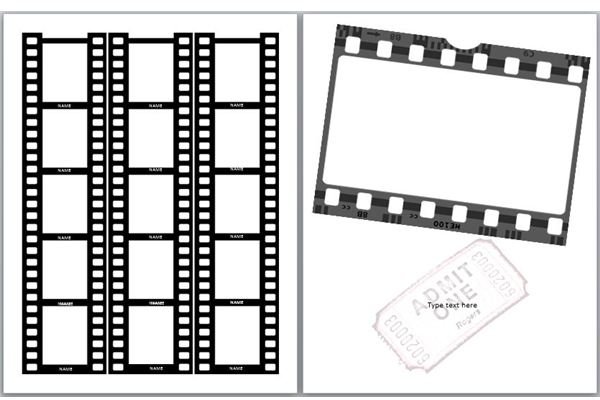
The finally offering in this collection of yearbook page templates is also a whimsical design that may be best suited for the photography club, drama class or the cast of your high school musical.
The appearance of these templates is slightly different in Word and Publisher. The Word template (shown here) has the individual strips on the first page and the large placeholder on the second, while the pages are transposed in Publisher
The Publisher template includes picture placeholders, so you can click inside a box to open the Insert Picture dialog automatically. In Word, you can click inside the box and select Picture from the Insert tab or menu, although you may need to resize the photo once you insert it. There is a text box below each individual placeholder so you can type captions or students’ names in white text.
Downloads:
- Filmstrip Yearbook Template - Microsoft Word Format
- Filmstrip Yearbook Template - Microsoft Publisher Format
All of these templates are for Microsoft Word and are in .dotx and .pub format. They are compatible with Word 2007, 2010 or 2013 as well as Word 2003 provided you have installed the Office Compatibility Pack or all current versions of Publisher.


