If you or someone you know is preparing to retire, don’t let the event pass unobserved. Whether you have a small get-together or an all-out shindig, make custom announcements to help gather all of the special people in your life.
Make Invites in a Flash
Following are five unique greeting card templates that you can use in Microsoft Publisher to create custom retirement invitations. Click on any image to open an enlarged view of the template, and click on the Download link in the References and Resources section at the end of this article to obtain the template that you want to use.
Hammock Design
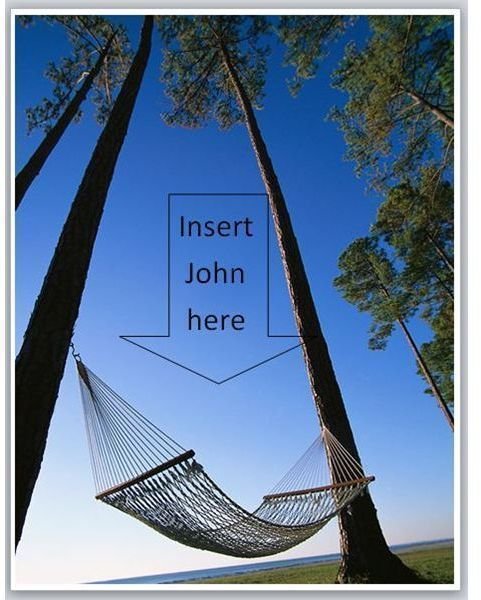
This template features a tempting hammock hanging between two tall trees beneath the bluest of skies. A large arrow pointing down at the hammock says, “Insert John here.” Double click the arrow to edit the text and add your guest of honor’s name. Inside, the card has spaces for the party details such as time and date, as well as the words, “Join us for a retirement party!” You can easily customize the font or edit the text in any way you choose.
Boxing Gloves Theme

The front of this template doesn’t contain a single word. Instead, it simply features an image of a pair of boxing gloves hung on a nail in a wall. Inside, the card reads, “Time for Jim to hang up the gloves! Join us for a retirement celebration.” Of course, you can change the sample text to include your own retiree’s first or full name. In addition, the left side of the inner section enables you to enter important details such as the when and where of the party.
Road to Retirement

Wow guests with this custom invite, featuring the photo of a road sign with your guest of honor’s name “painted” onto it. The sign reads, “Ed’s Retirement Next Exit.” Simply double-click the name “Ed” to select that text and replace it with your own. It has already been formatted to look like it is part of the sign. Inside, the card reads, “Join us for a retirement celebration!” and has spaces for party details as well.
Surprise Retirement Party
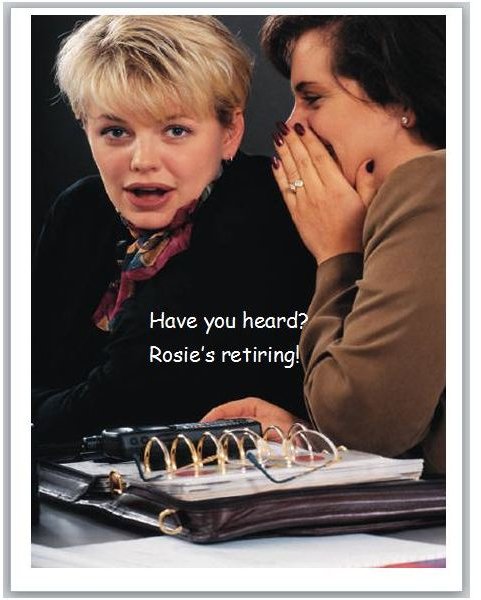
If you want to throw a colleague a party without her knowing in advance, this template might be ideal for you. The front features one coworker whispering to another, while the second woman has a pleasantly surprised look on her face. The front of the card reads, “Have you heard? Rosie’s retiring!” Double-click this text to customize it with your own. Inside, along with spaces for the time and location of the party, the card announces, “But the party’s a surprise, so don’t spill the beans!”
Toes in the Sand Theme
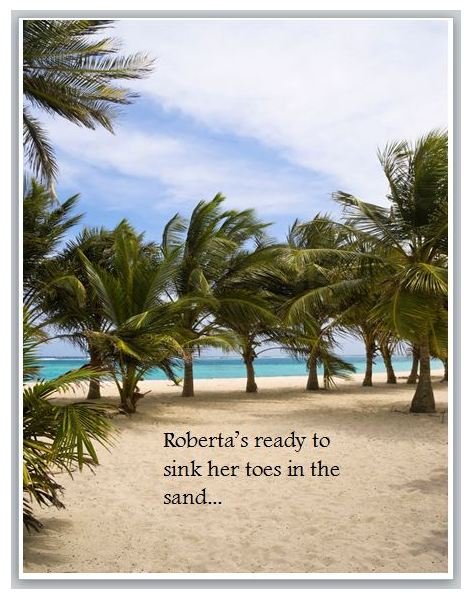
The final offering in this collection of invitations features an image that many soon-to-be-retirees dream about. A sandy beach borders crystal waters. Surrounded by green palm trees under a blue sky, the center of the card proclaims, “Roberta’s ready to sink her toes in the sand…” Double-click this text to personalize or otherwise modify it. Inside, the card reads, “Join us for a retirement celebration!” and has spaces for party details as well.
References and Resources
Invitation Download Pages:
Download Hammock Theme Retirement Invitation
Download Boxing Gloves Theme Invitation
Download Road to Retirement Invitation
Download Surprise Retirement Party Invitation
Download Toes in Sand Theme Retirement Invitation
Sources:
Microsoft Online, Creating Templates in Publisher, https://office.microsoft.com/en-us/publisher-help/create-or-change-a-template-HP003076392.aspx
Images:
Screenshots provided by the writer


