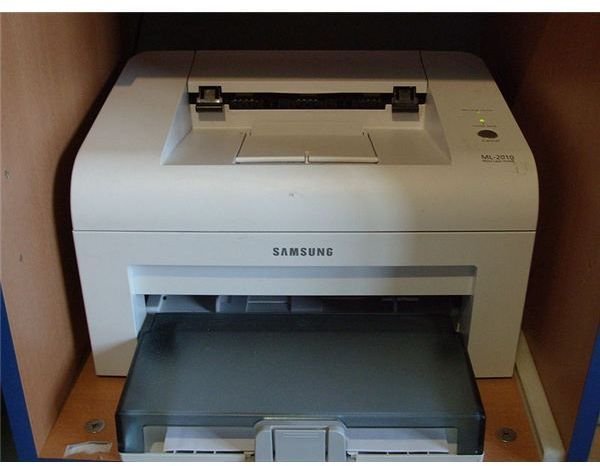
The laser printing process entails six different stages. Although it may seem complex, learning about exactly what goes on in your laser printer between the moment when you hit print on your computer and the paper comes out can be fun and educational.
Laser Printing Overview
Laser printers are renowned for their reliability, speed and quality. They are also known as the inkjet printer’s competitor. While there

used to be an extreme difference in cost between a laser and inkjet printer (with the laser printer being more costly), the price gap has been closed over the years. Both printers are now just as affordable; it is simply a matter of choosing which is appropriate for you.
Unlike an inkjet printer, laser printers use a highly focused light beam to essentially project the image on a piece of paper. A selenium-coated drum is electrically charged to attract toner and further on transfer it onto paper or other printing sheets. A laser printer goes through what is known as the laser printing process. There are six stages from the moment you hit print on your computer to when the paper comes out of the printer that the laser printer goes through.
Cleaning
The first stage of the laser printing process is the cleaning phase. The cleaning phase prepares the photosensitive drum through a physical and electrical process to remove the previous image printed. A rubber-cleaning blade removes excess toner on the drum and scrapes it off into a debris cavity. The heat roller is lubricated to ensure that enough heat will be applied evenly to transfer the next image printed. Electrostatic erase lamps neutralize electrical charges that remain on the drum from the previous printed image as well.
Condtioning
Once the drum has been cleaned and neutralized, the second stage of the laser printing process can begin. Conditioning the drum essentially applies a negative charge on the drum. A negative charge is also applied to the paper when it passes through the primary corona wire or transfer roller. This prepares the paper for the transfer phase by allowing an image to be electrostatically transferred.
Writing
The third stage in the printing process is known as the writing or exposing phase. In this stage, a laser light or beam hits the photosensitive drum. In the spots where the light hits the drum, a negative charge is dissipated to the center of the drum which is grounded. Essentially, the negative charge in certain areas is removed while it is higher in other areas.
Developing
The fourth stage, also known as the developing stage, allows the electrostatic image to be transformed into a visible image on the drum. Areas that have been exposed to the laser light in the previous stage become covered in toner. Areas that have a negative charge repel the toner.
Transfer
In the transfer phase, which is the fifth stage of the laser printing process, the toner image is transferred onto the paper electrostatically. The positively charged toner is attracted to the negatively charged paper, which allows the image to be transferred to the paper and become a visible image.
Fusing
The final step in the laser printing process is the fusing stage. The paper and toner on the paper are heated by a fuser assembly. The toner is melted onto the paper, which absorbs the toner, to retain the image on the paper. This forms the permanent image that comes out of the printer and also explains why printed papers are warm when they exit the printer. The process is restarted from the first stage once a new printing document is sent to the printer.
Image Credits:
References:
Harris, Tom. “How Laser Printers Work”, https://computer.howstuffworks.com/laser-printer.htm
Geen, Barry. “How does a printer work?”, https://e-articles.info/e/a/title/How-Does-a-Printer-Work-~-The-printing-process-~-Types-of-Printers/
Pro Profs “The Laser Printing Process”, https://www.proprofs.com/forums/index.php?cmd=showentry&eid=30&blogid=1&autocom=blog


