If you are looking for an inexpensive HDR image application, then Pangea Bracketeer is the one. Bracketeer is easy to use and does not require any knowledge of tone mapping or image alignment.
Pangea Bracketeer

Cost: $29.95
Pangea Bracketeer comes bundled with PanoPreviewer, which is a Photoshop plug-in that allows the user to view equirectangular images as VR panoramas for editing. This allows real time viewing while editing a panorama image.
A trial version can be downloaded free. Images can be viewed and enfused, but cannot be saved.
HDR Imaging
High contrast images often produce less than desirable results in the highlights and shadows. Regular image cannot balance the dynamic range without some trade offs in contrast and image quality. Some contrast can be tamed by using Neutral Density (ND) filters when shooting the image, but not all images have two distinct tonal ranges. Digital photography gives photographers another option to tame those highlights and still have natural looking images. HDR images increase the dynamic range and bring the highlights and shadows into balance. In addition, some interesting surreal effects can be created.
Photographer’s can plan for this when they are out in the field shooting by bracketing images . Various applications can combine these bracketed images into on HDR image. Photoshop is the most complicated, HDR’s soft’s Photomatix ($99) is another application, but Pangea Bracketeer can combine bracketed images all at a bargain price of $29.95.
Layout (4 out of 5)
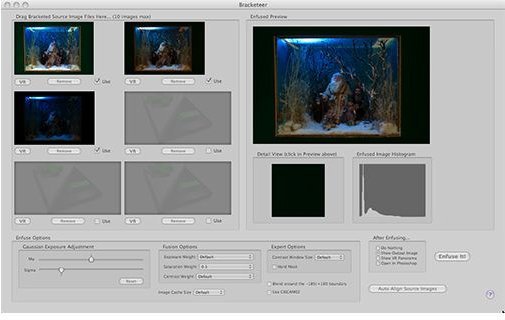
Bracketeer’s layout consists of one window with the following options:
- Six panels for bracketed images
- Preview section
- Detail view
- Enfused Image Histogram
- Enfuse Options (two)
- Fusion Options
- Expert Options
- Output Options
This simple layout requires little extra information to run through the process.
Layout Window
Options (2 out of 5)
There are very few options with this application. This is a budget application that is designed to do one thing, fuse bracketed images. The images need to be color corrected, white balanced and all adjustments made before dropping them into the Bracketeer program.
Options
- Gaussian Exposure Adjustment: Mu and Sigma only
- Fusion Options: Exposure, Saturation and Contrast weight
- Expert Options: Contrast window size and Hard Mask
- Export Options: Show Output Image, Do nothing, Show VR Panorama and Open in Photoshop
These basic adjustments allow for minor corrections only.
Ease of Use (5 out of 5)
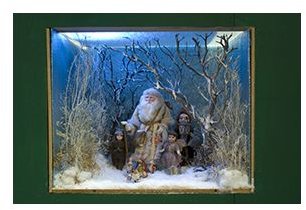
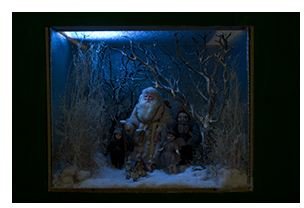
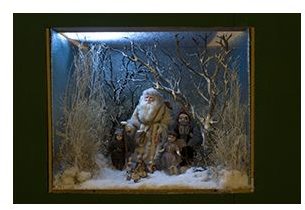
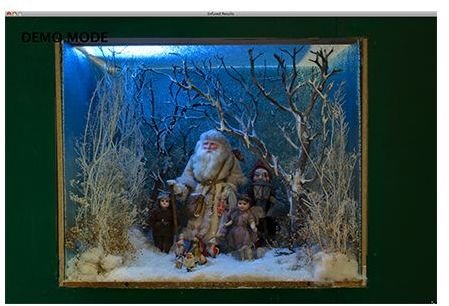
For the price, Pangea’s Bracketeer gets the job done easily. Six images can be loaded into the main window and various views compared. Once the bracketed images are chosen, just click the Enfuse It button and Bracketeer creates a fused image that opens up in a new window.
Images need to have all adjustments made prior to loading into Bracketeer and must be in TIFF format. Bracketeer does not work with RAW files , but this is a budget program that produces good results with little effort. The results are natural looking images with little effort.
The Process
Value for Money (5 out of 5)
Pangea Bracketeer will fuse bracketed images (images corrected prior to loading) and give natural looking results. This low cost application is a great starting place for amateurs and students. Bracketeer is simple to use and delivers HDR images at a budget price.
Summary
Bracketeer is a great product that delivers exactly what they advertise. For the cost conscience or for those looking for an application that is simple and easy to use Pangea’s Bracketeer is a great application. Professional photographers or those looking for more options and tools might want to look at other HDR applications. In either case, it is worth downloading the free trial and determining if this product will work for you.


