Here are the coolest and best Mac compatible software for HDR photography, all sorted out in one essential list! Learn about full featured stand-alone software, plug-ins and freeware that can get your HDR photo editing done in a jiffy!
High dynamic range photography, or HDR photography has become an important weapon in the arsenal of today’s photographers. HDR photography attempts to compensate the limited dynamic range, not only of today’s digital cameras, but also of the human eye, by merging together multiple images taken over a range of exposures. The spectacular output of HDR imaging has to truly be seen to be appreciated. Learn more about the art of HDR photography by reading these HDR photography tips .
Here is a list of available Mac compatible software for HDR photography:
1. Adobe Photoshop
Adobe Photoshop is the big-daddy of all imaging applications. HDR photo editing is only one of the many things Photoshop does. Though a necessity on almost every pro photographer’s computer, one must realize that Photoshop is not primarily an HDR software program, and the images generated by it does not exceed the quality of some stand-alone applications. That said, if you already own Photoshop and only want to experiment with HDR photography, you can take your first few steps using the built-in tools and still get really good HDR images!
Price:$699
2. HDR Expose
A Windows software which has recently been ported to Mac, HDR Expose also offers a BEF exporter Photoshop plug-in, so you can share image editing with Photoshop. It has good auto-alignment, though tone mapping did present me with a bit of a learning curve. The package bundles a plug-in for Lightroom/Aperture. All-in-all, a powerful software with very natural image output. To learn more about this software, read this HDR Expose review .
Price: $150
3. Photomatix Pro
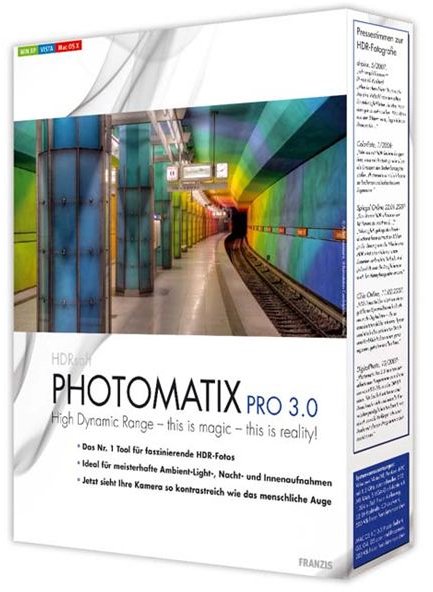
Probably the most popular and most powerful of all HDR tools, Photomatix Pro is worth every penny it costs. The learning curve is not so steep and the output produced rates amongst the best of all HDR software. If there’s just one software you want to buy for all your HDR photography needs, this should be it! What’s more, it’s also available as a Photoshop plug-in, so you can do your HDR editing directly from Photoshop! Read a detailed review of Photomatix here and a quick tutorial of the software here .
Price: $99
4. Hydra

A software with a wonderful ‘Mac’ feel to it, complete with 64-bit compatibility, Hydra has a very good interface and useful controls. Though not as extensive or powerful as some of the other software options, Hydra still offers three tone mapping choices, and is making rapid improvements in quality of output. Hydra is available as a stand-alone or as a plug-in for Lightroom or Aperture.
Price: $80
5. HDR Darkroom

HDR Darkroom claims to be the first software to get realistic HDR output using two patented techniques called Local Tone Balancer and Local Tone Enhancer. Able to handle large images 30-50 MB in size, HDR Darkroom has an easy workflow with batch processing capabilities, making it an ideal choice for professionals.
Price:$79
6. HDRtist

An extremely simple to use freeware for the Mac, HDRtist takes the pain out of using complicated software and makes creating HDR images fun and easy. Simply ‘Add’ your photos directly from your iPhoto library and use the ‘Strength’ slider to get stunning HDR results in seconds! HDRtist also allows creating HDRs from a single JPEG or RAW image very useful if the conditions didn’t favor multiple exposures. It can read multiple image formats and RAW from all major camera makers.
Price: Freeware
7. Photosphere
Developed by the Father of HDR Photography, Greg Ward, Photosphere is a Mac-only freeware that does HDR editing with great accuracy. It features very good ghost removal and auto-alignment tools with an extremely powerful tone mapping engine.
Price: Freeware
8. FDR Tools Basic
Last on our list of Mac compatible software for HDR photography is FDR Tools. Available for both Mac as well as Windows, the USP of FDR Tools is that it has an ability to master scenes containing moving objects.
Price: Freeware


