Software to create photo gallery websites and presentations is a great way to present your photography work if you want to sell it. It provides an easy and fast way of generating photo albums that does not require advanced skills in web development.
Using software to create photo albums for webpages, slideshows and virtual tours is an easy way for showing off your photography portfolio. This is very efficient if you do not have the time to present your photos by building presentations or websites manually.
iFunia 3DGallery for Mac
This Mac software allows you to creatively present and share your photography works in 3D. It has preset Flash templates and background music that lets you create visually appealing 3D Flash galleries while only requiring you to drag and drop your still images. You do not have to have advanced skills in Flash to do this, which makes this software ideal for beginners. You can add up to 500 still images in a single project and you can export it as an executable file, a Flash movie or a webpage. You can download it as a free trial or you can purchase the full version for $39.95.
Flash Gallery Factory

If you want to put in display your photography works in a 3D photo album, an interactive Flash photo slideshow or a website, this software to create photo gallery can help you do it easily. It lets you create dynamic Flash slideshows and 3D photo galleries that could function as personal photo stories, holiday greetings and business presentations. The application also offers you an easy way to publish your galleries and slideshows to social media networks, letting you easily share memories and presentations to friends and business contacts no matter where they are in the world. You can try it for free and you can purchase it for $59.95.
Easy Website Photo Gallery
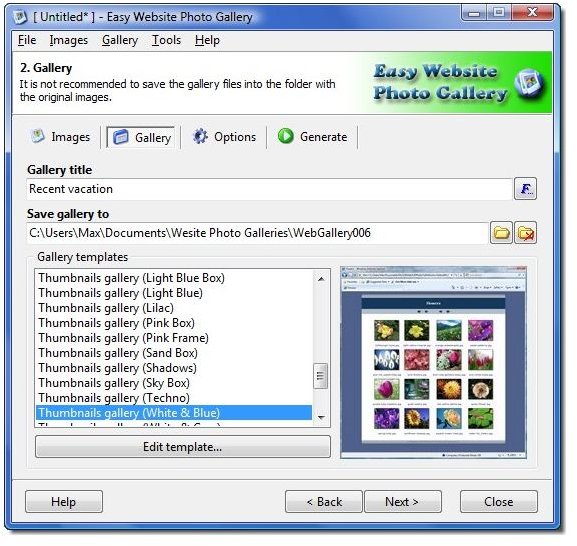
Designed to be very easy to use, this software only requires you to pick the photos you want for your gallery, choose the built-in template for it and click the Generate button and it will do the rest. It can generate a simply photo gallery that you can share with friends and family, virtual tours for your business and all kinds of presentations for different purposes. If you want a more personalized or unique look, you can easily customize the look and feel of the gallery that is generated. If you have knowledge in HTML, you can easily modify the generated HTML files to make it fit the look of your existing website. You can try it for free for 20 days and you can purchase the full version for an annual fee of $34.95 or a lifetime fee of $59.95.
Visual Lightbox JS
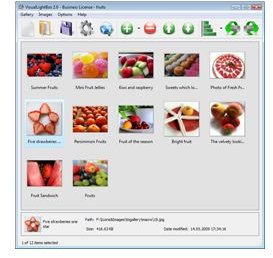
If you prefer the famous Lightbox-style overlay effect for your photo gallery, you do not need advanced skills in Javascript or HTML. You can use this application’s wizard to create photo albums for the web. You can do this by manually coding the gallery, but if you do not have the time and skills to do so, you can just use this software to easily generate a beautiful web photo gallery. You can download and use it for free.
jAlbum
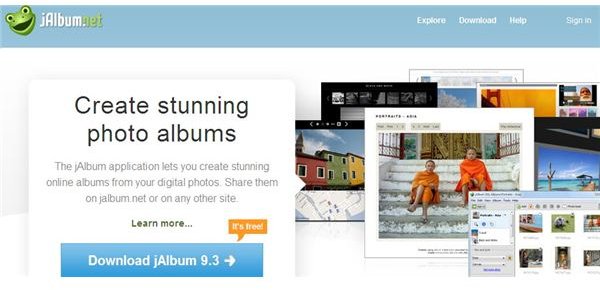
One of the most popular free solutions for photo gallery creation, jAlbum is your best bet if you want to generate a pretty photo album that you can add to your website or if you want a standalone web gallery of personal photos or photos for your photography portfolio. You can sign up for a 30-day trial account that includes a limited storage space. Free accounts are ad-supported so if you do not want advertisements ruining the look of your online gallery, you can upgrade to a Premium account for $2.50 per month or a Power account for $10 per month.
Conclusion
Downloading one of these software packages to create photo gallery presentations is your best option for showing off your photography work. It will be easier to sell your photographs if you can present them in a visually appealing way and these programs let you do that easily and quickly.
References and Image Credits
iFunia, https://www.ifunia.com/3dgallery.html
Flash Gallery Factory Deluxe, https://www.wondershare.com/pro/flash-gallery-factory-deluxe.html
Web Gallery Software, https://www.webgallerysoftware.com/easy-website-photo-gallery/
Visual Lightbox, https://visuallightbox.com/
jAlbum, https://jalbum.net/


