Here’s the list you’ve always wanted - five of the best free panoramic photo software programs. Covering all the platforms from Windows to Mac to Linux you’re sure to find the program to meet your needs.
Panoramic photos, or ‘wide format photos’ allow one to capture a very wide scene in one image. Originally, it required special photographic equipment to create such a photo. But now, there is available software which allows you to shoot photos with a regular camera and digitally ‘stitch’ them together to create a wide panorama . The alignment can be either vertical, horizontal or a combination of both, enabling one to create really huge photos!
Here’s a roundup of the top 5 free panoramic photo software.
1. CleVR
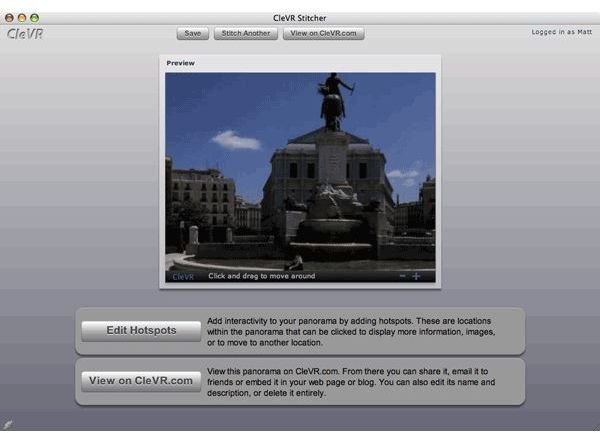
For starters, CleVR is not a software that you can install on your computer - it’s a website where you upload your images,
and then click a button that stitches them all into a nice, curved, interactive panorama. You can zoom and pan around the image using your mouse, save it on your computer or share it with the world. One can also add interactive ‘hotspots’ in the image - areas on the panorama which viewers can click to read additional notes, comments, photos, videos, even other panoramas to make a complete virtual tour. All in all, it is a very powerful site that quickly gets the job done with minimal fuss and really good results.
Platforms: All
2. Hugin
Hugin is a front-end GUI for the original Panorama Tools. An immensely powerful tool, Hugin is one of the finest panorama tools in
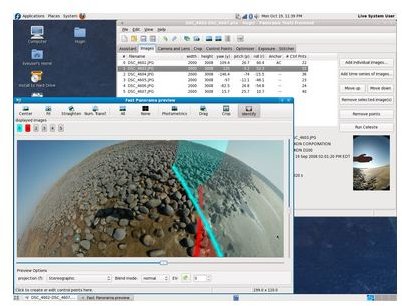
general, and maybe the best in the open source world. Here is a detailed review of Hugin . The website provides extensive tutorials to familiarize one with the immense power and capability of Hugin. I would definitely recommend everyone to at least try Hugin once - you wont regret it at all!
Platforms: Windows, Mac and Linux
3. Image Composite Editor
Of late, Microsoft has begun to develop really good pieces of software, which are being distributed free. Photosynth was one of them, Image Composite Editor is another. One distinctive feature that sets this one apart is its support for truly large images - think gigapixel sizes. Add to it support for a host of formats, including Silverlight’s ‘Deep Zoom’ format, and you have a really amazing software in your hands. It can read RAW formats, supports 8 or 16-bits, can increase speed of operation on multi-core processors and supports Photoshop layers. Get this one for sure!
Platforms: Windows XP, Vista and 7.
4. Pos Panorama Pro
When it comes to free panoramic photo software, Pos Panorama Pro is Windows only freeware option. This easy to use and intuitive software makes creating
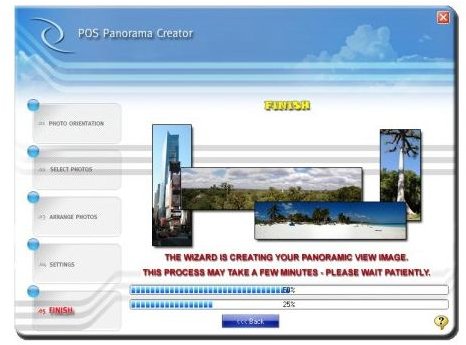
panoramas a very simple task indeed. However, the in-built image editor is not very powerful and one would need to use a third party editor to give the final touches to the image. It’s good for beginners wanting to experiment with their first panorama tool.
Platforms:Windows XP, Vista and 7.
5. Panorama Plus Starter Edition
The Starter Edition of Panorama Plus offers basic panorama crating totally free, without any adware or nagware included. I
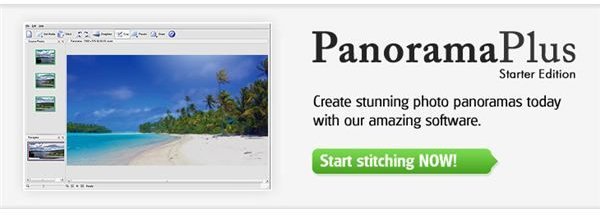
t’s a simple to use, one-click kind of software, making life very easy even for a novice. The software can stitch images either vertically or horizontally, and create files up to 3000 px x 3000 px in size.
Platforms: Windows XP, Vista and 7
References
Download Links for Software:
Screenshots Courtesy:


