If you are looking for a program that has enough features to let you edit and output your audio files in addition to basic voice recording features, check out these five great voice recording software reviews to help you decide which is right for your needs.
Introduction
Voice recording software has become an essential tool in our daily lives, whether it is for professional use or for personal use. This is because recording important meetings and even class lectures have become invaluable tasks to our professional and academic work, while backing up music from old media like CDs give us the ability to preserve the music we own for a very long time by digitizing them. If you are looking for a great voice recording software that can satisfy your needs and that can meet your budget, here are some voice recording software reviews to help you out in making your decision.
RipEditBurn
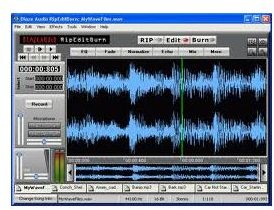
Aside from including the common features of voice recording software like recording and editing audio files , RipEditBurn lets the user rip and burn CDs too. It can also support cassette tapes with the right hardware. It’s feature-packed software with its strength lying in its ability to rip audio files from old media to digitize them, edit those audio files and burn them back into a CD. It supports MP3, WAV and WMA file formats and the package includes a set of free sound effects that a user can use in editing audio files. Users can try it for free and if they want to continue using it with all of its features, it can be purchased for $29.96 .
AV Music Morpher
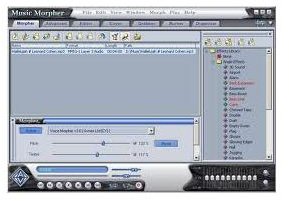
This voice recording software focuses on editing and mixing music , giving the user access to an array of sound effects, audio clips and other audio enhancements in their mixing tasks. Like most voice recording software, the AV Music Morpher also includes common features like CD ripping, CD burning and of course, digital audio recording. An additional useful tool for people who love making their own CD mixes is the CD Cover Editor feature which lets users easily design covers for CDs and DVDs. It can be purchased for $29.95 .
Blaze Media Pro
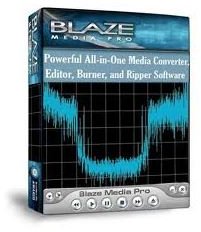
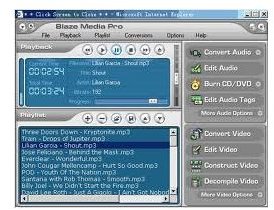
Focusing on the most common features of voice recording software , Blaze Media Pro sells itself as an easy to learn and use program for recording, converting and editing audio files. It can convert several types of audio formats and it also puts a lot of focus on itself being a media player. It may not look impressive as an audio mixer, but it definitely pulls its weight in recording and converting of audio files. It can be purchased for $50.00 .
GoldWave
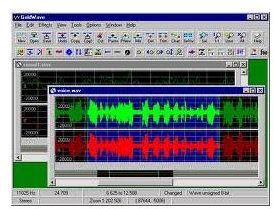
GoldWave prides itself in being a versatile voice recording software. It can handle anything from the simplest voice recording tasks to the most sophisticated audio enhancing and editing jobs. With a bunch of features at its disposal, it is quite easy to learn to use, something that is rarely seen among professional digital audio recording software. Its recording feature gives users a powerful way of importing content because it can record from several types of sources that include microphones, cassette tapes, CDs and even turntables. It can be purchased for $19 for one year of use, or $49 for lifetime use.
Mixcraft
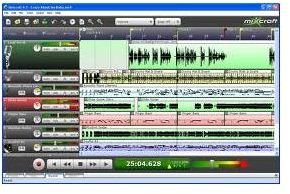
The last item on our voice recording software reviews list is Mixcraft. It can be a little daunting for beginners with all kinds of options and features hogging the user interface from each other, but for people who have a little more experience or patience in using a sophisticated professional audio recording and editing software , it can be the software of choice. It records audio from different sources, but its strength lies in its audio editing capabilities that are professional in quality. It can be purchased for $74.95 .


