There are literally countless options for online freeware that allow you to do music mixing, and create cool numbers without downloading/installing bulky files. This article covers the top three free programs.
1. SpliceMusic
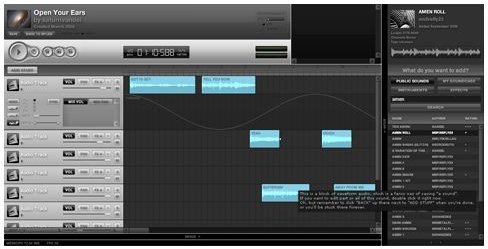
SpliceMusic allows you to smashup loops of rocking sound tracks, and even download your favorite tracks.
Looking at its user interface, SpliceMusic allows you to exercise complete control over the track’s sound, and searching for sounds is a cakewalk.
You can upload sounds with great ease, and share it online under the Creative Commons license . SpliceMusic also has a social network, which allows you to interact and share ideas with community members.
But the best thing about SpliceMusic is that you have the choice to download anything and everything on the site as an MP3 file, and store it within a moment.
This groovy, web 2.0 compliant free music open source audio software is one of the best DIY products that allows online music mixing totally free of cost.
2. LoopLabs: A Powerful Free Music Mixing Software
LoopLabs is yet another popular free online music mixing software which allows you to create unique audio files effortlessly.
LoopLabs is a hot choice among beginners due to its ease of use, and it’s huge amount of options, which include: funky beats, advanced multi-channel presets, MP3 mixing and crossfading, ring tone creation and output, sequencing, and song composing, MP3 sampling, multi-channel mixing, and much more.
What’s more, LoopLabs has been in the limelight as the world-famous brands like Bacardi, and even the legendary Apple have used it.
Salient Features of LoopLabs
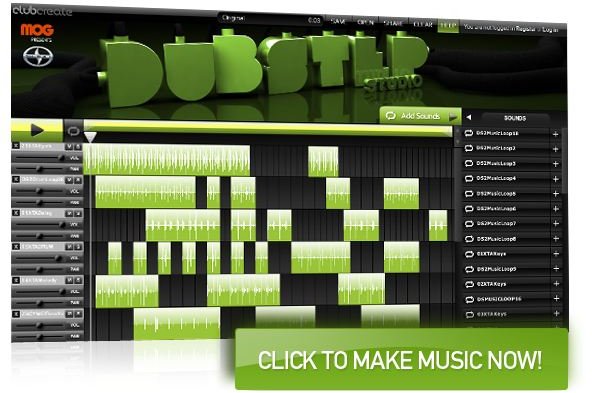
Its audio recording capabilities allow you to record your own pieces, while sequencing, MP3 sampling, mixing and crossfading, as well as stereo effect processing features facilitate in combining several small audio clips into a melodious track.
LoopLabs also presents the option of ring tone creation and output; due to this feature it has been tremendously popular among smartphone addicts who could create a new ringtone nearly every day. Furthermore, social network integration is also included in LoopLabs making it a complete, powerhouse entertainment package.
Pros and Cons
You don’t have to download this program to use it; meaning you have no risk of downloading any malware, spyware, adware and Trojans on your local system. At the same time, you don’t waste the hard disk space, and CPU resourceful for running it as well.
You can create your own tracks or play around with the existing sound tracks to add your personal touch to them.
However, since this is an online music mixing program, you can’t use it when you’re offline. Apart from that, there aren’t any apparent drawbacks of LoopLabs.
3. FlexiMusic Composer
FlexiMusic Composer is another multi-track free music mixing software that does everything that Looplabs, SpliceMusic, and other similar programs are capable of doing. Apart from composing, editing and adding effects to your music, you can generate sounds with the click of button by making use of the many samples included.
Noteworthy Features
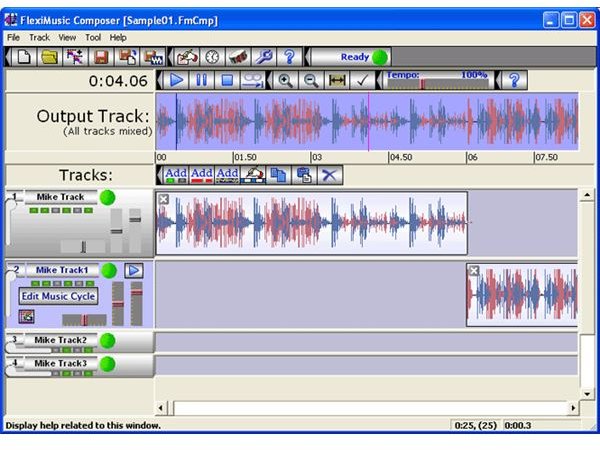
FlexiMusic has a rich sound sample library that covers the entire range of a symphony orchestra instruments right from strings, pipe organ, brass, harpsichord, down to woodwinds, percussion, and many more.
You can organize your compositions into tracks, and each of them can accommodate multiple patterns, and as many instruments as you’d like.
The FlexiMusic Composer offers three types of tracks: Single File/Voice, Step Cycle, as well as Bar Cycle.
You get to choose from over 600 instruments sounds, which include (but not limited to) kick drums, guitars, congas, pianos, snares, strings, basses, and the likes of them.
And, just like other top notch free music mixing software, FlexiMusic also offers a number of cool effects like echo, Reverse, Wave on Wave, etc.
Apart from the freeware, the fully featured version of FlexiMusic offers many more impressive facilities at a meager price as well.
You may also be interested in checking out reviews of WavePad: Another free audio editing program , Dexster Audio Editor: A Premium Shareware, and Free Audio Editor 2010 for Windows.


