Forget the rest - who better to store your photos online than Adobe Photoshop? They’ve recently begun releasing mobile apps for various phones including the Windows Mobile platform - let’s see if it’s any good…
Simple Photo Gallery Concept
The idea is simple - Adobe Photoshop reckons that rather using services like Photobucket, Flickr and other online storage of photos, their powerful brand name is enough to attract users to use their services.
It’s an intriguing idea, one that requires a free account on Adobe.com and a free download of their Windows Mobile software to try out.
Once this is complete, it’s a case of uploading photos to Adobe’s new online storage, where one assumes in future they’ll be offering browser-based versions of Adobe image management software…
System Requirements
Only a select range of Windows Mobile phones are specified as being compatible with the Photoshop.com software:
HTC
Dash (T-Mobile)
Mogul (Sprint)
Shadow (T-Mobile)
Tilt (AT&T)
Touch (Alltel, Sprint)
Wing (T-Mobile)
XV6900 (Verizon Wireless)
Motorola
MOTO Q Global (AT&T)
MOTO Q 9c (Sprint)
MOTO Q 9h (AT&T)
MOTO Q 9m (Verizon Wireless)
Palm
Treo 750 (AT&T)
Treo 800w (Sprint)
Treo Pro (AT&T, T-Mobile)
Samsung
Blackjack I (AT&T)
Blackjack II (AT&T)
Note however that some other devices may work with the software due to shared hardware, etc. Devices must be running Windows Mobile 5 or later. Also note that the service cannot be used by non-US users.
Once an Adobe account has been setup (existing accounts can also be used) the website asks the user to browse to m.photoshop.com where the mobile software can be downloaded. This is a CAB file so can be downloaded directly to the mobile device and installed.
Photoshop.com Client Screenshots

Using Photoshop.com
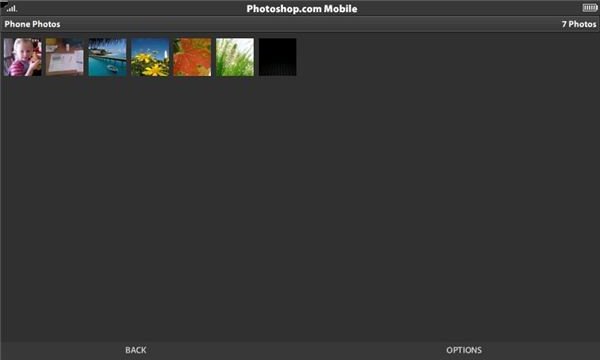
The client app for Photoshop.com has all of the style of the online version, and it is a very simple task to upload images. Obviously Adobe want Photoshop.com to be a success so it is hardly surprising that the uplaod of images would be so streamlined.
On your Windows Mobile device, the Photoshop client scans your device for photos and then uploads these to the specified Photoshop.com account. You can prevent items from being uplaoded, but once there they can be added to slidehows and galleries; the main online gallery also links in with Facebook, Flickr and Photobucket which allows images to be shared across all networks.
Polished Online Gallery (3 out of 5)
The idea is of course a very good one, and it’s quite surprising that Adobe have never made moves in this area previously. The world famous brand name says “photos” so it is totally appropriate that Adobe should move into this arena - the support for Windows Mobile devices is a fantastic bonus.
Or is it? Windows Mobile devices on the whole have a stronger range of cameras than the BlackBerry and Apple devices - perhaps Adobe are being very clever here. Either way, Photoshop.com for Windows Mobile is a great idea and a useful app that brings wonderful online presentation enhancements to everyday photos.


