Utilize Google Talk and other voice chat networks on your Windows Mobile device with Talkonaut, a free application that allows VOIP calls over GPRS, 3G or Wi-Fi.
Providing access to a range of voice chat networks (although notably not Skype), the wonderfully named Talkonaut is a free application that allows you to use your Windows Mobile device as the ultimate voice chat tool.
Featuring IM chat, calling to the popular GTalk, MSN, Yahoo, AIM and iChat networks and file sharing, Talkonaut also offers conference call/group chat functionality.
Available as a free download, Talkonaut is compatible with most Windows Mobile devices running version 5 and above, and doesn’t require any additional software to run such as Microsoft’s .NET Compact Framework 3.5 - its pretty much a case of download, install and talk!
Installation
Installing Talkonaut is simply a case of downloading the installer file directly to your phone and running, or downloadig to your PC and copying it to your Windows Mobile device via a USB connection
At 1.3 Mb it isn’t a massive download so as long as your phone is on WiFi or a good data plan it should be easy to download quickly.
Once installed, a soft reset is recommended in order for the app to register correctly and run - if you run into any problems without a reset, this is the best thing to do.
Screenshots
Making Calls
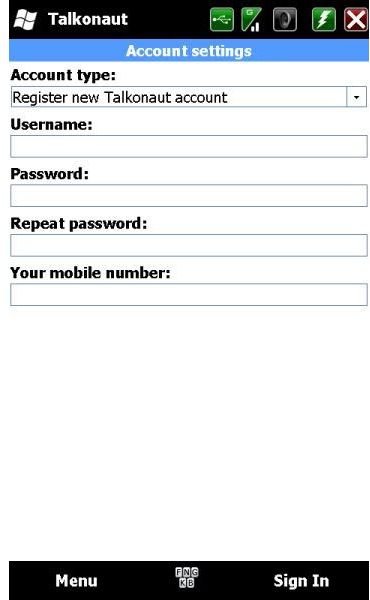
If you have a GTalk account you can use your Google Mail account to login to Talkonaut straight away - however the app provides a signup screen so that you can get a Talkonaut chat account by entering a username, password and your mobile number.
Once all relevant information is entered, Talkonaut will then connect to the web and the relevant chat network in order to display you as online, and make you available to chat!
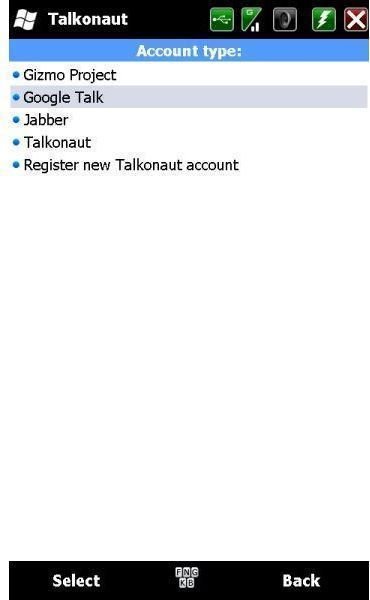
The software provides a list of your contacts as set by you, and you can link up Jabber, Google Talk, ICQ, MSN, AIM and Yahoo accounts to your Talkonaut login.
Port Blocking Kills Talkonaut (2 out of 5)
It doesn’t take much for an application to fail - and port blocking by your carrier or network is a common cause. VOIP can cause a major loss of bandwidth for other services, which leads to many providers to block the protocol completely.
Over two days of testing Talkonaut I was unable to get the app to connect to anything - it spent a good 5 hours attempting to create my Talkonaut account with several restarts, a change of location to pickup a HSDPA network and lots of patience.
Although obviously setup for use in the UK - this is a key element of the account signup screen - Talkonaut sadly isn’t available for use on one of the UK’s most popular networks for Windows Mobile users. If it is that easy to prevent the app from taking advantage of VOIP then despite a good design and sound concept, Talkonaut isn’t likely to last.


