GCzII is the latest version of the popular Geocaching app for the Windows Mobile platform
Geocaching (Briefly) Explained
Geocaching is the fantastic worldwide treasure hunting game, a modern interpretation of the 19th century passtime of “letterboxing” in which players find items via a set of recorded coordinates. Like letterboxing, Geocache is largely an outdoor pursuit combining elements of orienteering and puzzle solving.
At each location “treasure” can be found - the cache itself which commonly includes just a log book in order to record the items discovery. Some variations on this traditional version include further coordinates, clues to other caches, and even letterbox/cache hybrids, virtual caches and many more.
Using GCzII, you can take part in the worldwide game of Geocaching thanks to the GPS capabilities of your Windows Mobile device.
Play Geocache with GCzII
Available for Windows Mobile 5, 6 and 6.1, GCzII is a free application that lets you track, log and discover in person geocaches around the world.
Visit www.nicque.com to download the application - you can choose different download files depending on whether you’re using Windows Mobile Professional or Windows Mobile Standard.
The Windows Mobile Standard version requires installation via an ActiveSync managed USB or Bluetooth connection between your PC and your handset. Once downloaded, unzip the file and run the .EXE installer file. Following on screen instructions on both your PC and device, the installation should complete quickly. Remember to restart your Windows Mobile device when installation is complete.
Windows Mobile Professional users should download the CAB file installer - this can be installed by copy to your handset and selecting the CAB to begin installation.
(You can check your Windows Mobile version by browsing to Start > Settings > System > About; the information is at the top of the Version tab.)
Geocaching from your Windows Mobile
Get Out and About (4 out of 5)
Veterans of geocaching will recognise that GCzII is among the best applications across all mobile platforms for engaging and taking part in what is a wonderful way to get out into the coutnryside, visit new places and meet new people.
The GCzII user interface is suitable for both stylus and finger use on Windows Mobile Professional devices, while the usual interface options are available for Standard handsets.
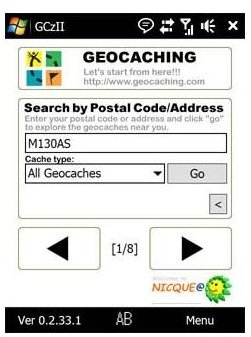
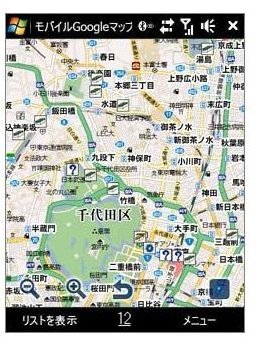
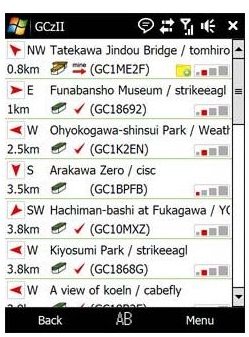
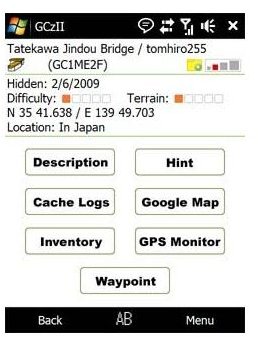
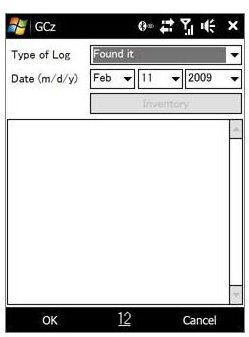
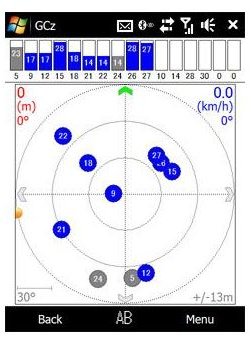
GCzII allows the searching of caches by Address, Postal Code, GC Code, GPS and others, as well as allowing updating of the cache log. Other vital information such as cache title and owner information can be accessed, along with maps (via Google Maps) cache descriptions and more.
GCzII has the geocache market sewn up tightly on the Windows Mobile platform, so if you’re yet to try it make this latest update your way in.
Find out more on the game from www.geocaching.com .


