iSkoot is the incredible free Skype client for Windows Mobile. Of course, Skype already provide a Windows Mobile client – so why would you choose iSkoot?
Alternative to Skype
This alternative to the popular VOIP (Voice Over Internet Protocol, a way of transmitting voice data over the web rather than over the phone as usual) application is a lot more slimline than Skype’s own mobile version, so perfect for Windows Mobile devices with less memory than usual.
Beta Trial
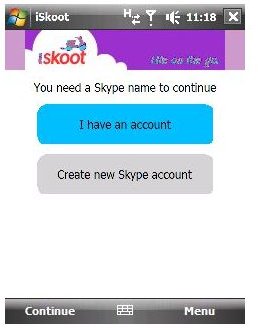
iSkoot can be downloaded from www.iskoot.com/register – it’s currently in Beta Trial status, so while its a good and apparently stable application, it might not be 100% perfect for your device at present. You will need to register to use iSkoot, as well as select your device in order to download the correct version. I tested iSkoot on a HTC Touch Diamond with the TouchFlo 3D interface, and have so far enjoyed several issue-free VOIP chats with various users around the world on the Skype network.
Installation and Signup
Once downloaded (a tiny 729kb that can be acquired either via downloading through your mobile browser, directly to your PC, via email or via SMS), iSkootForSkype.CAB needs to be copied to your Windows Mobile device, either via Windows Explorer or ActiveSync. Once done simply select to install.
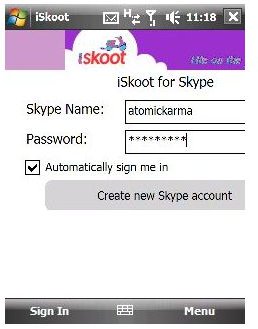
After installation, run iSkoot and either sign in there and then, or you can signup for a Skype account through your phone. Users familiar with the Skype desktop client will notice visual similarities - in particular the interface allows you to simply and easily choose your contact and call them with the minimum of fuss.
Call Landlines and Mobiles
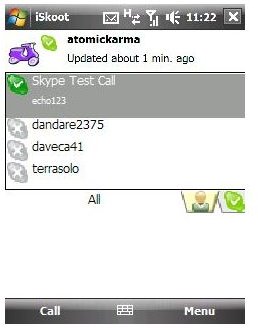
One thing to remember with calling over the Skype network is that chatting with other Skype contacts can be totally free – providing your data plan allows unlimited usage, or you’re connected to a local wireless network. Making phonecalls to landlines and mobiles is another matter, however.
Purchasing Skype credit can for instance allow you to make calls to fixed numbers for around 1p a minute in the UK or 1c a minute in the USA (Skype call rates index ). These are great rates, and there are other great features available via Skype such as voicemail – note that purchasing credit isn’t necessary to use the Skype network or iSkoot, however.
Compact Alternative
As a compact alternative to the official Skype client for Windows Mobile, iSkoot is a great choice. As well as calling Skype contacts, iSkoot allows the addition of new contacts, removal of contacts, changing status and even displays your current Skype balance.
This post is part of the series: Skype Clients for Windows Mobile
There are more and more ways to call Skype contacts from your Windows Mobile device!


