For a brand new mobile platform, Windows Phone 7 has a lot of productivity apps - why not take a look and see if there is something here to help you out?
Top Mobile Productivity Device
Windows Phone 7 is more than just a mobile media and gaming machine – with it you can increase your productivity and become more effective at your work, thereby spending more time enjoying yourself!
This collection of Windows Phone 7 productivity apps should explain exactly what I mean. Whether you’re looking for something to take notes with, to generate a list of tasks or to work stuff out, or even if you need help getting started in the morning, this selection of relatively cheap software apps will certainly help!
Note that all Windows Phone 7 apps feature a free trial option.
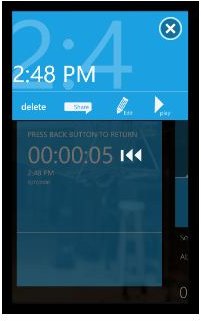
Voice Recorder
This very useful app does exactly what it says on the label – you use it to record audio. This might be voice notes for you to then send to your PA for typing up later on, thoughts about something you are working on which you can type up later on, or you might prefer to use this to record an interview or perhaps to demo a song.
Available for free on the Zune Marketplace, Voice Recorder lets you share recordings with your contacts at the touch of a button.
OneNote
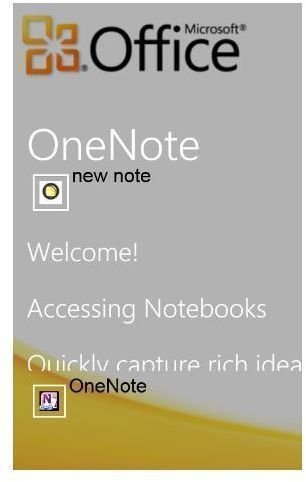
Covering all note taking possibilities from text to voice notes is the Windows Phone 7 version of OneNote. Accessible via the Microsoft Office Mobile tile, OneNote allows you to get straight into the task of writing a note or list (including bullet points, pictures and highlighting) or perhaps recording audio and then lets you send it via email.
You can’t get OneNote via the Marketplace – it comes included with all Windows Phone 7 devices as part of Microsoft Office Mobile.
Currency7
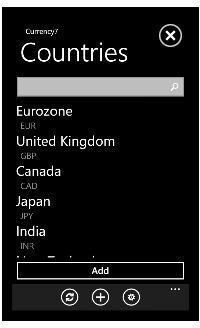
Currency conversion apps are ten a penny but this very useful alternative integrates access with one of the web’s most popular services, Twitter.
What this basically means is that as soon as you have found a favourable currency conversion rate, you can Tweet about it so any friends and family following you on the micro-blogging service will get the update.
This is a free app that requires you to have a Twitter account in order to get the most out of it.
Noborizaka
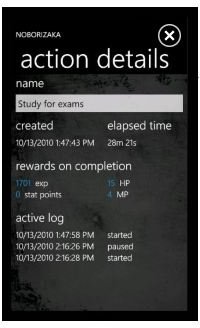
Meaning “ascent” or “upgrade” in Japanese, Noborizaka is a useful app designed to chart your day for you. How it does this, however, is to pretty much turn you into an RPG character – as you note your day’s progress, Noborizaka will award experience points!
For instance, you might have to meet someone for dinner – as you mark this as a completed task, you get points. This is a great idea for anyone who needs that extra “kick up the backside” to get things done, and the best thing is that this app is free!
Tasks Anywhere - Windows Phone 7 Productivity App
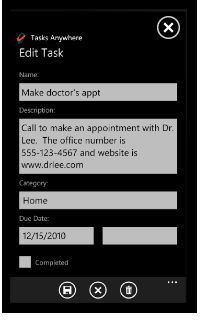
Another task list management app, Tasks Anywhere lets you quickly and easily add new items into your Windows Phone so you won’t forget to do them!
Available for 79p on the Zune Marketplace, Tasks Anywhere is fully integrated into the Metro user interface of Windows Phone 7 , which means this particular productivity app will let you simply tap a phone number or web page that is included in your task details to call or launch it.
With highlighting for overdue items and alternative list views to display active, due soon and completed tasks, this is a great tool.
Meeting Counter
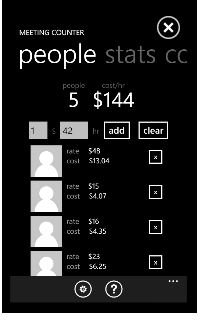
In the current economic climate, holding meetings in external locations and employing the use of third party agencies to provide refreshments can be increasingly expensive – and as a result, your meetings come under greater scrutiny as they become more and more expensive.
Using Meeting Counter, you can keep track of the per-person cost of holding meetings, as well as at a group level. The idea really is for you to work out how much holding a meeting costs per person or group per session and with this information you should be able to decide whether to use a particular meeting venue again or try another location.
Meeting Counter is available from the Zune Marketplace for 79p.
All in 1 Toolbox
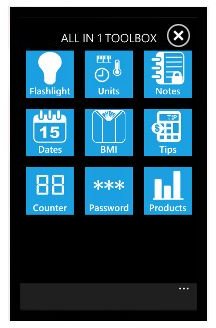
This superb app features 9 applications for the low launch sale price (79p) of one! If you were wondering where all the tip calculators, password generators, unit converters and BMI calculators were for Windows Phone 7, they’re right here in this superb app.
Also featuring a flashlight, calendar and product comparison tool, the All in 1 Toolbox is a Windows Phone 7 productivity app you cannot do without!
Todo
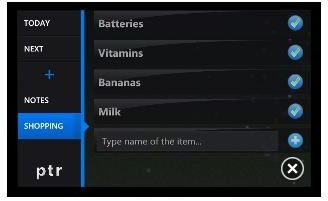
You could possibly describe Todo as the ultimate task list app for Windows Phone 7, as it offers a quick and easy way for you to organise tasks and marks them complete as you do them.
Unusually, Todo doesn’t use the popular Windows Phone 7 Metro user interface but instead uses its own landscape-mode UI. This makes browsing through a list of tasks easy and you can open Todo to add and complete tasks just as quickly as you would to perform any other task on this mobile platform.
Todo costs 99p from the Zune Marketplace.
Magic Work Cycle
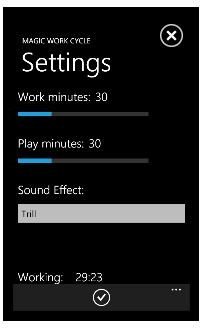
If you have problems managing your time, a tool like Magic Work Cycle might be just what you’re looking for, particularly if you work in a role that isn’t time-dependent. Put simply, Magic Work Cycle is an app that will time thirty minute periods for you, based on the idea that working intensively for half an hour before having a rest of the same duration can deliver better results.
This is a theory that is certainly worth trying – Magic Work Cycle is free!
Beat Procrastination
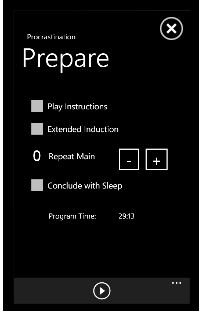
Again, for those of you (me included) who like to spend time browsing the web, reading emails at the wrong time and generally wasting time, this Windows Phone 7 productivity app will help you to combat those bad habits.
Beat Procrastination offers an alternative by training you to split your time into a pattern of intensive/break/intensive by offering a course of meditation to enable users to “overcome barriers to productivity”.
Spending time listening to a course might not sound productive initially, but these types of programs have been shown to work. Note that this app will cost you £2.49.


