Looking for Windows Mobile internet radio apps? A good quality selection of freeware, trial and premium apps are available for you to try, each with access to a massive directory of online radio stations that you can tune into from your phone.
Windows Mobile Internet Radio Apps
As a big fan of a particular genre of music that isn’t commonly supported by radio stations in the UK, virtually the only place I can get my fix of classic rock music is online. This is fine if I’m at home; I can get music from suitable channels either via my TV set top box or through my PC.
Thanks to some very clever apps that take advantage of the data connection on my Windows Mobile phone, however, it is possible for me to now kick my shoes off and enjoy some great vintage guitar rock whether I’m on the move, on the train, in a café, or staying in a hotel!
The following apps are a mix of free Internet radio for Windows Mobile and premium applications, each offering an almost limitless supply of music, sports, and spoken word audio content.
SPB Radio
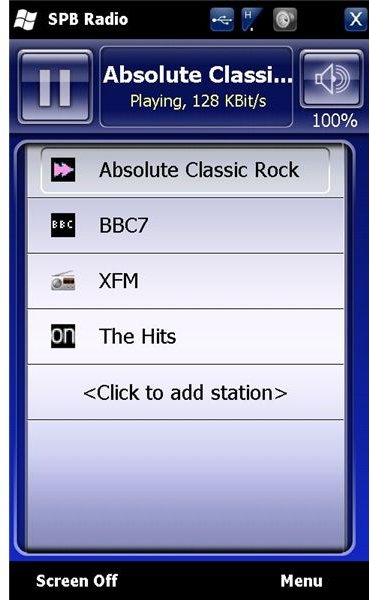
This is a premium solution– but worth every penny. Made by the same company that brought you the Spb Mobile Shell user interface, SPB radio features 1500+ genuine radio stations from around the world, organized into easily navigated and searchable genres.
Providing an excellent connection your internet radio station of choice, SPB Radio does have a slight downside – the app tends to take over your phone, preventing access to background tools like email and calendar, while it has its own volume control which overrides the standard Windows Mobile volume.
Visit www.spb.com to purchase Spb Radio for just $9.99!
977Music Mobile Radio
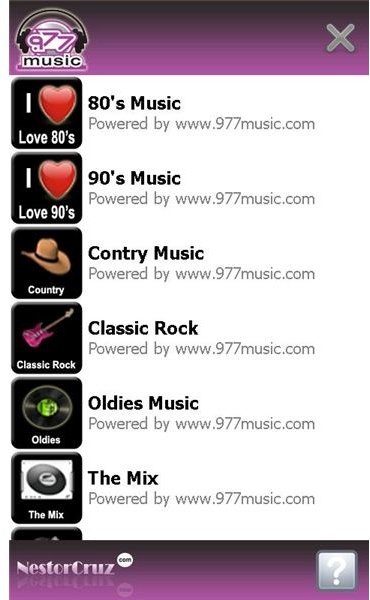
Available free, 977Music Mobile Radio is a free Internet radio for Windows Mobile app dedicated to playing the popular Internet radio station 977Music.
Thanks to a free download from FreewarePocketPC.net , 977Music Mobile Radio offers 24/7 streaming of your favorite tunes and genres (country, classic rock, comed,y and more) and is designed for touch screen Windows Mobile devices.
Unlike the other apps listed here, 977Music Radio is more of a content browser than a full Internet radio app – playback of audio content takes place through Windows Media Player Mobile.
.
WunderRadio
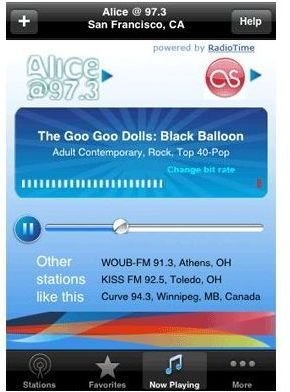
Already available to BlackBerry and iPhone users, WunderRadio offers yet another way to listen to thousands of streaming Internet radio stations and other feeds on your Windows Phone.
WunderRadio has a vast directory of stations sorted into over 400 genres and categories, enhanced by an extensive search function and the option to add custom favorite radio stations into the index.
Easy to use and navigate, WunderRadio also features “currently playing” information such as the current song and artist.
Available via the Windows Marketplace for Mobile, WunderRadio is available for just $9.99, or alternatively, try it free for 15 days at www.jeyo.com .
So, three great Windows Mobile Internet radio clients available either for free, for trial, or as premium downloads – a great way to tune into your favorite station from anywhere in the world.


