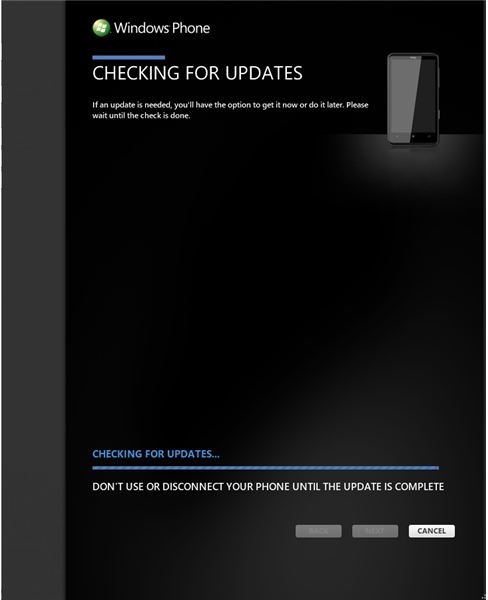
A couple of problems can arise when updating your Windows Phone to the NoDo (copy and paste) version. One of the most common can occur on phones that have had a beta version of NoDo installed using the “Walsh method”. Fortunately, these “Walshed” phones can be restored to full working order.
Using a mobile phone should be simple, and it is this philosophy that has won the Windows Phone platform many fans. However, upgrading your phone to the next release should be equally simple, and this has sadly not been the case for many users, for one reason or another.
In particular, one error message has caused a few problems. Error 80180048 occurs after an update has apparently been installed, and this has led to some angry Windows Phone owners eager to try the copy and paste feature included in the NoDo update, for instance.
Although there are a few error codes experienced by Windows Phone users using Samsung devices such as the Focus and Omnia 7, in this case the error is more widespread, affecting phones from different manufacturers and sold via different mobile network carriers.
How the Error Occurs
If you are experiencing this problem, you’re probably quite familiar with the following steps that cover the standard upgrade notice and subsequent error.
You would begin by plugging your phone into your PC via the USB cable, forcing the Zune client to launch with notice of an available upgrade. Using the Update button, the Update your phone screen would then open; the process begins when you click the Update now button.
At this stage there seems to be no cause for alarm, as Zune proceeds to download the updates, reboots the phone and then displays various steps for you to follow. Following a second reboot, Zune will inform you that the update is “in progress” for a while, before displaying the Update Error screen and the “Error Code 80180048” message.
While initially this was believed to be restricted to Samsung devices, the error has since occurred with devices from other manufacturers such as HTC and LG.
Is Your Phone “Walshed”?
One common element that was discovered between many devices which have since had the issue resolved is the use of a hack by a developer named Chris Walsh which allows owners of devices waiting for the Windows Phone NoDo “copy and paste” update to unofficially update their phones.
This tool prevents subsequent updates, however, which means that the “Error Code 80180048” message could potentially occur when trying to update to Windows Phone 7.5 Mango.
As a result, Chris Walsh has released a tool to fix the problem, which must be used in conjunction with the Windows Phone Support Tool.
There are versions for both 32-bit (x86) and 64-bit (x64) Windows 7 computers, so to fix a “Walshed” phone download and install the Windows Phone Support Tools. Connect your Windows Phone via USB and then download and extract the “Walshed” Phone Support Tool run WPST.exe to fix the issue.
‘Walshed’ Support Tool download for x86 operating systems (32 bit)
‘Walshed’ Support Tool download for x64 operating systems (64 bit)
However, the Walsh tool isn’t the only cause of the 80180048 error on a Windows Phone.
Performing a Hard Reset on the Samsung Focus
If you are using a Samsung Focus and experience the 80180048 error, you can force your Windows Phone into a hard reset, thereby restoring the factory settings.
This is done by dialing ##634# on the phone pad press, then tapping the Call button. You will then be presented with the diagnostic screen – various codes can be entered here, and the following code is used to perform a full restore: *2767*3855#
(Other methods of resetting your phone are available. You might use Settings > About > Reset your phone, or hold the following buttons together: Power, Volume Down, Camera.)
You should be aware that a hard reset will delete all personal information on your phone, such as accounts, web pages, apps, etc. Once you have reset your phone, connect via USB to your PC and Zune should successfully update it.
Wait for the Official Samsung Fix!
Sadly other than using the fixes listed here there are no other options until Samsung releases an official fix for the Samsung Focus and Omnia 7 handsets.
Fortunately, if you’re one of those users suffering from the 80180048 error post-update on any other Windows Phone device and you had previously used the Walsh update, then the “Walshed” Phone Support Tool fix will put your phone back into the correct state to receive the official version of NoDo and any subsequent updates.
The latest point at which fixes should be available is with the release of the Mango version of Windows Phone 7, expected in late 2011.
References
- Microsoft Answers, http://answers.microsoft.com/en-us/winphone/forum/wp7-sync/error80180048/ceb86673-e65a-e011-8dfc-68b599b31bf5
- Image credit: screenshot by author.


