In this detailed review of the Delta iPhone app, you’ll learn if the features offered make it worth downloading the app.
Overview of Delta iPhone App

Fly Delta, Delta Airlines’ iPhone app, was created to offer convenience to Delta’s customers. This innovative app is free and allows you to log in to your Sky Miles account, find flights schedules, check flight statuses and even create a reminder for yourself of where you parked your car. Delta also projects that newer versions of the app will allow you to book and pay for flights, see a seat map and pick your seat, and check your status on the standby or upgrade list for currently booked flights.
Download Fly Delta from iTunes.
Cost: $0.00
Functionality (4 out of 5)
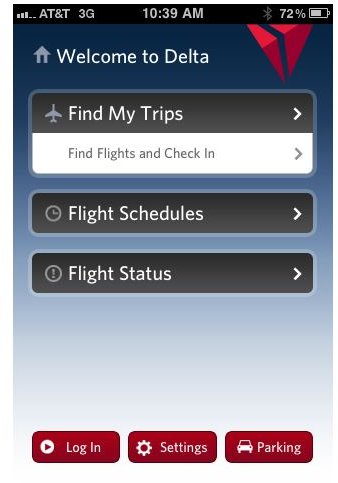
For frequent flyers, the Delta iPhone app has the potential to become a valuable resource. The app is easily accessible and available on-the-go, so flights can be checked on the way to the airport. With the ability to check your flight status at your fingertips, you can save time for last minute packing and planning. Plus, you save yourself the hassle of having to make a phone call or check online for SkyMiles account balances, flight schedules and flight statuses. With all the great features Delta packed into this app, they didn’t cut corners in making it usable. The app is easy to navigate and simple to understand.
Features (5 out of 5)
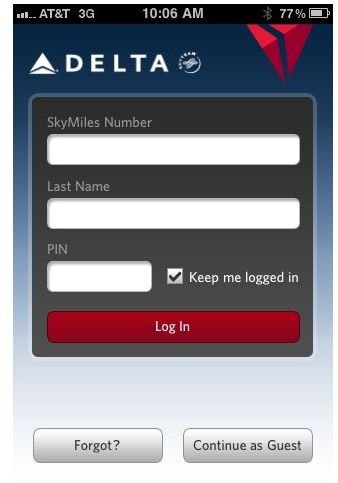
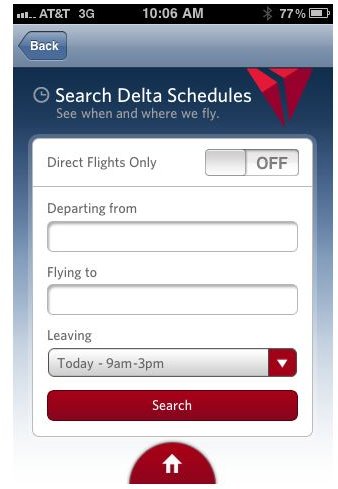
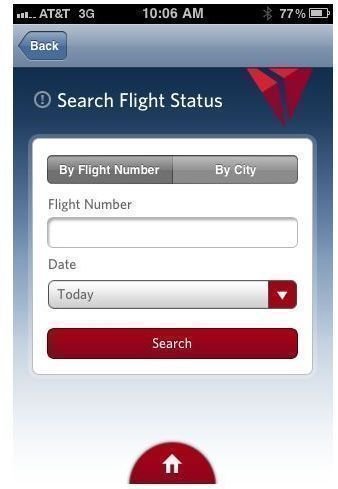
Even without the projected updated features, Delta packed its iPhone app with great, easy to use features. Delta customers will be especially happy with the new quick way to check their SkyMiles accounts. Even for those who don’t fly frequently, the Delta iPhone app is an easy way to check for flights. If you’re out with friends or family and talking about taking a trip in a few months, you could easily whip out your phone and search for flight options on the spot.
Graphics (3 out of 5)
While the Delta Airlines iPhone app may not have top of the line graphics, they aren’t bad either. Visually, the app is simple enough to keep you from feeling overwhelmed, but colorful enough to keep it from feeling dull. Since the app isn’t one that would rely on graphics to improve the experience, what they’ve come up with is more than acceptable.
Overall Delta iPhone App Rating (4 out of 5)
Delta designed this app with their flyers in mind. For what it was designed for, Fly Delta is well worth the download. You definitely can’t beat the price. The app is great for frequent travelers, but may not have much value for those that don’t fly very often. Delta Fly is easy to use and helpful to Delta Airlines customers. To top it off, Delta isn’t done with development of this app. While it is a worthy iPhone app now, Delta plans to add even more convenient features. If you fly Delta, the Delta iPhone app was made for you.


