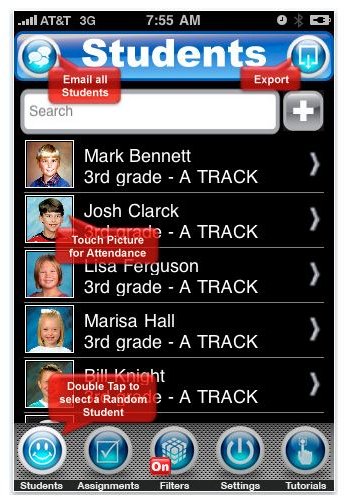
Here we give you five iPhone teacher apps. If you’re part of Academia and you own an iPhone, you can tap on its features to help you out with your teaching chores. Any of these iPhone apps will, in their own little ways, help make your job easier. Read on to find out which app you should get.
iGrade for Teachers (GradeBook, Grades, GPA, Attendance)
This is another one of those iPhone apps designed by fellow experts specifically for the use of their colleagues. I’m talking about an iPhone app created by teachers for the use of their fellow teachers. This iPhone teacher app features a slick and effective interface that provides you with instant access to what you need to effectively manage all your student information - notes, tardiness, and absences. It also lets you store student grades in various scoring formats and gives you detailed statistics in real time. It’s a pretty useful tool for storing student information such as demographic information, primary and secondary contacts, attendance records, and more. The app also has a unique grading module that is adatable to any scoring type such as - A to F with + and -, O to N with + and 0, percentages, UK standard, numerical scores up to 999 and more. Finally when it comes to statistics and analytics - iGrade for Teachers gives you advanced capabilities for analyzing and reporting your grades. It lets you filter for any period of time or category or subject to get information such as GPA, weighted average results, total number of tests graded, total number of tests given per class, subject or category, and total number of times late or absent per student.
(Price: $7.99) (Download link )
Teacher’s Roll Call
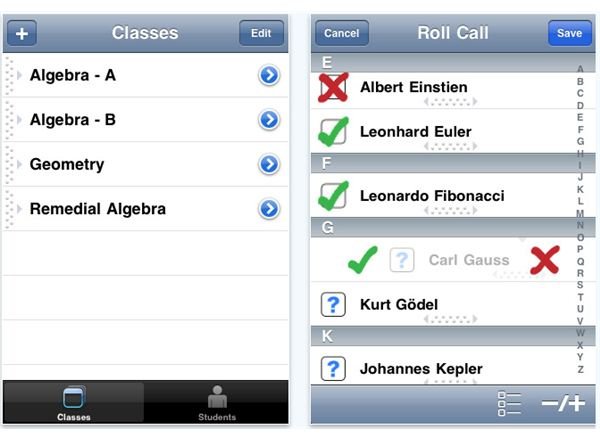
If you find iGrade for Teachers has too many features, the Teacher’s Roll Call iPhone teacher app has only one purpose - to help you manage tracking of student attendance. It will help you focus more on actual teaching as it lessens the burden brought about by taking student roll call by making it easier to enter roll call data. Using tap and swipe, the app lets you take attendance in a snap. It also gives you class and student summary pages to help you aggregate attendance statistics when you need to prepare an attendance report. It also lets you enter individual notes to track excuses, behavior, participation and anything else you would like to use. These notes will be helpful at the end of a semester to review student progress over time. (Price: $0.99) (Download link )
iTeacher’s Assistant
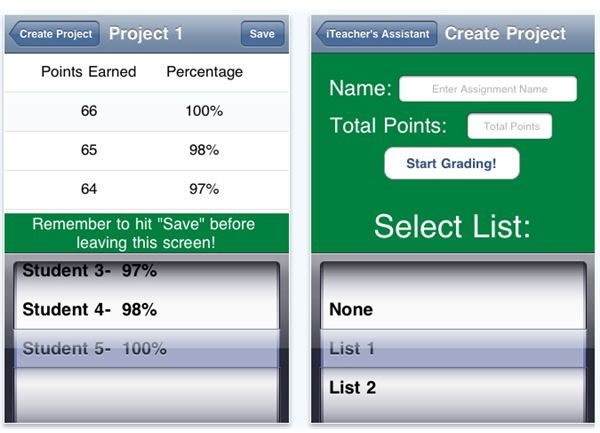
Here’s another pretty simple and yet useful iPhone teachers app. It lets you create student lists easily as well as create projects which refer to assignments that you are grading. This app allows you to grade these assignments and save the results locally. You can then see scores in points and their corresponding percent values. Later on, you can view these scores and even email the students their corresponding scores. (Price: Free) (Download link )
Teacher Tools - Who’s Next?
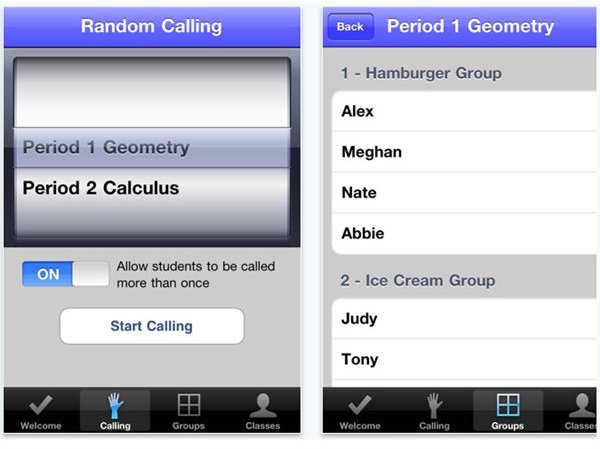
If you’re a teacher, you’ll know that selecting who to call for a recitation in class can be bothersome at times. As much as possible you want everyone to participate in the discussion. So why not automate the task and make class recitation as equitable as possible? This app will help you do so. It will help you call on students randomly. After setting it up you simply shake on your iPhone to call on the next student to recite. Aside from this, you can also use the app to create random groups among your students for group activities or projects. What’s good about this feature is that it ensures that students are not grouped with the same students all the time. (Price: $2.99) (Download link )
Schedule for Teacher and students
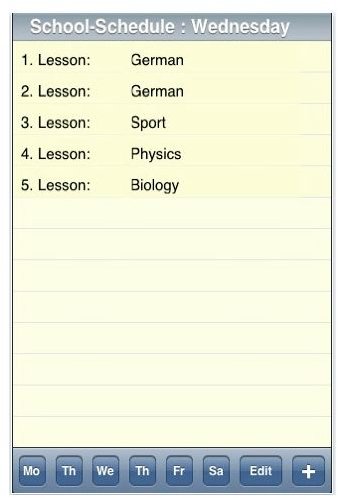
Here’s a rather simple iPhone teacher app. What it does is to help you easily plan your schedule for the whole week. It can also serve as a simple iPhone lesson plan tool. The app is easy to use and navigate. You are given buttons for each day, and icons for adding new lessons and editing or modifying or deleting a lesson. (Price: $1.99) (Download link )
Image credit
Screenshot courtesy of author (iTunes Download )


