
So you’re maintaining a Tumblr account with various tumblelogs and you want to check them out even when you’re on the move? Check out these five Tumblr iPhone apps available on the App Store right now and see which app suits your needs perfectly.
TheTumbler - Tumblr Client
Here’s a fast-loading, feature-rich Tumblr iPhone app - TheTumblr. Simply put, this iPhone app has everything you need to do everything that you’d normally do on the Tumblr website. It lets you post text, photos, quotes, links and chat on your Tumblr account as well as access your Tumblr dashboard. It goes without saying that you can do those things even while on the move, thanks to your iPhone. This app also supports audio posting inline or call-in audio post, in case your mobile data connection is slow. Other features of this iPhone Tumblr app include - advanced post options, tags, private posts, post to any tumblogs or groups, and of course mobile access to your inline dashboard. In addition, if you are using the Discuss comment system to accommodate comments on your Tumblr blog, this app will let you view and reply to those comments right inside the TheTumbler iPhone app. (Price: $0.99) (Download link )
tumblr gear
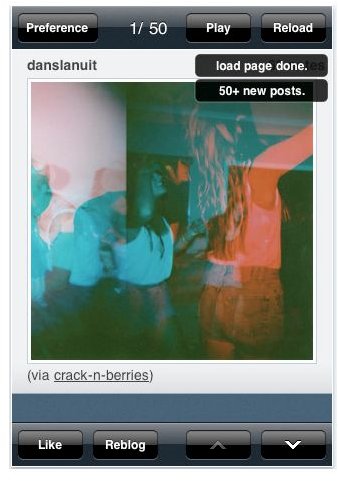
If TheTumbler is oozing with so many features, tumblr gear on the contrary has very few. It’s a pretty simple Tumblr iPhone app that lets you browse your dashboard and reblog directly. What’s good about this app is that it is way faster than the vast majority of other options. Well, this is understandable given the fact that the app is pretty simple. The app also saves where you were last, as well as informing you how many new posts you have. (Price: Free) (Download link )
PrivateTumblr
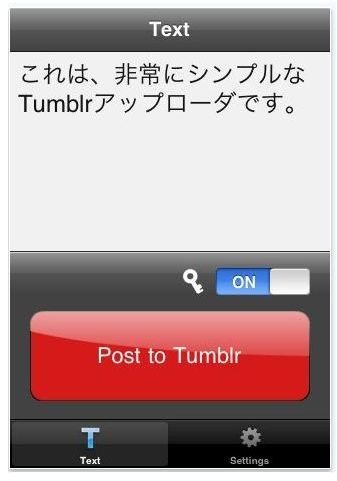
Another simple Tumblr iPhone app with three features - simple UI, private post optimization, and post words and ideas easily. This app is not aiming to replace the official Tumblr app but is just offering an alternative posting experience for Tumblr users. (Price: Free) (Download link )
SpotTumblr2
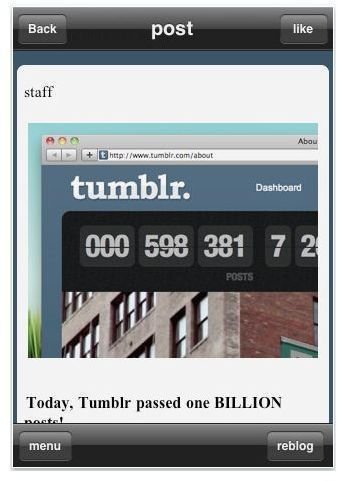
This iPhone Tumblr app also lets you view your dashboard, follow pages or like content. What’s notable about the features of this app is that you can skip contents as soon as you’ve read through the content overview. The app also lets you reblog, reblog with comments, send posts via email, view your followings users’ tumblelog, view posts you like, and shake your iPhone to return to the main menu from the post list screen. (Price: $1.99) (Download link )
Tumblr
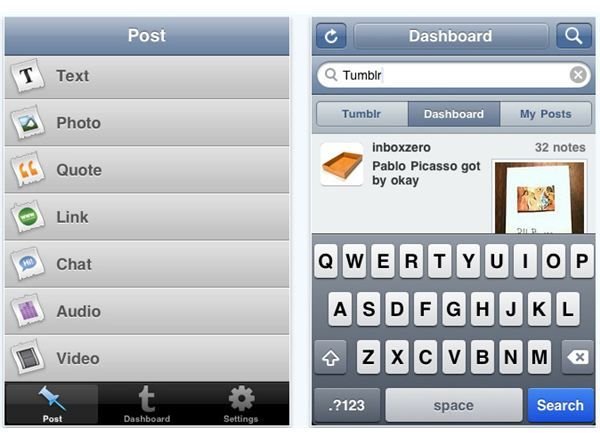
Being the official Tumblr app, I intentionally saved this app for last. Quite frankly, when it comes to features and interface, it is still the best app to use if you want to update your Tumblr account using your iPhone. The Tumblr iPhone app lets you post quotes, photos, video, audio and more on your Tumblelog. It also lets you check your Tumblr dashboard and see all your posts from each of your blogs including drafts and posts in the queue. The app also supports searching across Tumblr, in your dashboard or on your posts. If you’re using iPhone 3GS and iPhone 4 , you can directly posts video content you’ve captured using your iPhone. It also lets you save unfinished posts manually or automatically when you receive a call or quit the app. (Price: Free) (Download link )
So What is the Best Tumblr App for iPhone?
Obviously when it comes to the question of what is the best Tumblr App for iPhone, the official Tumblr app gets our vote. If you want a simple app that will just let you quickly post updates on your Tumblelog all the other four Tumblr iPhone apps will get you going, so you can download any of them on your iPhone.
Image credit
Screenshots courtesy of author (iTunes Download )


