The iPod Touch is all about being on the go and not being tethered to a wired network or a power plug or anything else. So why should printing pics be any different? Put HP’s iPrint Photo app to work turning digital views into printed photos. And do it easy.
See It, Print It
If you’re like me, you carry a fair number of pictures around on your iPod Touch which you wouldn’t mind printing out on the laser printer or color inkjet printer if it wasn’t such a pain to have to transfer them to the computer. So the app store comes to the rescue - providing you’ve got an HP printer that is. Because the iPrint Photo app simplifies the whole process of taking a picture off of the Touch and transferring it to the home printer through the wireless network. All you do is select the image to print and hit a button. How lazy is that?
Easy to Do, Easy to View
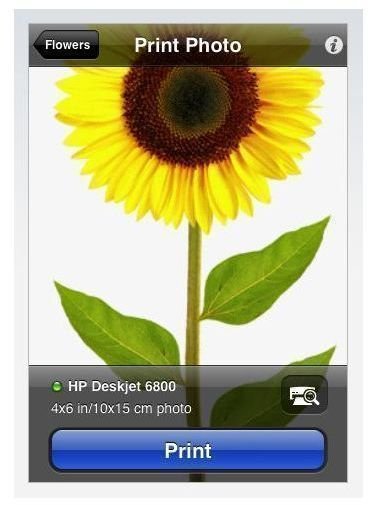
Just run iPrint Photo and select an image. Then watch it come up on a screen to show you what’s going to be printed. Check that your printer has been “seen” by the app near the bottom of the screen and hit the “Print” button to have the printer spit out a 4 x 6" print. That’s about it - although you CAN have it check for other printers on the network to select the one you prefer to work with (a bxw laser versus a color inkjet, for example).
And sure it’s limited to the pics being on the Touch. But it’s easy enough to get images into the Touch from other sources if you put your mind to it (helped along by other apps, like MOVER which lets a Touch send images to another Touch over a wireless network).
The End All for Printing?
Is the app perfect, even by our easy going standards? Well, no - it doesn’t support various paper sizes for one thing or support photo print paper with the needed tweaks I’d like to add in before printing. And it would be nice to have some simple editing abilities. Plus it shouldn’t seem to indicate that all is fine when the printer is turned off but still connected to the network. But obviously this and other enhancements can be added - that’s what apps are all about, right? Being able to change and adapt themselves to suit the preferences and needs of the user, not locked in like the hardware which is built off of the company’s “focus group” and “engineer tested” mentality. So thanks HP for putting this out. And double thanks for not charging for it.
Resources


