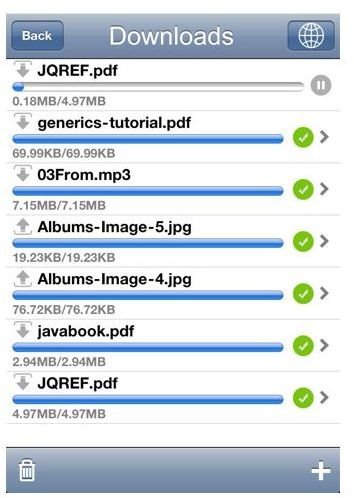
Download files and keep track of their progress with the following iPhone download manager apps. Discover the features of each app and find out which one is best for your iPhone file management needs.
Downloader and File Sharing
The Downloader and File Sharing app features a browser with bookmarks and full screen support. A minor flaw with the browser, according to one user, is that it doesn’t hold the last page when switching between the browser and the download folder. You can download multiple files at the same time and view them with the in-app video player. The app can resume downloading files after the connection is lost, and it protects files with a password option. The app is available at the iTunes App Store for $0.99.
iDownload
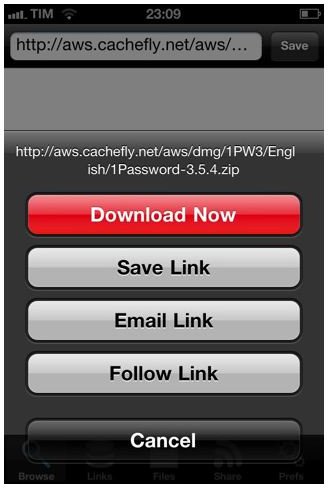
Rapidly download your favorite videos, music, and pictures with iDownload. This iPhone download manager app lets you download files in the background while using other features of the iPhone. You can pause and resume individual downloads and transfer files via Wi-Fi, USB, and Bluetooth. Downloaded files have an option for password protection and the app supports zip files. After downloading the file, the app gives you the option to open the file with Safari. This app is available at the iTunes App Store for $2.99.
Tanso Download Manager Plus
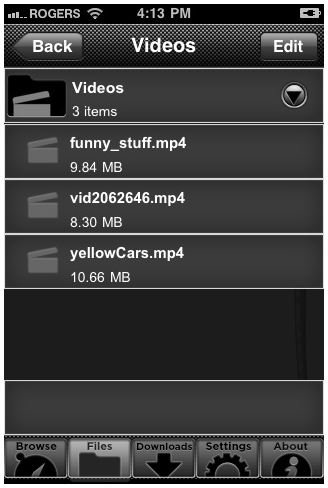
The Tanso Download Manager Plus app features unlimited downloads of various files. The downside is that it is limited to specific websites, which considerably reduces the number of accessible files. The app has a files section which contains the downloaded files and a download section which contains the files that are currently downloading. You can view how much of the file has downloaded. There is a browser which is used to find files online and a settings section which contains options for cookies, caches, and file management. This app is available at the iTunes App Store for $3.99.
Download
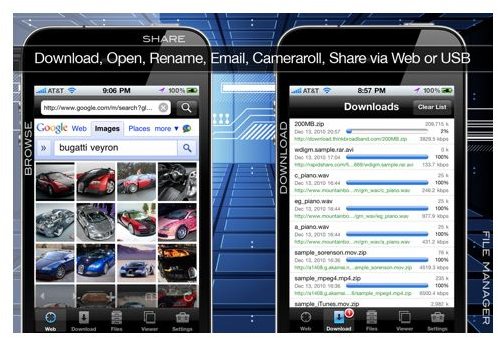
Another highly rated download manager app for iPhone is the Download app. With this iPhone download app, you can download files from websites and view their download progress. Once the file is downloaded, you can protect the file with a password. Another great feature of this app is the multi-select feature which lets you import several files as one instead of importing them one at a time. With the in-app viewer, you can browse through the downloaded files easily, especially with the navigation buttons. This app is available at the iTunes App Store for $0.99.
Downloads - Download Manager
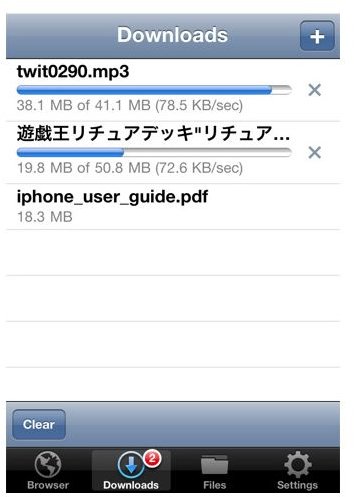
Browse the Internet and download your favorite videos, music, and pictures with the built-in web browser in the Downloads - Download Manager app. Its touch and hold download interface is convenient. The app features a picture viewer, audio player, file manager, and video player. You can create folders to store the files and manage downloads. The app resumes downloading files that are interrupted, and it displays the progress of the download. The Downloads - Download Manager app is available at the iTunes App Store for $1.99.
If you’re on a budget, consider downloading the Download app or the Downloader and File Sharing app. Otherwise, splurge a little and download the iDownload app. Its multitasking support and compatibility with Safari give it an edge over similar apps.
References
- Downloads - Download Manager - https://itunes.apple.com/us/app/downloads-download-manager
- Downloader and File Sharing - https://itunes.apple.com/us/app/downloader-and-file-sharing
- iDownload - https://itunes.apple.com/us/app/idownload
- Tanso Download Manager Plus - https://itunes.apple.com/us/app/tanso-download-manager-plus
- Download - https://itunes.apple.com/us/app/download
Image Credit - Images courtesy of the respective app developer


