Whether you want to use your iPhone to keep an eye on your property whilst on holiday, check on the hired help or even use your iPhone as a baby cam, with the iPhone allowing you to view security cameras, IP and CCTV and be used as a camera itself, this is now possible with the following great apps.
iCam - Webcam Video Streaming By SKJM, LLC
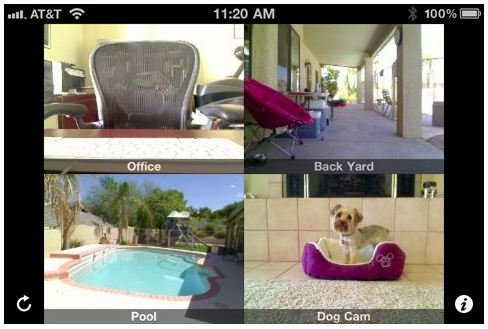
A very popular choice to remotely monitor multiple live video and audio webcam feeds from your iPhone, iPod touch or iPad over Wi-Fi, 3G and EDGE is iCam available for $4.99 along with the free software from iCamSource.
What sets this app apart from the competition is the additional features which include a record and playback for motion events so you don’t need to continuously have it open and the option for push notifications on your iPhone when motion is detected from any of your feeds. You don’t need to worry about unauthorised viewing by others as you need a username and password to access this peer to peer application.
It’s easy to see why this is app has been so successful, featuring on CNN and Good Morning America in addition to the “Dog Lover” iPhone TV Ad.
Live Cams By Eggman Technologies Inc.
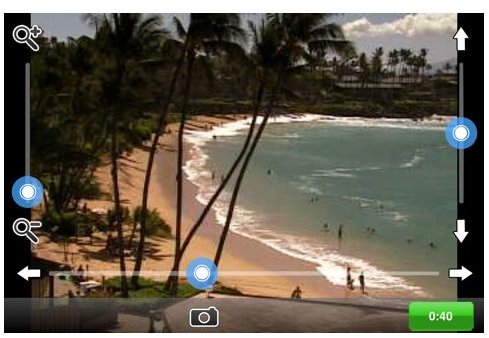
If you own an IP camera or PC/Mac-based webcam, Live Cams acts as an innovative surveillance tool to monitor JPEG/MJPEG based video. It also gives you access to over 3,000 public webcams of live animal cams, attractions, beaches, resorts, ski hills and more around the globe.
You’re able to add your own unlimited number of cameras into the app for viewing on 3G or Wi-Fi and there are pan, tilt and zoom controls for supported models. There is an extensive wide range of models supported, get the full list here .
It is an excellent little app for your own surveillance needs and for exploring the world, it works seamlessly and is well worth the $0.99 price tag.
iCamViewer: CCTV Camera, IP Camera, & Security Camera Live Cam Viewer by Appburst, LLC
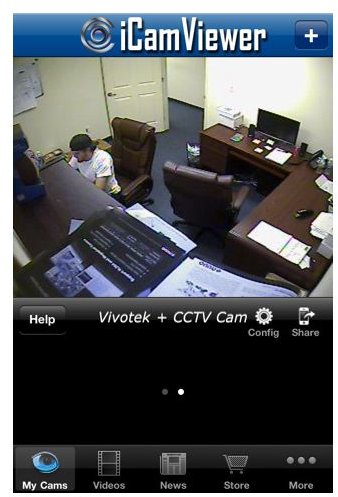
iCamViewer is a free video security system iPhone app that allows you to view up to 8 IP security cameras or CCTV cameras from your iPhone, from your local network or remotely over the Internet. This app works with both IP cameras and CCTV cameras.
The cameras can be of different makes and models, in different locations and the viewing is fluid and smooth.
A great app for IP camera to iPhone feeds, which is a definite must have on the video security front.
Surveillent (IP Camera Viewer) by EcasteView
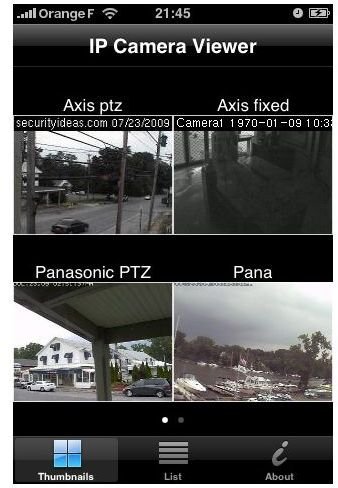
Surveillent is ideal for those just starting up in the IP camera field. This app has been designed specifically for Surveillent’s IP camera customers and although the app is paid for at $5.99 this is refundable if you purchased your IP camera from them. Compatible with the more popular brands such as Sony, Axis, Panasonic, Pelco and Toshiba, they are happy to give advice in all areas, from which is the best camera suited to you to setting up the app.
The picture quality is excellent, clear and smooth and setting everything up is as simple as it comes.
IP Camera by 1257
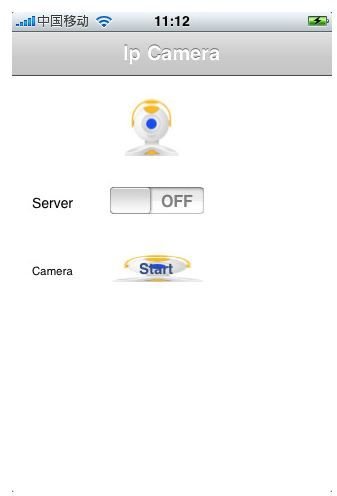
Now I won’t argue that to use your uber expensive iPhone as a means of surveillence is a good idea, but with a lot of attention put on viewing CCTV, webcams and the like on the iPhone, it is sometimes overlooked that your iPhone can actually be the webcam and you can view the footage online. There are a few apps which do this but must be viewed on the same Wi-Fi network, which sort of defeats the purpose, but IP Camera available for $1.99 is a bit different to what else is out there.
To begin just make sure your iPhone is set to Wi-Fi and select start, jot down the local HTTP web address and real time footage can then be viewed online at a rate of 1 frame per 12-15 seconds.
What is great about this app is that it will stop if you get a call, but as soon as the call is done it will go right back to streaming. It also works over two iPhones and you can view remotely.


