Find out about the top 3 apps to download texts on the iPhone. We have even included pricing information, a review of each and a download link. Look no further, our guide is all you need when looking for iPhone apps to download texts.
Downloading Confusion
So you are looking for iPhone apps to download texts? What exactly does that mean? There are a number of possibilities, many users mean iPhone apps to receive texts when they say download texts.
Other users are looking for apps on the iPhone which can send the texts to a backup server or to the PC, this would actually be an iPhone app to upload texts, not download texts. If you are looking for iPhone apps to upload texts, read: How to Get Text Messages From Your iPhone to PC .
The following apps are essentially apps which will allow you to receive text messages on the iPhone (download text messages). In addition to having sleek interfaces, offering customer phone numbers and cheaper SMS costs, they also offer a wide array of features which the built-in text messaging app does not.
HeyWire (4 out of 5)
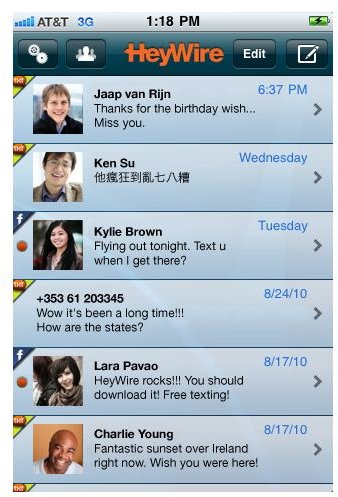
HeyWire is a great app for downloading (receiving) text messages on the iPhone. It is completely free and allows you to send and receive
text messages both nationally and internationally in most countries. The application itself is very smooth and works as expected, it is not perfect but the developers are constantly releasing updates to fix problems.
Text messages are downloaded (received) promptly and push notifications work great with HeyWire. Upon starting HeyWire for the first time you are given a new phone number which can be used to receive text messages. This number also appears when text messages are sent. Read our Full HeyWire Review for more details.
HeyWire can be downloaded for free from the iTunes App Store. (Download Link )
TextNow (3 out of 5)
TextNow is similar to HeyWire in many ways, however, it is not the same. TextNow is another app designed to download (receive) texts and
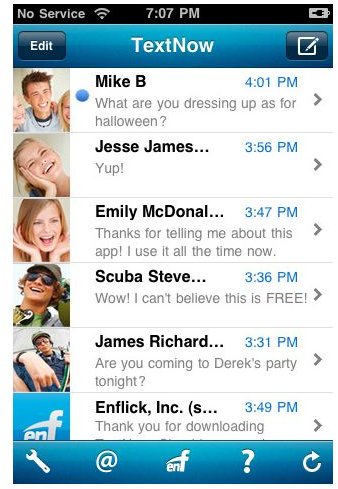
also allows for sending of texts.
TextNow is designed to be a replacement for the default iPhone texting application. It allows full sending and receiving of text messages and picture messages. The application is free and ad-supported, however, it can be purchased in an ad-free version as well.
TextNow is simple to use and automatically downloads (receives) text messages when launched. It can be downloaded on the iTunes App Store for free. (Download Link )
TextPlus (4 out of 5)
TextPlus is yet another iPhone application for downloading text messages. It is capable of many unique features such as group chat

and picture sharing.
Some of the features are limited to interaction between TextPlus users, however, the basic texting functionality works just like regular text messages do. You can also use TextPlus for social networking between other TextPlus users and you can create profiles. While the app is free, to remove ads or to obtain a premium phone number, you need to purchase credits.
Overall TextPlus is a great app for downloading texts on the iPhone. TextPlus can be downloaded for free from iTunes App Store. (Download Link )


