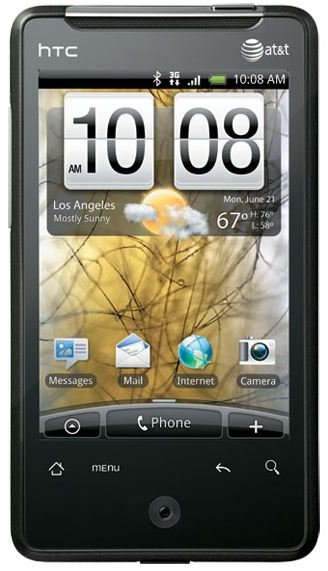
Knowing how to troubleshoot the HTC Aria will allow you to resolve many annoying issues the Aria may have. Having this knowledge also allows you to bypass calling the wireless service provider troubleshooting department to resolve your HTC Aria problems.
Edit the People Favorites Widget
Navigate to the “Contacts” page by clicking on the “People” icon. Locate the “Groups” option and click on it. Click “Favorites” and select “Menu.” Browse the options available to manipulate the “People” widget. To delete a person, click “Delete” from the menu. Click the person that you want to delete. Click “Save.”
Customize the HTC Aria Home Screen
Change the home screen to reflect the most used widgets or icons. Arrange the screen to quickly access the most used applications or create shortcuts. Press the “+” key located at the bottom of the device screen to bring up the menu options. The choices include “Widget,” “Application” and “Shortcut.” Select an option from the menu to add the new icon to the home screen. Remove an icon by pressing and holding the icon to remove. While pressing the icon and not moving the finger away from the screen, drag the icon to the trash can located towards the bottom of the screen.
Reset the Aria to Factory Settings
Resetting the device to factory settings fixes many operating system issues or HTC Aria problems. Some issues the factory settings might fix include phone freezing, delayed screen response, impromptu power cycling and data issues. Factory resets will erase everything in the phone, therefore it is a good idea to backup the phone before performing a factory reset. Click the “Menu” button on the phone and choose “Settings.” Slide the screen down to select “Privacy.” Choose “Factory Data Reset,” “Reset Phone” and “Erase Everything.” The phone will wipe itself and power cycle.
Synchronize the HTC Aria
The HTC Aria can store email addresses so that you can send and receive email directly on the device to and from a third-party email provider. The Aria can synchronize all the data in the phone with the email accounts stored on the phone. This is useful when performing a factory reset or to ensure the data is not lost accidentally. Click “Menu” and select “Settings.” Choose “Accounts and Sync.” Select the account to sync to. Click “Sync Now.”
Troubleshoot Internet Access
The Internet access on the HTC Aria may fail to respond if the mobile network is off or has become disconnected from the wireless carrier. To restore the data services toggle the mobile network by clicking “Home,” “Menu” and selecting “Settings.” Click “Wireless and Networks” and choose “Mobile Networks.” Place a check in the box next to “Mobile Networks” to turn the data services back on.
Calibrate the HTC Aria
Recalibrating can resolve some HTC Aria problems such as when the screen responds incorrectly to commands or the screen no longer moves how it is supposed to move. To fix this issue click “Menu” select “Settings” and choose “Sounds & Display.” Place a check in the “Orientation” box. Click the back arrow key and select “G-Sensor Calibration.” Lay the Aria on a flat surface with the screen face-up. Click “Calibrate” on the screen. Press “OK” to finish the calibration. Turn the phone off and leave the phone off for at least one minute. Turn the phone back on.


