Key Ring is a simple Google Android program that allows users to store all of their club cards in a centrally located database. The program even creates scan friendly barcodes when available.
Overall Use (4 out of 5)
Key Ring is a very simple application to use thanks to a Google Android interface that’s both touch friendly and intuitive. To setup an account users begin by finding their available store in the already created listed found on their phone:
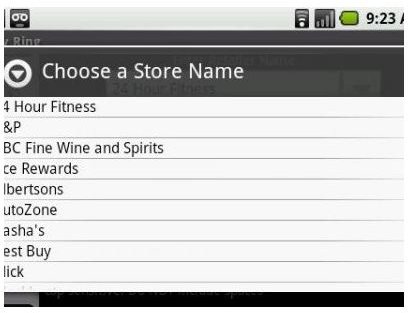
I didn’t find many of the stores I would use with the program, although stores that are included offered Logo support for my list which was a nice addition to the program. Thankfully I was able to add an unlimited number of new stores and name them as I saw fit, those stores would then be available in the alphabetical list of cards I had stored.
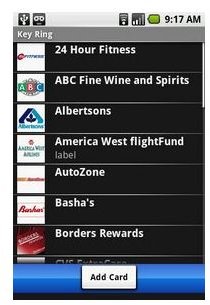
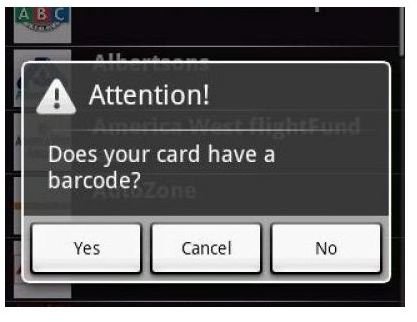
Adding a card is also simple, once a store name is chosen the program will ask if a barcode is available on your card, if you hit yes you can either scan the barcode from your card to store it on the phone or you can enter in the code manually to create the scan optimized barcode for use with each card.
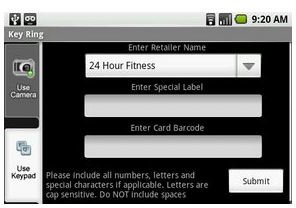
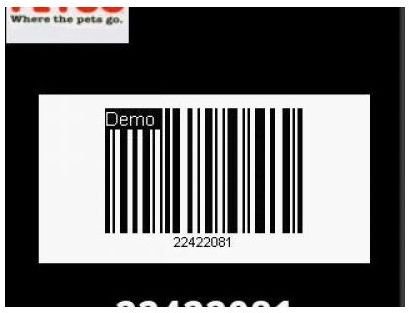
Once completed I could easily pull up my card with the barcode immediately exposed and ready to be scanned. I tried my Borders Card at the store and it worked perfectly with a hand scanner, although I did get an odd look from the girl at the counter.
Aside from a simple setup the program also offers a ton of support which includes: TF, EAN13, EAN8, UPCA, UPCE, Code128, and Code39. While it also allows for quick card backup to your devices SD card slot in case of system failures or for instances when you need to update your OS and you don’t want to lose all of the cards you’ve spent the time entering.
The program also allowed me to adjust my screen brightness, this can come in handy if for some reason a certain barcode won’t scan properly.
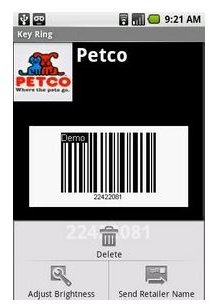
One qualm I did have was the difficulty of scanning the code on a flatbed scanner, the phone literally had to be rubbed against the flatbed scanner which could eventually end up scratching my device, while a hand scanner was much more convenient and works much better. Basically you might want to skip using the program at locations you know don’t use hand scanners. Thankfully most registers now have a hand scan option, so your device should be safe 99.9% of the time.
Conclusion
Key Ring for Google Android is a great way to eliminate the need to carry a ton of club cards in your purse or wallet, which can actually help with back strain for guys like me who put their wallets in their back pocket.
I really like that the program offers an unlimited number of entries, with a screen that’s easily touchscreen scrollable so each location can quickly be found.
If you want to easily store a ton of club cards I recommend giving Key Ring a try by downloading it from the Android Market.


