If you’re looking for a way to record functions, steps and procedures as AVI or other popular digital video formats, BBScreenStream is a great free application for BlackBerry to help you do just that.
Professional Looking Demos
Superb professional looking demos and tutorials for your Blackberry device can be recorded using BBScreenStream, a remarkable free application available from www.oppitronic.net .
Requiring a Windows PC, Blackberry Desktop Manager, the JavaLoader.exe application and of course a Blackberry device connected to your PC, BBScreenStream pipes your Blackberry display to your Windows desktop, and records it for you, ready for enhancing, annotating, captioning and editing in your favourite movie editor software.
It’s simple to use, has a handy built in updater to make sure you’re using the latest version – and it’s free, meaning you can use it for no financial cost to yourself (although a donation to the programmer can be made).
Download and install
To use BBScreenStream, visit www.oppitronic.net to download the bbcscreenstream.exe file.
BBScreenStream is a Windows desktop application that utilises the Desktop Manager link between your Blackberry and your PC. As long as your Blackberry handset is connected via USB, BBScreenStream can detect and record your movements on your mobile device.
There is no installation as such for this tool – the downloaded .EXE file is the application itself, there is no installer, so it might be wise to save the file somewhere easily accessed rather than in a temporary download folder.
Once the small file has been downloaded, simply double click to run.
BBScreenStream Screenshots

Using BBScreenStream
To begin, BBScreenStream will prompt for your Blackberry’s password to establish the connection, so enter this to continue.
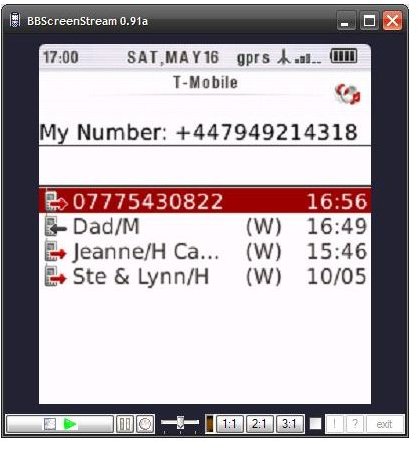
The following screen will then display a representation of your mobile’s screen, with a set of controls along the bottom that are used to control and configure the resulting film sequence that will be made using BBScreenStream.
From left to right, these are:
- Play/Stop – this control determines whether or not the Blackberry’s display is shown on your Windows desktop.
- Pause – pauses the recording.
- Record – begins and stops recording. When clicked BBScreenStream will ask for a filename and a file type, with choice such as AVI, WMV, etc
- Slider – this sets the capture delay rate; there are three options, 500ms, 1000ms, 2000ms. A capture delay rate of 500ms would result in a longer video file.
- Ratio options – 1.1, 2.1, 3.1 – these determine the size of the resultant video capture.
- Check box – this copies the current screen to your Windows clipboard.
- ? – the system help function, includes a manual to use BBScreenStream.
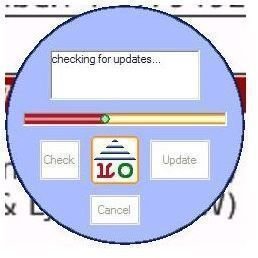
- ! – checks for updates to the BBScreenStream software.
Conclusion (4 out of 5)
It shouldn’t take long for any user to get BBScreenStream up and running, and to take advantage of this very handy application. Once videos are created, it’s then an easy task to perform any further editing if necessary, adding captions and titles or possibly reformatting for upload to a popular video site.
This is an easy to use tool with clear, simply controls. It requires no installation on either PC or Blackberry and as it runs on the PC the processing impact on the handset is avoided.
A great piece of highly recommended software.


