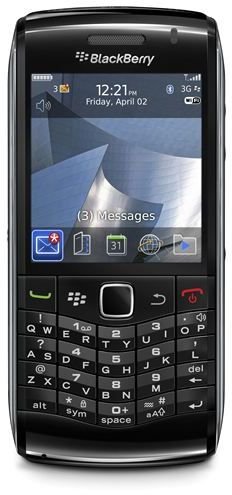
If you are getting rid of your BlackBerry Pearl, or if it is just starting to act strange, you will need to know how to perform a master clear on the device. A master clear will erase all the information you added to the Pearl, taking it back to its factory defaults.
Why Would You Want to Do a Master Clean on a BlackBerry Pearl?
BlackBerry smartphones are designed to allow you to stay connected to your address book, e-mail, calendar and other pieces of personal information, all while you are on the go. While this may make your life a lot easier, having all your information in one device could be trouble if someone else gets their hands on it. When you go to dispose of your BlackBerry Pearl , or even to hand it down to a friend, you’ll want to be sure that all the information is erased from the device. The master clear, available on all BlackBerry devices, will erase every piece of information that you added to the device, allowing you to get rid of the phone without worrying about your information still being stored on it. Alternatively, if your device starts to act strange, a master clear will take the software back to factory defaults and can correct any software issues that have been introduced to the Pearl.
Be aware that if you want to save any of your data, be sure to back up your device before you attempt to perform a master clear.
Wiping the BlackBerry Pearl Using the Menu System
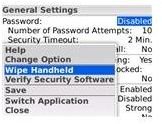
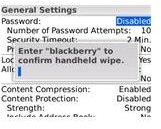
Each BlackBerry device contains a menu option designed to wipe all the personal information from the BlackBerry . This method is the easiest and quickest method of removing your personal information from the Pearl. It only deletes data and applications that you added to the Pearl, so the device will still be able to boot up and operate once you are done.
- Access the application list on your BlackBerry Pearl. Scroll down to the “Options” icon, which looks like a wrench, and select it.
- Scroll to “Security” and select it, then scroll to “General Settings” and select it.
- Press the BlackBerry key, located to the left of your trackball or touchpad, to open up a pop-up menu.
- Scroll down the list in the pop-up menu until you find “Wipe Handheld.” Select this option, then press “Continue.”
- Type in “blackberry” using the keypad to complete the master clear on a BlackBerry Pearl.
Wiping the BlackBerry Pearl Using JL_Cmder
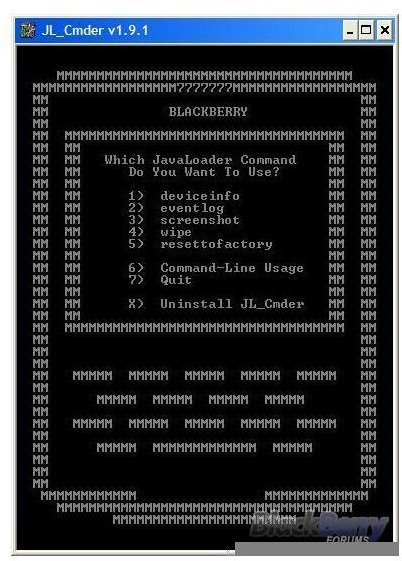
You can also use JL_Cmder to do a master clear on your BlackBerry Pearl. This clear is a little more thorough than wiping the Pearl through the menu system, as it will completely wipe the operating system as well, which will make your Pearl unable to even boot up once it is done. Be sure to have all your information backed up, and know how to restore your operating system , before you attempt this clear. The JL_Cmder program is a simple application that manipulates the JavaLoader, allowing you to wipe info, view events and take screenshots on your device. To use the JL_Cmder program, you will have to download it here , then install it on your computer.
- Connect your BlackBerry Pearl to your computer using the USB cable that came with the device.
- Run the JL_Cmder program. If no window pops up when you double-click the icon, you will have to right click the icon and choose “Run as Administrator.”
- Type in your BlackBerry’s password. If your Pearl doesn’t have a password, choose “N” for “No” instead.
- Press the “4” key to select the “Wipe” option. You will then have to press “Y” and finally type in “blackberry” to perform the master clear on your BlackBerry Pearl.
References
- https://forums.crackberry.com/f2/master-clear-reset-89572/
- https://supportforums.blackberry.com/t5/BlackBerry-Pearl-BlackBerry-8100/Is-there-a-master-reset-that-will-clear-everything-HELP/td-p/46541
- Pearl image from RIM media gallery.
- All other images taken by the author.


