Have you ever looked at the schematics and contents of a table and notice how disorganized it all is? You then wonder, “What were they thinking?” In that case, its best to perform an SQL transpose on the table to get it all organized. This guide will show how.
Introduction
Transposing a table in SQL means converting certain rows from a specified table into becoming columns. The need to transpose tables come about by bad table design, or the need to scale a database and therefore a total redesign of the storage model and many more.
In this tutorial I am going to show you two methods of transposing tables, one using the crosstab query TRANSPOSE command, and another using a GROUP BY clause and a series of
The Crosstab Query Using TRANSFORM
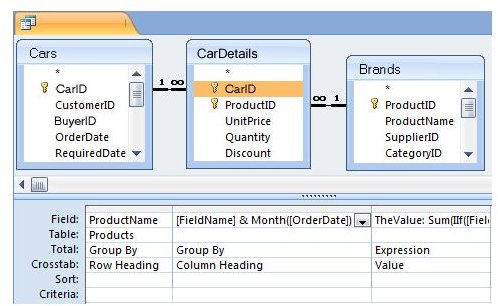
A crosstab or pivot table is a matrix where the column names are generated from values in certain rows. This query is well suited for doing a SQL transform on your table. It uses the TRANFORM Clause commonly found in Access and SQL Server. The Syntax of the TRANSFORM SQL statement is.
TRANSFORM <table_columns> AS alias_name
SELECT table_columns2 AS alias_name2
FROM table[,tables] [INNER JOIN
ON [selective_columns]
GROUP BY selective_columns
PIVOT selected_columns]
What the syntax above does is that it takes an example as shown below where you want to consolidate all the IDs of employees in a company. The existing table would possibly look something like this.
+—-+—————+——————–+
| id | Employee_name | Details |
+—-+—————+——————–+
| 1 | a | Employee A details |
| 1 | b | Employee B details |
| 2 | a | More A details |
| 2 | b | More B details |
+—-+—————+——————–+
You then want to Transform the rows of this table into columns so that you can have something that looks like this.
+—-+———————+———————-+
| id | Employee A | Employee B |
+—-+———————+———————-+
| 1 | Employee A details | Employee B details |
| 2 | More A details | More B details |
+—-+———————+———————-+
Here is the SQL query.
TRANSFORM First([Details])
SELECT ID, First([Details])
FROM Table
GROUP BY id
PIVOT Employee_name
You can also use a JOIN to achieve the same result above. The JOIN method is not as clean and can be impractical for large data sets. Though not advised, here is an example of what it would look like.
SELECT table1.id, table1.Details
AS ‘Employee A’, table2.Details AS ‘Employee B’
FROM mytable AS table1
RIGHT JOIN mytable AS table2
ON (table1.id = table2.id)
WHERE table1.lang = ‘a’ AND table2.lang = ‘b’
Using Aggregate Functions, CASE and GROUP BY Clauses to Transpose a Table
Using the group clause can also get you the same results as the TRANSFORM clause. This can only work if your have predetermined values in your data. An example of getting the same results as above would be.
SELECT a.id, MAX(CASEWHEN a.lang = ‘a’ THEN a.text END) AS ‘Employee A’,MAX(CASE WHEN a.lang = ‘b’ THEN a.text END) AS ‘Employee B’FROM mytable a GROUP BY a.id
Anytime you use a CASE clause you are dealing with predetermined values, and this may seem okay for small tables. When using large tables, this method may not also be the best way to go.
Final Thoughts
Anytime you want to use one of the SQL transform methods above, your best option is the TRANFORM method. Unfortunately the transform method is only supported in Access and SQL Server. So for other databases systems you would need to use either a JOIN or the Aggregates with CASE and GROUP BY
Be sure to read more about the various SQL functions such as the MySQL Dateadd and the SQL count functions .


