Ever want to learn the basics of how to concatenate strings using variables in JavaScript? This article will show you how variables are concatenated using the Javascript variable concat method or using the simple concatenate operator (+).
What is Concatenation?
Concatenation is the technique with which two or more variables are joined together. While using strings, one should be careful to use the escape character (\) whenever a ’ or " (whichever is used to store the value of the string variable) is encountered. This tells the browser that the ’ or " is to be printed on the webpage. If the escape character is not used, the browser will think that ’ or " is a command to end the string.
Concatenating Variables in JavaScript: A Step by Step Example
Concatenating Variables in JavaScript: Explanation
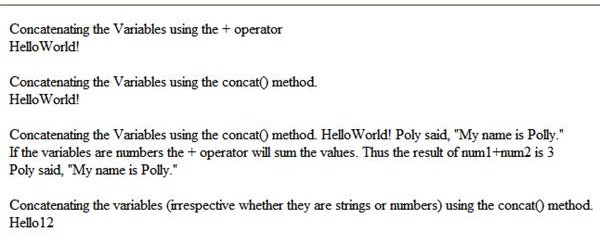
In the above self explanatory code, various variables have been created. Three variables are strings, one of them with the escape character (\) included so that the " in the string is printed in the webpage. Two more variables are numbers. The + operator illustrates how it acts as per the type of the variable. If the variables are strings, the + operator concatenates them. If the variables are numbers, the + operator adds the numbers. The + operator can be used to concatenate two or more strings.
In the later part of the code, the concat() method is used to concatenate variables in Javascript . It takes any number of arguments. The advantage of using this method is, it converts all the variables to string (in the second example of the concat() method we have used the variables that have numbers for their values.)
Thus it is recommended to use the concat() method to concatenate variables in Javascript .


