Without becoming an expert HTML programmer, here are some easy to insert HTML tags that will spice up Web pages. They don’t require a lot of knowledge about programming and can simply using some of the professional Web page development software.
Simple HTML Code for Websites
Sophisticated Web development software like Adobe Dreamweaver and Microsoft Expression Web will take a lot of the pain out of developing aesthetically pleasing websites. Even with these programs, you may find that fine tuning the look and feel of a Web page requires a lot of trial and error. Without these development programs, getting professional appearing pages is going to take a lot of knowledge. There is a middle ground where you can simplify the necessary adjustments in Dreamweaver or Expression with some cool HTML for websites.
NOTE: In the tips below, the left and right angle brackets have been replaced with the ampersand (&) sign since use of the actual code would not translate well within this article.
Splashed Colors Enhance Text without Graphics
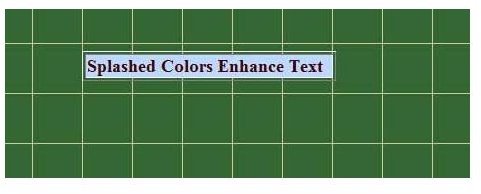
Instead of creating graphic headers, liven up a text header with standard color syntax. Insert a table with one column and one row on your Web page. Type in the desired text. Then use this syntax to colorize the data field:
&table width=“254” border=“1”&
&tr&
&td width=50% bgcolor=“BDD8FF”&
&font color= “#4000040”&
&strong&
Splashed Colors Enhance Text
&/strong& &/font& &/td&
&/tr&
&/table&
The attached image shows the result.
Stagger Images to Enhance Readability of Text
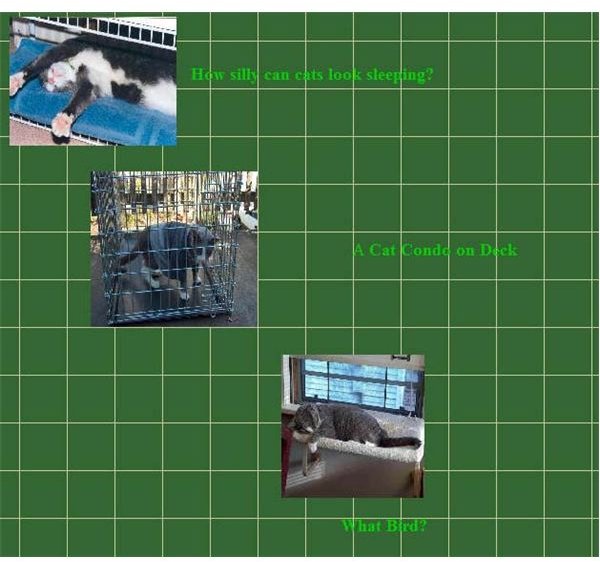
You can control image placement by using layout tags like Ap Div found in Web development software or keyed in directly. It’s much harder to do without a WYSIWYG editor. However, an alternative is to use the HSPACE and VSPACE HTML tags to rapidly change the location and relationship between text and images. Here’s an example of how this works:
&img src=“Echo/echo_gallery/images/bluetowel.jpg” alt=“Sleeping Cat” width=“175” height=“135” hspace=“15” align=“middle” How silly can cats look sleeping?
Make Your Own Banner
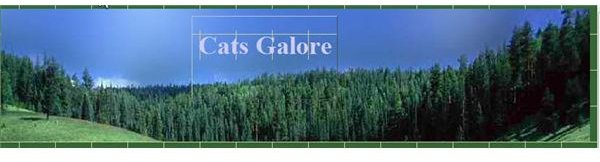
For another piece of cool HTML for websites create a simple image and text banner. Insert a colorful image and set the width to 100% and adjust the height appropriately for the image. Use an AP DiV tag to superimpose text on the image like this:
&div id=“apDiv6”&
&h1 align=“center”&Cats Galore&/h1&
&/div&
&img src=“crobertanderson/forest-top.jpg” width=100% height=“185” /&