SWFObject is a handy little JavaScript program that helps get rid of that pesky “click to activate” method imposed on your Flash movies by some web browsers. You can also use it to dynamically manipulate your SWFs. This article discusses the advantages of using this program to embed Flash objects.
What is SWFObject?
SWFObject is a nifty open source JavaScript program that allows you to manipulate and customize, on the fly, a Flash
object that you embed into an HTML page. It was created by Georff Stearns, Michael Williams, and Bobby van der Sluis. Its goals are threefold: 1) replace the Adobe Flash Player Detection Kit ; 2) unify existing embedding methods; and 3) create a new standard for embedding SWFs.
Advantages of Using SWFObject
SWFObject is easy to use, and has a small footprint of 9.5kb. This can be compared with that of the Adobe Flash Player Detection Kit at 152kb. The detection method includes built-in support for Adobe Express Install . Because it is written in JavaScript, it can be used in any browser that has that capability. The use of JavaScript also means a developer doesn’t have to learn a new language in order to begin implementing it immediately. As of this writing, it has 10 API methods, and can additionally take advantage of native Flash ActionScript methods.
Three big advantages are:
-
Manipulation: You can use the API to modify properties of the SWF, such as its location or size. Behavior such as SWF removal from a page when the user clicks a button or does a rollover with a mouse can be written quickly in a few lines.
-
Customization: You can write functions that change the behavior of a SWF as the web page loads, or easily pass parameters to the SWF from a URL.
Advertisement -
Standardization of Embedding Methods: Certain versions of Internet Explorer force the user to activate a Flash movie by first clicking on it. With SWFObject, you can bypass this requirement. The embedding can be done with the use of either a static or a dynamic method. With the static method, you embed the SWF in the HTML, add alternative content, and use JavaScript to resolve issues such as nesting. With the dynamic method, you use JavaScript to create the embedding on the fly.
Operation
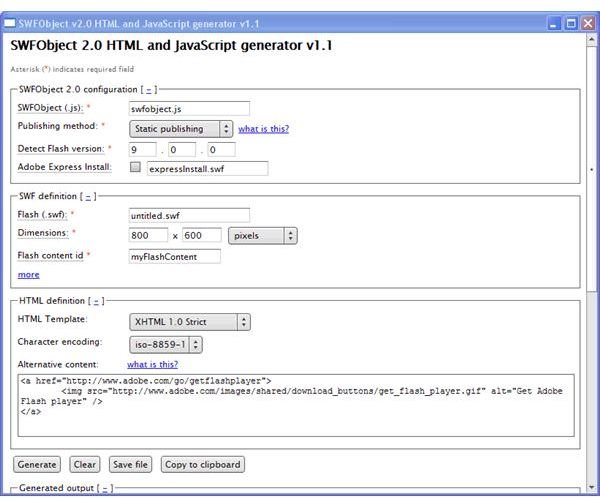
To use SWFObject, obtain the JS code and the generator from the URL indicated in the resources section. For the generator, you’ll have the choice of using the Adobe Air version or the traditional manual HTML version. Create a directory, and place the JS script there. You also have the option of linking to a script on a Google server . Afterwards, use the generator to create the HTML embedding.
Where to Learn More
For a very good tutorial, it is recommended that you read and work through creator Bobby van der Sluis’ SWFObject 2 Tutorial .
In part two, we will look at an overview of the SWFObject 2 API.