It might be too early to mourn the loss of Flash, but the new Adobe Edge tool should help to make the transition very easy when it comes.
You have probably heard about how Adobe Flash is likely to be usurped in its position as the number one method for displaying streamed media and adverts on websites with the arrival of HTML5, but been doubtful how this might happen.
Thanks to Adobe, however, you can now see what all of the fuss is about with the new Adobe Edge Preview release, designed for use by web developers to evaluate just how this technology can be used.
Combining CSS3, HTML5 and JavaScript, Adobe Edge makes it extremely easy to create rich media adverts and splash screens, with the potential for games to also be created. Thanks to the preview release you can get to grips with the software before it is available on general release, and you’ll be pretty impressed with it!
CSS3, HTML5 and JavaScript in One Place

Offering CSS3, HTML5 and JavaScript in one single application in this way, however, will make the adoption of HTML5 rich media much quicker. With Safari, Firefox and Internet Explorer all supporting HTML5 with their 2011 releases, it seems as though it won’t be long before rich HTML5 media content is available everywhere.
Adverts, Games, Splash Screens and More
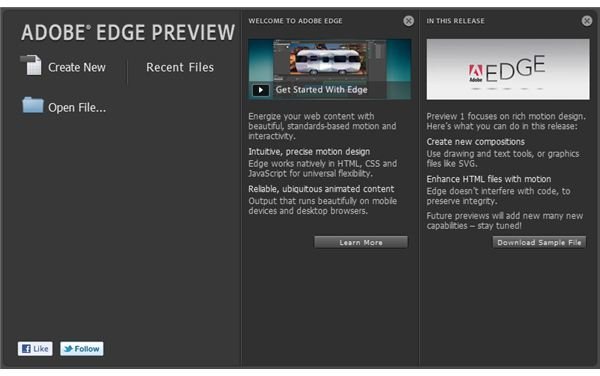
HTML5 is a custom-specified avenue for rich media in the form of adverts, games and splash screens, and is set to be a key aspect of website development over the next 10 years.
As you can see from these screenshots any number of projects are available, and Adobe Edge offers many ways in which to interact with and introduce elements into the timeline of the project. Properties can be tweaked and the behavior of the elements – user-constructed graphics in PNG, JPG or GIF format – can be adjusted so as to move in various interesting ways.
Of course, reading about Adobe Edge is one thing – what you want, however, is a means to sample this for yourself…
Download and Sample Adobe Edge Preview Release
Rather than wait for the full release of this exciting new technology you can get to grips with it today using the Adobe Edge Preview release, available from Adobe Labs . Simply click the Download link, register to use Adobe product downloads (or login with an existing account) and wait as the 70 MB file downloads to your computer – versions are available for Windows and Mac OS X. The preview release lasts for 150 days.
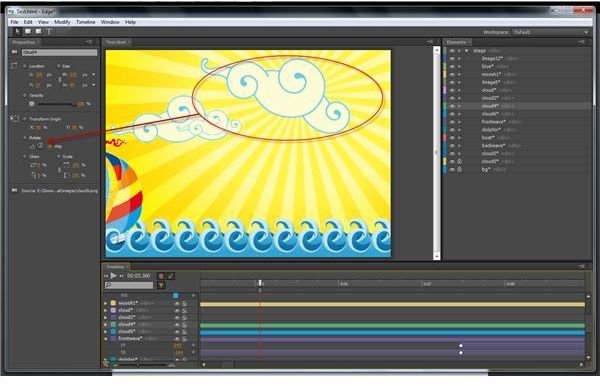
Once downloaded and installed, you can play with the sample files that are also available from the Adobe Edge web page. Simply download these, extract the data (the samples are in ZIP format) and then load the Edge Preview application, selecting File > Open to browse for the samples. The files with the .edge extension are the ones you will need to select, and once open you will be able to see how they are created using different layers, with images created in Adobe Photoshop.
By clicking Play on the Timeline you will see the animation progress in the main pane; the Timeline affords various functions such as being able to hide elements, altering their properties and even causing the elements to take on a whole new life of their own!
You’ll find all of this out from just a few minutes play with Adobe Edge Preview – when you start creating your own animated splash screens and adverts, things will really change.
There’s Nothing Stopping You
The parallels between Adobe Edge and the various utilities for creating Flash applications are obvious, but this application really does highlight just how powerful HTML5 and CSS3 can be when used with JavaScript.
There is enough in this preview application to prove that Edge is going to be an application for every web developer to have in their arsenal, with easy to use configurations, simple project creation and tools for importing images from projects in other formats, and best of all you can create new projects right now with the Adobe Edge Preview.
What’s stopping you?
References
- All references and screenshots from Adobe Edge Preview, available from http://labs.adobe.com/technologies/edge/


