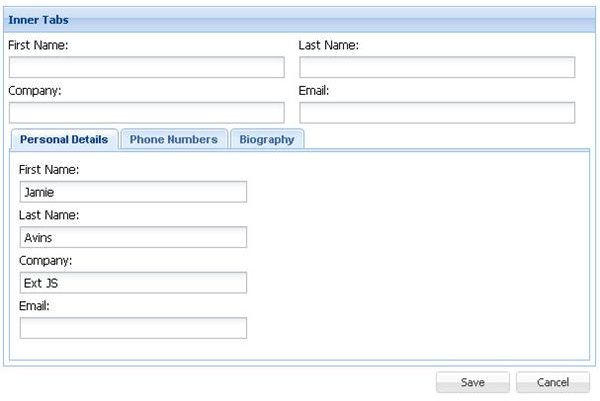
Adding tabs to a web form can greatly enhance the user experience of visitors to your website and ultimately increase usage on your lengthy or confusing web forms. Read on to see how it can be done.
Introduction
As you will see from this tutorial, it is really not that difficult to add tabs to a web form. It does not matter how many tabs there are or what the kind of content lies within the tabs. Tabs can be styled to look like the one in the image on the left or any other styles you may choose.
Our tab content enabled web form in this case is going to be a simple web form with minimal styling. I am simply going to focus on the important components that make up the tabbed web form and do more explaining rather than focusing on witing too much code seeing I have provided the full tabs web form source code at the end of this tutorial for you to download and use. This method here contrasts with the technique used to create multi-page web forms .
The example used in this tutorial is created using CSS, JavaScript and HTML.
The HTML Code
In your text editor you will create a simple HTML document with a HEAD section and a BODY section. The HEAD section will contain all the CSS And JavaScript needed. The BODY section will contain all the HTML code that will be visible.
In the BODY you will need to create an unordered list
- container used to hold the links or the tab labels. Each label is a list item
- with a URL within it. The URL tag is attached to an onClick JavaScript event that calls a function called showMe with a single parameter that holds a unique id.
Below this you need to add a div container
to hold all the form content. Within that div container, you will insert the form tags
Using LastPass to Keep Passwords Safe
Still writing your password on sticky notes? Do you use the same password for multiple sites? Why not use a password …

Installing and Using Ablock Plus
Do you have a limited data cap for your internet connection or are tired of seeing endless ads on your computer? …

Ad-blocker Versus Facebook – the Fight for User’s Rights
Adblock Plus is obviously having an impact on Facebook’s revenues as Facebook recently changed the way they code ads on …
Filed underMore topicsAdvertisement