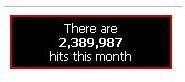
Have you ever wondered how the HTML counter code is able to keep track of hits to a website? Or better yet do you want to implement your own website hit counter? This guide will show you how easy it is to make.
Why A Website Hit Counter
By using some HTML hit counter code to create a website hit counter you can be well on your way to having better control and have a better understanding of just how well your website is performing. Having HTML counter code that displays a website hit counter publicly is also a great way to brag to your competition about your performance. In a more humble way it also tells your visitors that they are not the only visitor on your website and therefore instills greater confidence.
Getting Started
Creating a website hit counter is pretty simple. With the right server technologies you can be able to create a website hit counter in a matter of minutes. The reason why I mention web server technologies yet HTML is known to run on the users’ client computers is because we are going to be storing shared data. In this case the number of hits.
These hits must be recorded on the web server and not the users’ computers because on any individual user’s computer there is no way of telling who else the web server is serving without the web server passing on that information.
The HTML Counter Code
The role of HTML here is primarily to display the website hit counter. All the HTML can do to improve the experience to probably just add additional styling to make the presentation better. Supposing our message is going to read, “There are 2,389,987 hits this month” The HTML will simply display that content using the conventional methods. An example of the output code could look similar to this.
2,389,987
hits this month
That will ouput plain text and that would not be very pretty so we can add some basic CSS styling. Here is a simple style sheet youcan use.