If you want to implement a chat solution on your WordPress blog, you might find the information provided in this article useful. This guide reviews some popular, yet simple, WordPress chat plugins. Not all of them are free of charge, though.
Introduction
Every modern website (especially a blog) enables readers to interact not only with the blog author, but with other readers as well. This is usually performed through the comments, where a comment template is available after the last line of the article. In some cases, this does not suffice, as readers would like to discuss the topic more thoroughly and would also like to create their own topics. This is usually done with some sort of a forum, and there are numerous free solutions available (such as the renowned phpBB ).
Regardless of the benefits both comments and forums provide, an owner of a particular website might want to enable “live” interaction. This type of interaction is usually known as “chat”, and this article brings an overview of few quality WordPress chat plugins.
123 Flash Chat
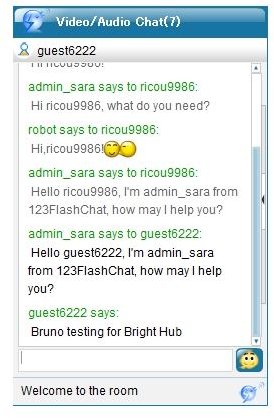
123 Flash Chat is a chat solution for the WordPress content management system. Once installed and activated, it provides a flexible chat room. There are two options available: HTML-based simple mode which is usually embedded on the WordPress sidebar as a widget, while the other option is a flash-based client which shows up if clicked on a particular link.
This plugin has several skins included and is available for free, but it is possible to pay a license fee to get technical support and additional features. 123 Flash Chat also provides an admin panel where a user sets the plugin options. Width and height can be changed easily, while the interface language can be changed as well.
This plugin can be downloaded here: https://www.123flashchat.com/wordpress-chat.html
WordPress Chat Plugin
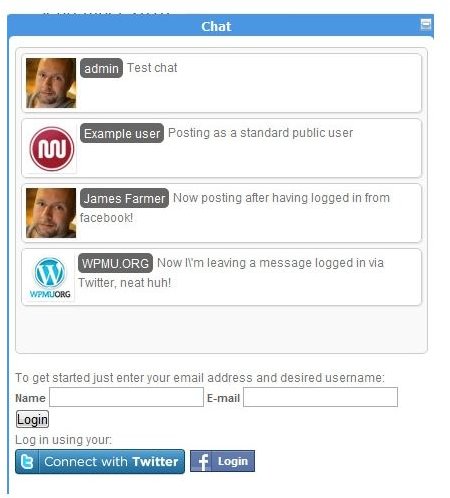
Available on WPMUdev, WordPress Chat Plugin is a chat solution for WordPress, WordPress MU and BuddyPress installations. This plugin includes drag-and-drop installation. Registered website users can log in to chat with their usernames and passwords, while public users can use popular Facebook and Twitter accounts. Furthermore, the solution supports gravatars, emoticons, colors, fonts and many other features. This plugin is not free, though, as it requires a paid subscription on the WPMUdev website.
This plugin can be bought here: https://premium.wpmudev.org/project/wordpress-chat-plugin
WordPress Shout Box / Chat
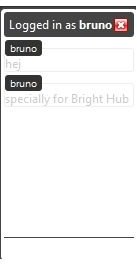
This plugin is a very simple solution for WordPress blogs, enabling visitors to communicate with each other. It can be installed on a blog either as a widget or with the PHP code anywhere on the sidebar.
This plugin can be downloaded here: https://wordpress.org/extend/plugins/wordpress-shout-box-chat/
Buddypress-Ajax-Chat
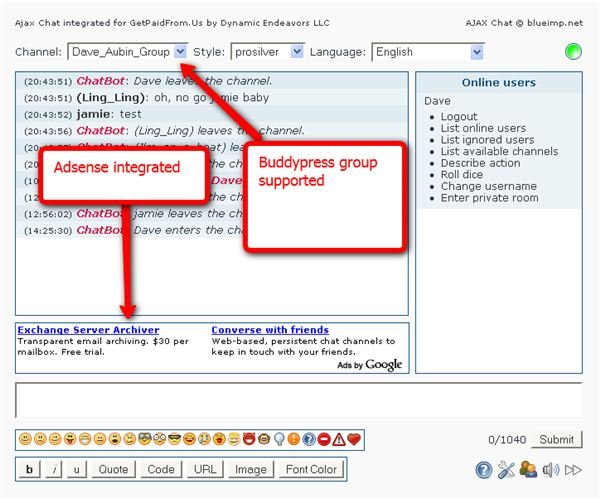
If BuddyPress is installed and if there is a need for a chat solution, Buddypress-Ajax-Chat seems like a good solution. It supports custom theme configurations and an easy creation of custom CSS files that can contain styles. Prior to version 1.2.6, this plugin was working only on Buddypress, while now is supports both Wordpress Multi and WordPress Single User installations.
This plugin can be downloaded here: https://wordpress.org/extend/plugins/buddypress-ajax-chat/
Mibbit AJAX Chat
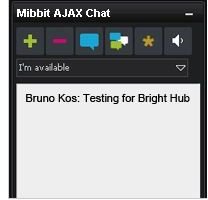
Mibbit is a full featured WordPress chat plugin. It does not require a user signup, and it supports real-time language translation, skins, image thumbnails and Youtube clips.
This plugin can be downloaded here: https://wordpress.org/extend/plugins/mibbit-ajax-irc-for-wordpress/
Image Credits
https://wordpress.org/extend/plugins/buddypress-ajax-chat/screenshots/
https://premium.wpmudev.org/project/wordpress-chat-plugin/screenshots/
(other images created by author)


