Google Mail is free email service from Google - yes, the same Google that runs the famous search engine. Is Google Mail the same as GMail and how do you sign up for a Google Mail account? Read on to find out more about Google Mail and how to sign up for Google Mail…
What is Google Mail?
Google Mail is a renowned and free web-based e-mail service that you can use from any Internet connected computer in the world. Google Mail and GMail are the same thing but with two different names. On May 3, 2010, Google decided to change the name of the Google Mail service to GMail in the United Kingdom (U.K). Now anyone who signs up for a GMail account from the U.K will get an address ending with “gmail.com” instead of “googlemail.com.”
Signing Up For a Google Mail Account
Signing up for a Google Mail account provides you with several other free services besides email including online word processing, chat, calendars and the Picasa photo organizer. If you’re interested in opening a Google Mail account, here’s what you can do to sign up.
1. Open your Internet browser and enter https://mail.google.com/mail/signup in the address bar then hit Enter.
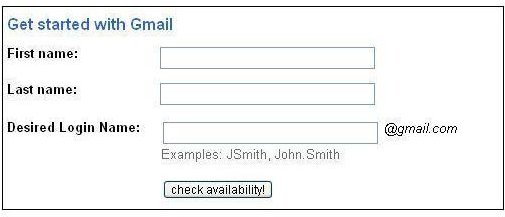
2. You will see a form that you will need to fill in to create an account.
3. Enter you first and last name
.
4. Enter the desired login name and click the “check availability” button to see if this name is available for you. If it isn’t available, Google will suggest you some alternatives.
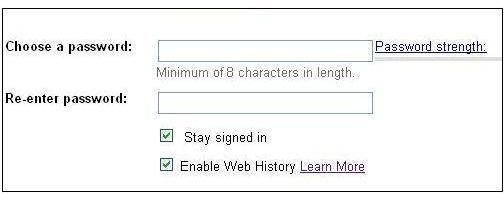
5. Make a memorable but strong password. It has to be at least eight characters. Add numbers or symbols in your password to make it stronger
.
6. Check the “Stay signed in” checkbox if you want to be remembered on your computer. If you are using a shared computer in a library, cafe, etc., you may want to unselect this checkbox.
7. Check or uncheck the “Enable Web History” checkbox. You can learn more about this option by clicking “Learn More.”
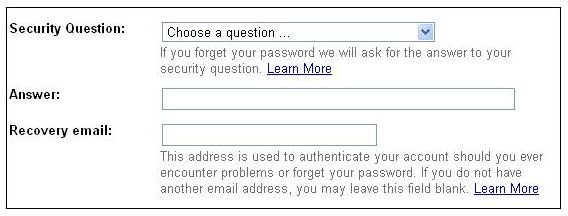
8. Choose a secret question. Google will ask you your secret question if you ever forget your Google Mail password. Choose something memorable and that which only you know. Then enter the answer to your security question
.
9. Enter a recovery (secondary) email address that will be used for sending your password to if you forget it.
10. Choose your country of residence.
11. Type in the word verification from the picture yo
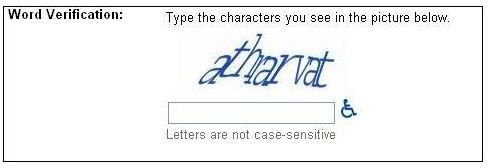
u see below.
12. Read the Terms of Service and click “I accept. Create my account.”
Voila! You have a Google Mail account.
Additional Resources
If you ever have problems connecting to Google Mail or GMail, find out what you can do to resolve the problem in Help! GMail won’t connect.
You might also be interested in Using GMail to Check Other Web Mail Accounts.
Google Mail is one of the best web mail services but you might also be interested in alternatives. To find out what other such services are available, read GMail Alternatives .