Google calendar has quickly become the go to application for increased productivity and organization. Developers are constantly working to create plug-ins and add-ons to make using your Google calendar easy. Here are some of the most popular Google Calendar widgets.
There are tons of Google Calendar widgets to help improve the application and allows you to be more productive and get the most out of your planning experience. Below are the most preferred and beneficial Google Calendar widgets for Macs, PCs and mobile devices.
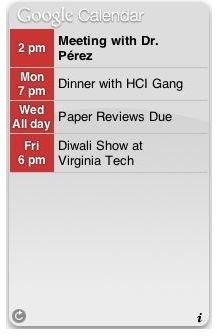
Google Calendar Dashboard Widget for Mac
This widget allows Google calendar users with Macs to access and edit events via a sleek, small app located on your desktop. This app allows you to view past events and appointments as well.
Google Apps Sync for Microsoft Outlook
For the many users of both Outlook and Google Calendar this app is a life-saver. The Google Calendar widget for Outlook offers one-way and two-way syncing for the two programs. Users can also set (in minutes) how often they would like events synced.
Wordpress Google Calendar Widget
This widget displays your agenda in the sidebar of your blog. Google also offers the html and xml codes for embedding your calendar onto your website. You can find the code in the Calendar Settings of the specified calendar.
Whether it be a Blackberry, iPhone or other mobile device, entering calendar_.google.com_ into your mobile browser or downloading the Google Sync app will allow you view your calendar right from the screen.
Google Calendar Desktop Gadget
This widget works with the Google Desktop application. By installing this gadget users can view a smaller version of the Google Calendar in the Google Desktop sidebar. To learn how to install Google Desktop Gadgets, take a look at these brief instructions .
This script allows you to add extra and more specific tabs to the date range and calendar view options. Although the current script only offers the 3-day, 3-week and 2-week views, editing the script allows for more room for customization.
Designed for Windows products, this Google Calendar widget not only displays notifications via an icon in the Windows system tray, it also allows users to check his or her Gmail account from the desktop. Other features included with the Google Calendar Notifier are a snooze function, access to Google Maps and voiced event reminders. Google also offers a notifier for Windows users. You can find it here .
For the Mac users, this handy widget allows users to view upcoming events, set reminders and check Gmail messages without logging on to the Internet.
New widgets are created everyday and a lot of them will perform the same tasks. The widgets listed above are the top gadgets because of ease of use and editing capabilities. Google calendar is fine as is, but the addition of a widget will allow you to complete more work in less time.
Google Calendar Widget Screenshots
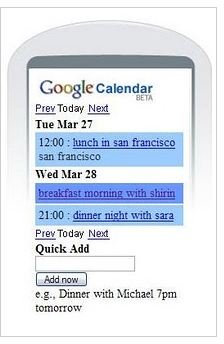

Image Credits: