This article is part II in the Google Web Elements series. This portion will cover Custom Search, Maps, and news. As stated in part I, Google Web Elements is a new set of add-ons that webmasters can integrate into their websites.
Custom Search
The third element that makes up Google’s new Web elements is Custom Search. Custom Search is another very customizable web element. Currently, Custom Search even has it’s own blog, which you can find here .
You may be wondering what the difference is between the newly launched Custom Search element and Google’s Adsense Search feature, since Adsense Search is already a customizable search option. For the most part, Custom Search has a lot more to offer. Like Adsense, Custom search is integrated into a website or blog via a html code. Custom Search allows a website owner to have complete control over what is searched. For example, Custom Search can be customized to show only specific web pages in results. Also, Custom search can include more than one website in search results. If you would like to include ads in your website’s search results, Custom Search can work with Adsense for search.
The most impressive feature of Custom Search is the ability to be highly customized. If you remember, Adsense for search only allowed a webmaster to use a custom header image. Custom search has many customizing options that will allow you to blend search results with the overall theme of your website or blog. A specific examples can be found here .
Maps
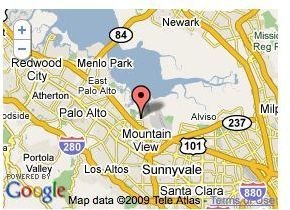
Maps is not really a new feature from Google. However, integrating Maps through Google Web Elements makes adding a Map to a website or blog easier than ever. All you have to do is navigate over to this page , customize a map, get the code, and paste it. Maps are a great feature for business websites. They will allow a website visitor to easily find out a businesses location, as well as get directions to a business. Maps come in three sizes, small (300x250), medium(400x300), and large(500x375) allowing for a perfect fit no matter where you wish to place them on your website. Map types include street view, satellite, hybrid, or terrain.
News
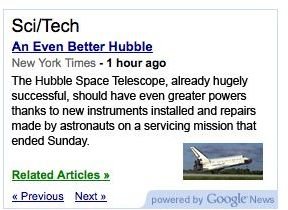
The News Element works by delivering information compiled at Google News straight to your website or blog. Before, webmasters had an option of adding Google news to their websites and blogs through widgets and other module typed add-ons. Google news offers a simpler delivery format. Like other Web Elements, Google News is integrated through copy and paste of a html code as well. Webmasters can also customize the type of news that is generated by the News Element to better fit their niche. Current options are top stories, world news, business news, politics, national news, entertainment, technology, sports, health, or any combination. There is also an option to create your own category. The Google News Web Element is available in two major sizes leaderboard (728x90) and medium rectangle (300x250)
Part III
Be sure to continue on to part III of the series to check out more Google Web Elements.
This post is part of the series: All About Google Web Elements
Google Web Elements is a series of add-ons for webmasters that will allow your website’s viewers to interact much more with your website. There are currently a total of eight elements and surely more to come.


