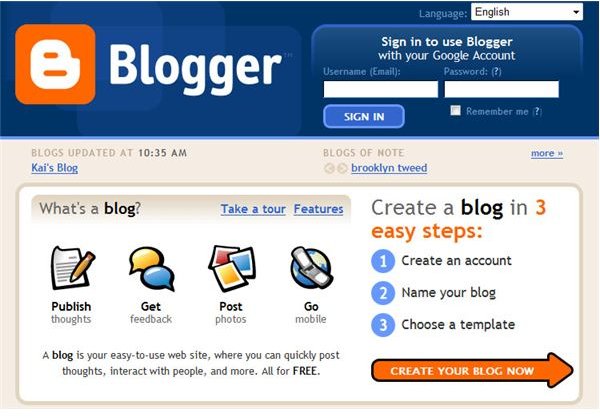
Do you have strong opinions about the current economy and want to tell others? Do you just want to have a journal where all of your friend can read and comment. Learn to set up a Blogger account, and in no time readers will be hanging on your every word
How Easy is it to Setup a Blogger Account?
Setting up an account with Blogger is simple and easy! In 3 steps, you will have a new blog where you can write and publish anything you want. Blogger lets you post text, photos and even video. You will also be able to customize your blog with hundreds of different options to make it as unique as you are. Let’s get started!
Step 1 - Create a Google Account
The first thing you need to do is go to Blogger . You’ll land on the log in page. This is where you will log in after your account is set up. To begin the set up process, click CREATE YOUR BLOG NOW. On this screen you will choose your account name. If you already have a Google account, such as a Gmail e-mail address, you can use this and it will have the same username and password. To set up a blogger account using this username and password, simply click sign in first at the top of the Create a Google Account page.
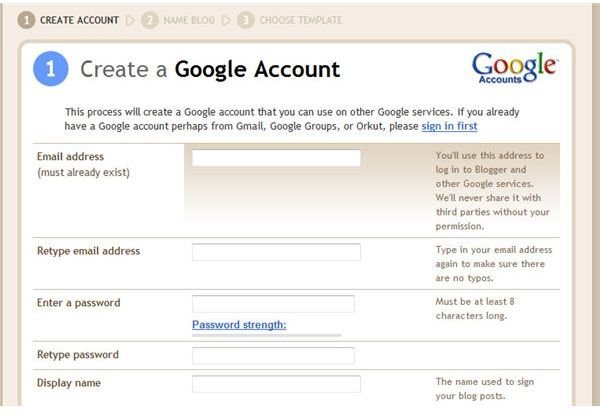
If you do not already have a Google account, or would prefer not to use it for Blogger, simply fill out the form provided with your e-mail address, desired password, and the username you would like for your Google account. You must read and accept the Terms Of Service to continue. When you are done click CONTINUE to be taken to step 2.
Step 2 - Make a Title for Your Blog
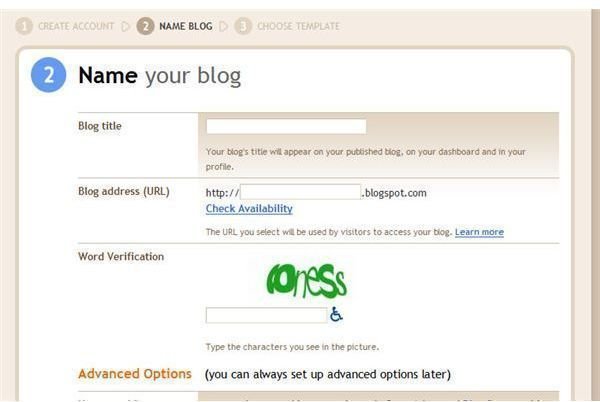
You will be taken a pape where you Name your blog. Here you choose your blog’s title, along with the desired URL or web address. There is also an option to host your new blog on a site other than Blogger, but it is recommended for advanced users only. For now, click CONTINUE to go to the third and final step.
Step 3 - Select a Blogger Template
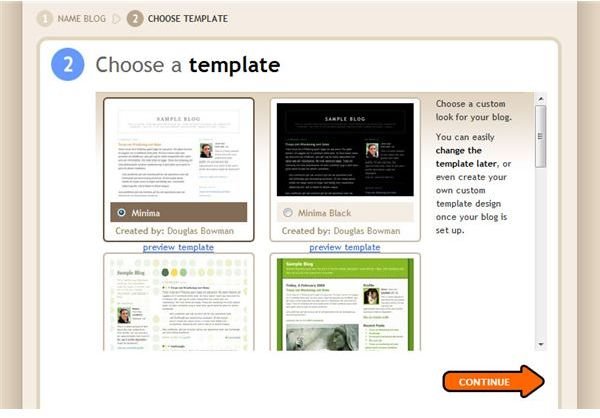
This is where you select a template for your blog. There are many options to choose from, and you can always change your mind later. Chaning templates is easy and only takes a couple seconds.
View a larger preview of each blog template by clicking preview template below each picture. After you have chosen a template, click CONTINUE to move on.
You’re Finished!
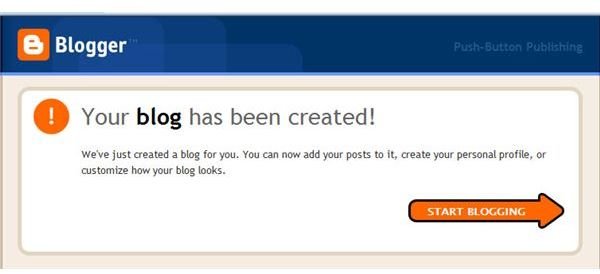
Congratulations! You now have a new blog! Click START BLOGGING to write and publish your first post.
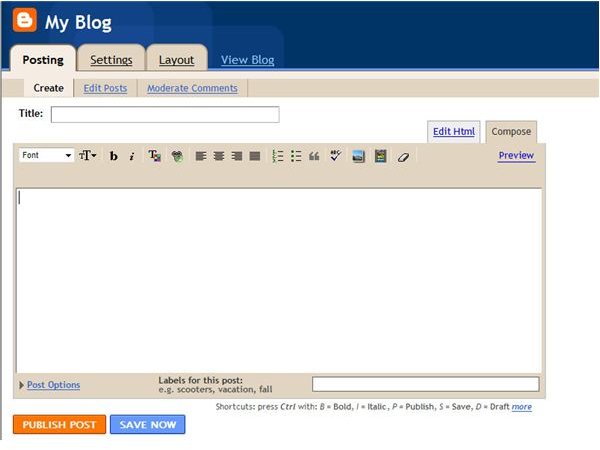
Access other options on this page by selecting the Settings or Layout tabs. With these tabs, you can change and customize the way your blog looks. See your blog the way readers will view it by selecting View Blog.
Happy blogging!
This post is part of the series: Everything you wanted to know about Blogger
This series will teach you how to set up an account on blogger, start posting items, and edit your blog. It will also cover how to edit your blog and change the colors, fonts, and layout using HTML.


