Nothing in Hallmark jumping out at you? Make your own card. You can easily make your own cards and share them with all your friends.
DIY Holiday Cards
The holidays are approaching faster than you think. You need to start shopping for all your friends and family. Plus, you need to find that perfect holiday card that says all the right things. Well, instead of tramping through Hallmark, make one yourself.
You’d be surprised at how easy it is to create your own holiday card. All you need is a little imagination, contact information and a software program.
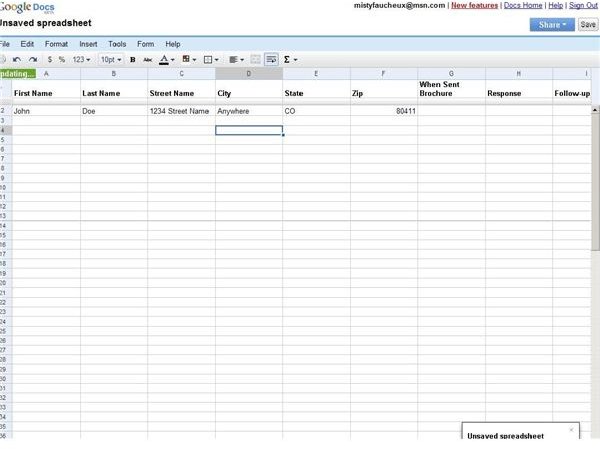
To figure out how many cards that you need to print, it may be best to start compiling a list of people to whom you want to send cards. Google Spreadsheets makes this process easier. You can create a spreadsheet online that you and your significant other can access. You can both add names and addresses from anywhere, and you don’t have to send an Excel spreadsheet back and forth.
Then, export the file to your word processor, and mail merge your addresses. From there, it’s just a matter of sticking some labels into the printer and printing them out.
Once you compile your list, it’s time to start designing your card. The easiest way to make a great and unique holiday card is through Google Documents. Google Documents has a Template Gallery. Here you can pick a pre-set holiday card format and add your own style to it.
To access the Google Documents Template Gallery, go through the following process.
- Go to https://www.Google.com/google-d-s/hpp/templates.html .
- Click Go To Template Gallery.
- Click the Cards & Certificates link on the left side.
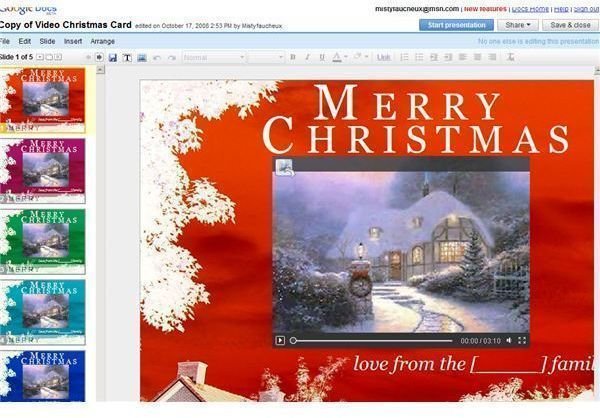
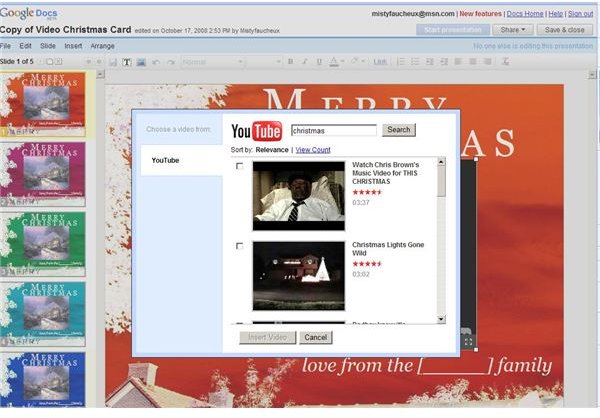
From here, scroll through the various types of cards, including a Video Christmas Card. On this screen, you can choose from five different frames for your holiday video. Once you have done this, click on the center box within the card, and choose from several You Tube videos.
If you prefer,use your own videos, or create one especially for the card. You will, however, need to upload your video to YouTube first. Once you select the video you’d like to use, click insert video, and it will appear in your frame.
A pre-selected message is added to your card by default. To change or add to this message, click the text box and edit.
When you have finished your card, you can share it with others. To do this, go to the Share button at the top. From here, invite people to see the card by using the Share with Others button. This will send invitations to people’s Email box.
You can also E-mail the card to others by selecting Email Presentation. Or, publish your card to the Web by using the Publish/Embed button.


