This Blogger Guide shows you step-by-step on how to import and export your Blogger posts to another blog on Blogger and Wordpress. This is useful especially if you are running multiple blogs, and would like to merge or backup your blogs.
Blogger Import Posts / Export Posts
Now, Bloger allows you to easily import posts and export your blog to another blog, whether on Blogger itself, or on other platforms, such as Wordpress.
Just follow these steps:
-
Log into your Blogger Account.
-
Select the blog that you want to import posts / export posts.
Advertisement -
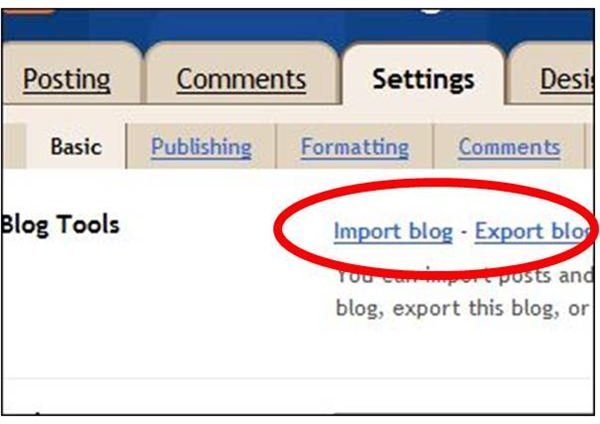
Click on Settings.
-
Under the Basic Tab, you will see Blog Tools, and the links to Import blog, Export blog, or Delete blog.
Advertisement
How To Export Blog
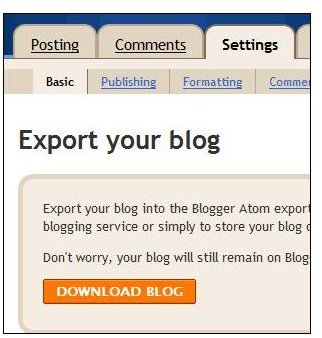
Before you can import a blog, you have to export the blog that you wish to import first. The following steps would save your entire blog including the comments into an xml file which can easily be imported into any blog.
Click on the link Export Blog in the picture above, and then click on the orange button, Download Blog.
This is also a great way to backup your blog, should anything happen.
Blogger Supports Importing Blog For Blogger Posts
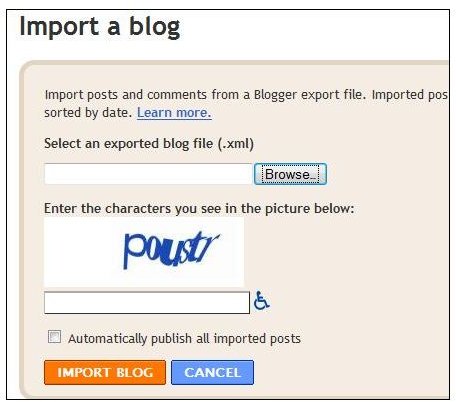
If you would like to import a blog from another blog, click on the Import Blog link.
Click the Browse button to find the Blogger export file on your computer and enter the capcha.
Check automatically publish all imported posts, if you would like all the posts to be published at once. Otherwise, if you leave it unchecked, you can later select to publish the posts one by one.
Once you have decided, click on Import Blog.
This would import all your posts from the xml file, and automatically merge them with your current posts, sorted by date.
Migrating Blogger to Wordpress
The New Blogger has enabled migrating blogs across different platforms, such as Wordpress. However, this only works with Wordpress 2.2 and later. So there are a few things that you need to ensure before you are able to migrate blogs from Blogger to Wordpress.
Firsly, ensure that you are using the new Blogger, as the Importer tool on Wordpress will not work with the old Blogger. Secondly, ensure that you are using Wordpress 2.2. Of course, best practice would be just to update your Wordpress to the latest version.
You will also need a Google Account.
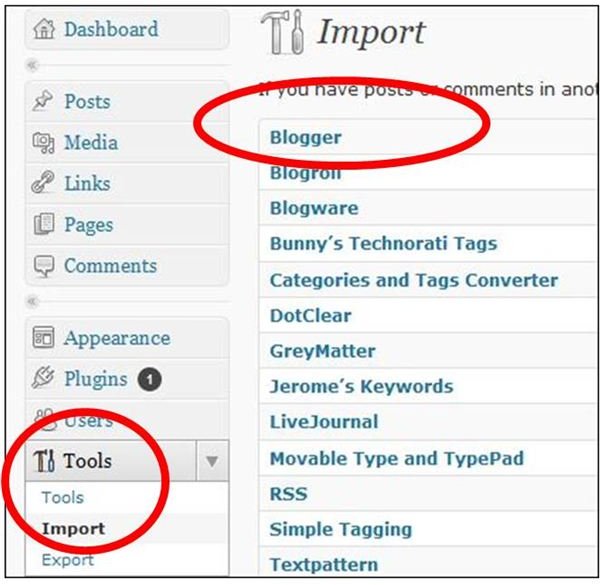
Log into your Wordpress Dashboard and click on Tools. Click Import, and Select Blogger from the list.
The Importer plugin will appear in a pop-up. Click Install Now and after it has been installed, click Activate the plugin and run the Importer.
Next, on Import Blog, you will have to click Authorize and then click Grant Access to authorize Wordpress access to your Blogger.
Once that’s done, just the magic button, Import. You can select which blog you want to import, and you can
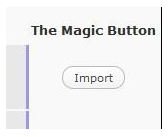
also set the authors.
References
-
Blogger Help - https://www.google.com/support/blogger/bin/answer.py?hl=en&answer=97416
-
Wordpress Codex: Importing Content - https://codex.wordpress.org/Importing_Content


