WinSnap 3.0 is a utility program for the Windows Platform that functions as both a screenshot capture application and a basic image editor. Although it is compatible with several versions of Windows, its power can be really seen in Vista.
Overview of WinSnap 3.0
Although Vista’s Snipping Tool is a decent utility application for capturing screenshots, it does have its limitations. It can be tough to use this tool to get a screenshot of a nonstandard-shaped window, and forget about trying to include interactive dropdown menus. For these more “advanced” types of screenshots, you generally will need to use a third-party screen capture tool such as WinSnap .
Version 3.0 of WinSnap was developed with Vista in mind. The software is capable of capturing non-rectangular windows, even ones with varying degrees of transparency. But, before we go into more details of the features of this application, let’s see how easy it is to use.
User Interface (4 out of 5)
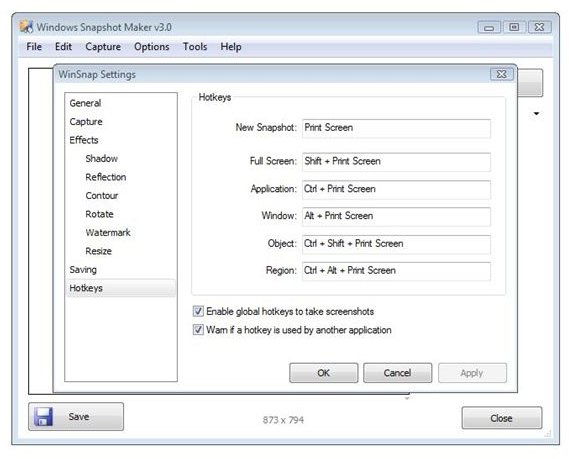
If you’re accustomed to taking screenshots on your PC by using the Print Screen key, then you should be able to use WinSnap immediately after installation without having to read any of the documentation. By default, WinSnap assigns this key to the hotkey setting for taking a screenshot. However, you can easily change this to any other key by accessing the Settings window of the application.
The only thing that I really don’t like about the interface is that clicking on the “X” in the upper right hand corner to close the window shuts down the application completely without any warning or chance to take back that decision. While many will find this a joy since they won’t be faced with another “Are you sure?” dialog box, I find that I often accidentally close the program when all I really mean to do is minimize it to the system tray.
Features (5 out of 5)
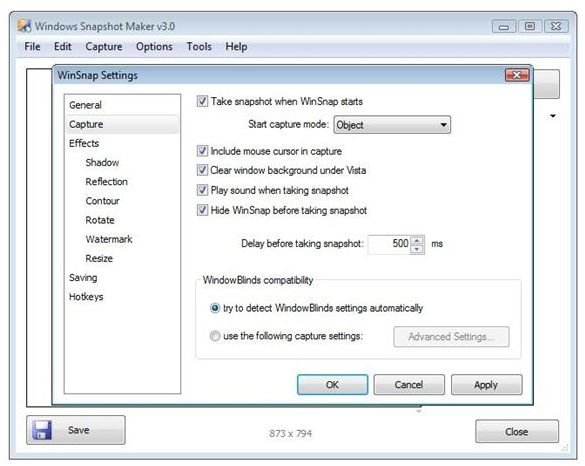
Although WinSnap is compatible with older versions of Windows, its Vista functionality is quite impressive. The transparent styles and rounded window corners of many Vista themes can give a bit of trouble to other screen capture utilities, but WinSnap 3.0 handles these features quite well.
Additionally, when taking a screenshot, you have the choice of capturing the full screen, a particular region, a single application, or one or more objects. If you choose the Object option, holding down the Ctrl key allows you to select any or all windows that you want to include in the final image.
WinSnap also allows you to apply several different finishing touches to screenshots to make them more professional in appearance. For instance, you can add a drop shadow or reflection effect, or you may choose to create and apply a custom watermark to any screenshots you take. While there is documentation that explains exactly how to do all of these things, it’s pretty easy to figure out on your own just by looking through the different options available in the Settings window.
Support and Documentation (4 out of 5)
WinSnap does come with an integrated help manual that can be accessed from the application’s main toolbar, but if you find you have more detailed questions, it is probably best to visit the developer’s support forums . These forums are heavily watched by the software’s creator so response time should be minimal.
Price to Value (5 out of 5)
There are three types of licenses available for WinSnap 3.0, depending on your usage. Instead of licensing by machine, WinSnap is licensed by individual. So, a Personal License (which costs $24.90) can be used by one person on multiple computers. A separate license does need to be purchased for each person. A Family License, which runs $49.90, covers up to 5 people. If you have greater needs, a Business License can be purchased for $285, allowing up to 20 users of the software.
In addition, purchasing a license for WinSnap entitles you to free lifetime upgrades for the software. Even without this point, the price of the application is quite reasonable. With this little extra, the application almost becomes a steal, assuming that the developer will continue to maintain the project. The continual minor fixes and updates that are released for WinSnap on a regular basis do seem to suggest that this will be the case.


