Outlook Web Access is a powerful browser-based email client that replicates the look and functions of the traditional desktop Outlook client. Find out how to its email, calendar and contacts facilities below!
Outlook Web Access Explained
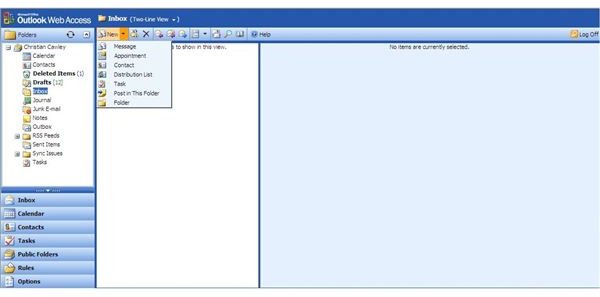
Microsoft Outlook Web Access is available to many corporate users around the world, and thanks to services such as Mail2Web.com, domestic users can also take advantage of the service.
Put simply, Outlook Web Access (OWA) is a browser-based version of Microsoft Outlook. Anyone who is interested in using the Microsoft Office Web Apps might well wonder why there is no web app for Outlook – but the truth is, Microsoft have been offering this service for years via their email server software, Exchange.
(For information on setting up Outlook Web Access, see How to Access MS Outlook Remotely )
If you’re lucky enough to have access to Microsoft OWA, you’ll see how similar it is to the desktop client version of Outlook. Tasks such as sending an email, accessing your calendar and managing your contacts are just as simple to achieve via your browser as they are via your desktop!
Sending an Email in Outlook Web Access
You can read and send emails as easily in Outlook Web Access as you can via any desktop client. Using the menu in the lower left you can flip between views, from your email Inbox to your Calendar, Contacts, Tasks, any public folders you might have access to, and more.
The Inbox view shows you what emails you have received, while also displaying your email folder structure – this is things like the main Inbox, as well as Junk Email, the Outbox and any RSS Feeds you might have subscribed to.
Sending an email is as easy as clicking on the Reply button on the top menu, or going to New > Message. A compose email window will open – all you need to do is enter an email address in the To:, CC: or BCC: fields, a subject and the message you wish to send. A full list of contacts is available via the To: button. Once the message is entered, click Send – you have sent your first email from Microsoft OWA!
Managing Your Calendar in Microsoft OWA
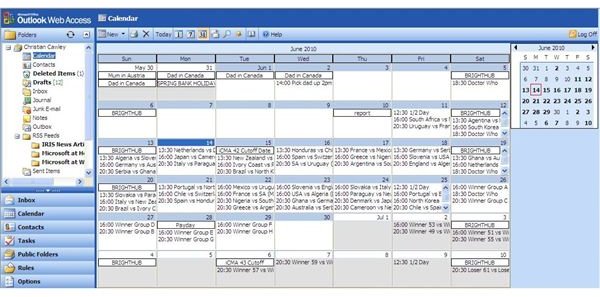
By clicking on the Calendar button in Outlook Web Access, you can display appointment and event information – the same information you would expect to see on the desktop version of Outlook if you’re a corporate user.
In the Calendar view, you can change the displayed calendar from a single day, to 7 days to a monthly view, as well as add new events. Use the New button on the menu to add an event or appointment.
Any changes made to your Calendar via Outlook Web Access will be reflected on your desktop email client and any other means you have of viewing, such as a BlackBerry or Windows Mobile.
Outlook Web Access Contacts
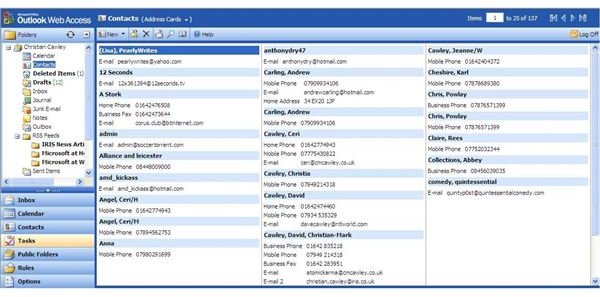
Also accessible via Microsoft OWA are your contacts. Via the Contacts button on the left-hand menu, you can open up a full list of contact information; the same contacts you would find in the full version of Outlook.
The list can be browsed and edited, contacts added and deleted, and distribution groups can even be accessed and setup!
Along with access to folders and the setting up of Rules and Tasks, the browser based Outlook Web Access is as powerful as the more common desktop version!


