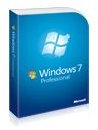
Trying to decide whether to go with Windows 7 Professional or Ultimate? There are a couple of differences between the two. Ultimate, being the more expensive of the two, is priced slightly higher. Here, we review the differences between Pro and Ultimate, and help you decide which is best for you.
Prices
What is the difference between Windows 7 Professional and Ultimate? Price. Windows 7 Professional costs approximately $199.99 for an upgrade disc, and $299.99 for a full version. Windows 7 Ultimate costs approximately $219.99 for an upgrade disc , and $319.99 for a full version. There’s about a $20.00 jump to Ultimate in both cases.
Features
According to Microsoft, here is what you get with Windows 7 Professional:
- Make the things you do every day easier with improved desktop navigation.
- Start programs faster and more easily, and quickly find the documents you use most often.
- Make your web experience faster, easier and safer than ever with Internet Explorer 8.
- Watch, pause, rewind, and record TV on your PC.
- Easily create a home network and connect your PCs to a printer with HomeGroup.
- Run many Windows XP productivity programs in Windows XP Mode.
- Connect to company networks easily and more securely with Domain Join.
- In addition to full-system Backup and Restore found in all edition, you can back up to a home or business network.
According to Microsoft, here is what you get with Windows 7 Ultimate.
All features mentioned above plus:
- Help protect data on your PC and portable storage devices against loss or theft with BitLocker.
- Work in the language of your choice and switch between any of 35 languages.
BitLocker and 35 Languages
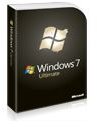
The difference between Windows 7 Professional and Ultimate is basically two features: BitLocker and 35 Languages.
BitLocker is an encryption software that can be used to encrypt all of the data on your hard drive (within Windows). What is encryption? Basically, it’s method of security in which you make files, folders, and data unreadable; sort of like turning it into a code. For example, the sentence “What’s up, how are you doing?” may look like this encrypted “2#N#t(N$)#@)#%(#*.” Why would you want to do this? For security purposes. If your data was ever to get hacked or stolen, the thief/hacker would not be able to use the data.
Are there other programs like BitLocker? Absolutely. There are several different encryption programs out there. However, because BitLocker is built into Windows 7 Ultimate, it is likely to be more efficient and work better with Windows. You should never run into any compatibility issues with BitLocker.
The difference between Windows 7 Professional and Ultimate as far as the languages is quite obvious. Windows 7 Ultimate allows you to easily switch between 35 different languages. Is this a useful tool for the majority of people? Not at all. This language switching feature of Windows 7 Ultimate is mainly meant for web developers, software testers, and other specialists who must test software in different languages.There is a good chance that you will never have a need for this feature.
Which One Should You Get?
Get Windows 7 Ultimate. No doubt about it. It’s only $20 more. Wouldn’t you rather pay $220 for an Ultimate Upgrade than $200 for a Professional Upgrade? The same goes for full versions. Wouldn’t you rather pay $320 for an Ultimate Full version than $300 for a Professional Full Version? You are already spending a good chunk of money, might as well spend the additional $20 and get the best of the best, Windows 7 Ultimate. BitLocker is an awesome feature to have. You probably won’t use the languages, but still, go with Ultimate.
Want to learn more about Windows 7? You may also be interested in:
Upgrading to Windows 7 from Vista - How Long Does it Take
Installing Windows 7 Without a DVD
Making Your Copy of Windows 7 Genuine
What is Windows Anytime Upgrade


