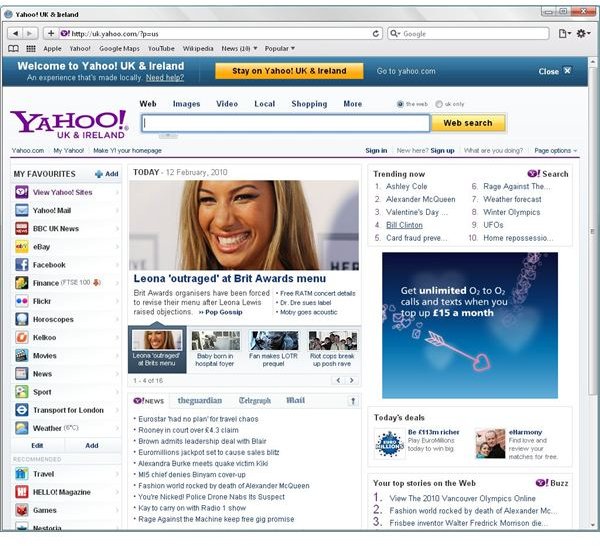
The Safari browser for Windows XP is a great feature-packed alternative to Firefox and Internet Explorer that you should try!
Enjoy the Web with the Safari Browser for Windows XP!
You probably use Internet Explorer or even Firefox to surf the web on your PC or laptop – but if you’re using Windows, there are a number of other browsers to choose from.
Notable among these is Safari, from Apple. That’s right – just as Microsoft make software for Apple computers, so their great rivals for many years supply Windows PCs with applications. The Safari browser for Windows XP is just one of several apps that Apple produce for Windows, with the QuickTime media player the most notable other.
Safari is very easy to use and can be described as a tidier alternative to Firefox and Internet Explorer – clean, basic but attractive (in a typically Apple fashion), this browser can do pretty much whatever your existing browser can.
Download Safari
To use Safari, you first need to download it. This is a free application, so all you need to do is go to www.apple.com/safari/download in order to download Safari 4.
Upon visiting the page, you will see that Apple describes Safari as:
“The world’s fastest browser. Free download for Mac + PC.”
However, don’t worry about downloading from this link, as this Safari installer is designed to work on both operating systems. Note that Safari can be downloaded without leaving your email address, simply uncheck the Keep me up to date with Apple news… box.
Once the (28 MB) download has completed, run the installer – there are some options you might like to take note of, such as whether you would like Safari to automatically update or not – and very shortly, Safari will be ready to use.
Using the Safari Browser for Windows XP
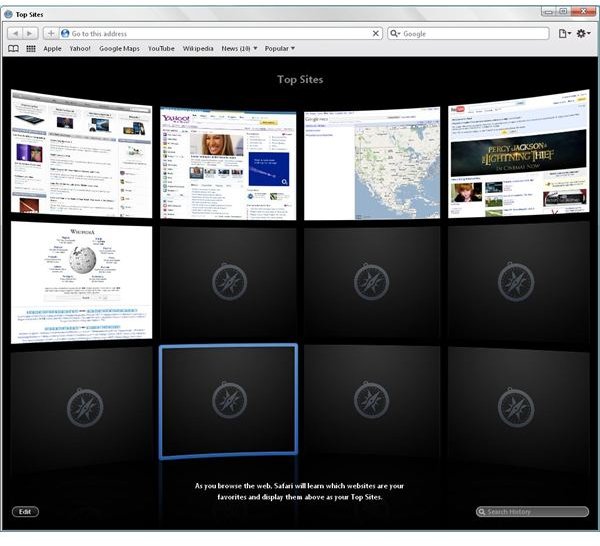
When you first run the Safari Browser for Windows XP, it immediately displays a list of popular websites, such as Yahoo, Amazon, CNN, eBay, YouTube, etc. The full list of twelve sites (by default – up to 24 can be listed by clicking Edit in the bottom left then using the Small | Medium | Large buttons in the lower right of the window) is displayed as a vista of thumbnails, and as you use Safari more and more your own preferred favorite slowly replace the initial list. Should you want to keep some of these, you can easily drag a favorite page from the address bar to the bookmarks toolbar right below it.
Visiting a website is as easy as typing in the URL in the area labeled Go to this address, while the Search area has a choice of Google and Yahoo as search engines.
Safari offers tabbed browsing just like Windows Internet Explorer 7 and 8 and Mozilla Firefox, with a new tab being opened by pressing CTRL+T or using the File menu in the top right corner (represented by a sheet of paper with a corner turned down).
Here are directions for changing your homepage from the initial Safari choice , or adding multiple homepages.
With a minimalist design, simplistic menu icons (the back and forward icons are next to the address bar, while full menu items can be viewed by tapping Alt on your keyboard) the Safari browser for Windows XP is a superb, functional and fast alternative to Microsoft Internet Explorer or Mozilla Firefox.


