You try to open your document in Microsoft Works, but it hangs, crashes or displays gibberish every time. Do you need to scrap the word processor document and start all over? Maybe not! Here are some tips and downloads that may save the day.
Microsoft Works Word Processor Document Recovery
There are several different ways you can try to recover your Microsoft Works word processor document. You can attempt to save the document as a different type of file, try to open it in another program or download third-party software to help aid you in your recovery efforts.
Steps to Recover a Works Word Processor Document
If you would prefer to recover your Works word processor document on your own, there are a few tricks you can try. If you are able to open the damaged document in Works you can try a recovery procedure using a simple file conversion process.
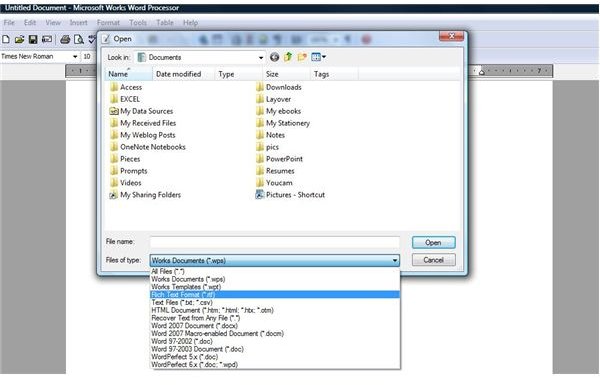
Open the word processor document in Works. Go to the File menu and click Save As. Change the Files of Type to **RTF (*.**rtf) and then click Save. Close the file and then click the Open button. In the Open dialog box, change the Files of Type to RTF (*.rtf) and locate the file you just saved.
Open it, go to the File menu and select Save As once more. Change the Files of Type back to Works WP and Save. By converting the file to rich text and back again you may be able to do away with the cause of damage. If this does not work, try saving the word processor document as a plain text (.txt) file. Recovery is much more likely with this option, although you will lose any formatting you applied to the document.
If you are still unable to recover your Works word processor document, there are a few other methods you can try. Read How to Recover a Microsoft Works Word Processor Document for step-by-step instructions.
Software to Aid in Works Word Processor Document Recovery
If you are unable to recover the Works word processor document using the steps listed or referred to above, or if you would simply rather try a program that might be able to perform the recovery for you, there is an option available.
Recovery for Works Word supports versions of Microsoft Works from 5.x to 9.0 and can recover text, formatting, tables and images in your
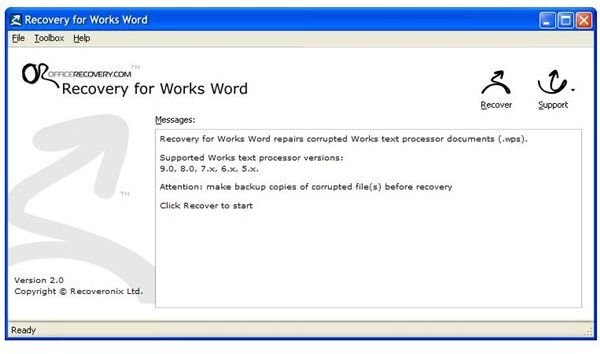
damaged word processor document. It is compatible with Windows 2000, XP, Vista, 2003 Server or 2008 Server. While this program is not free (it currently starts at $99 for a standard license), you can download a free demo version that will attempt recovery on your Works word processor document. The demo version will provide a limited section of the recovered document if it is able to perform a recovery, so you will need to purchase the full version to complete the recovery. Starting with the demo, however, will allow you to determine whether or not the software will work for you. Click here to learn more or download Recovery for Works Word.
Related Articles
Learn more about Microsoft Works and become a word processor pro! Read Bright Hub tutorials such as Microsoft Works Word Processor Beginner’s Guide and Is Microsoft Works Compatible with Excel and Word ?


