Playing games with Microsoft Excel - a spreadsheet program? Is this even possible? Not only is it possible, but it’s even fun! Read on to find what games are available for you to play on Microsoft Excel.
What!?! I Can Play Games in Microsoft Excel? How?
It seems like everywhere I look, there are games vying to distract us from our work. Popular social networking sites like Facebook and Myspace feature games like FarmVille , Mafia Wars , Bejeweled, and Poker. The iPhone also features a plethora of games (in fact, most cell phones come with the ability to download games). Your PDA may have games on it. Imagine my surprise when I find that a program I usually use to create spreadsheets for tracking invoice numbers, client information, and call lists allows you to create Excel games and play games you’ve downloaded for Microsoft Excel!
What makes Microsoft Excel games work? Part of what makes Excel games work is the ability to create and run Macros in Excel . It also depends upon using the Visual Basic editor . When you download and run an Excel game, your computer is really playing the macro. You must enable macros to play games in Excel.
What Types of Games are Available for Excel?
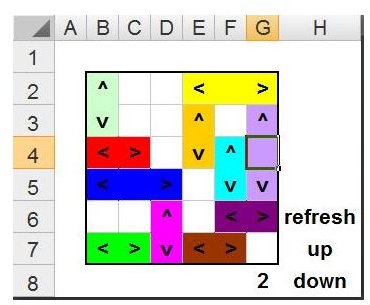
There are many different games available for free download and play in Microsoft Excel. Two great website resources for downloading Excel games are ExcelGames.org and DzikoSoft . While many games involved things like randomized dice, there are also some more standard games available. Depicted to the left is the game Rush Hour, you may be familiar with the solitaire-style board game where you try to get the red car out of a traffic jam.
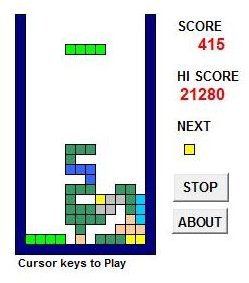
Pong, the classic tennis game you may remember from V-Basic computers (or even Atari), is an option. This game is also available at ExcelGames.org. Also available on this site is Tetris!
Games available at DzikoSoft (there are 150 games in all available at this website) include arcade games, Battleship games, board Games, and and even puzzle game fanatics’ favorite - Bejeweled. Among the board games offered are givens such as Tic Tac Toe and Go - but also available is Monopoly.
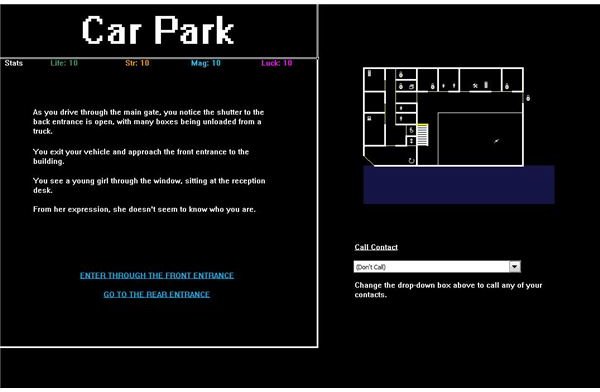
For fans of roleplaying games, there are options. “Codeless,” pictured at the left mimics those Choose Your Own Adventure books. Another fun RPG game for
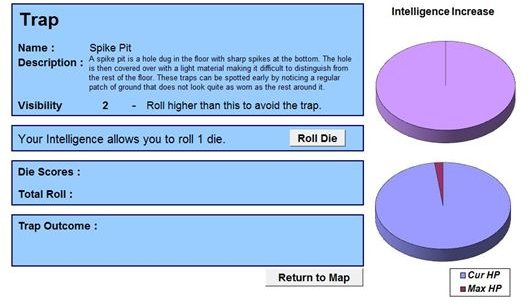
Excel is the game titled, SimpleRPG. This game mimics classic Dungeons and Dragons and other Pen and Paper type RPG styles.
Other options include card games, casino style games, space shooter games, and even a soccer game. In fact, if you like, Cim City, a Sim City equivalent, is available for your procrastinating pleasure.
How Can I Create My Own Excel Games?
Creating Excel games has become an art of itself. In a two-part article by Alan Chapman, “Creating Your Own Game in Excel” , the author takes readers step by step through learning how to create MS Excel games. He uses a combination of Visual Basic code (he explains the code and assumes that readers have no previous programming experience) and formatting to show you how to craft a game on your own. The tutorial takes you through not only creating the code for your game, but also through how you can plan your game.
Finally, Excel 2007 Power Programming with VBA by John Walkenbach makes a good reference - if you are serious about learning how to create your own Microsoft Excel games. This book walks you through everything you need to know in order to create Excel applications.
Now What?
Chances are, you’ve already found a couple Excel games to download. If you’re looking for even more games, you may want to check out NEKO to Excel . If you’re looking to code your games, good luck! Most of all have fun - but not too much fun! You don’t want the boss to walk in on you while you’re in the midst of an intense game of JawBreak !


