Is your computer and system performance slow? Computers begin to slow down after being used over a period of time. Regardless of the amount of memory or hard drive space you have, your computers performance will begin to suffer after being used. Use utilities to clean your hard drive frequently.
System Performance
System performance not only depends on the amount of memory or hard drive space you have; taking care of temporary files that are left behind is critical to your computer’s optimization. When you surf the Internet, files are left behind on your computer. These files assist you in surfing by providing a cache that your computer uses to enhance revisits to websites. These temporary files should be cleaned periodically to help speed your computer up.
When using applications, temporary files are used to enhance the performance of the application and to save files as they are being used. Applications such as Adobe, Microsoft Word, Excel, and other programs can leave these files behind if the computer is restarted with the application open or if the application ends prematurely.
Third Party Programs
Microsoft offers a disk cleaner that isn’t very efficient for removing temporary files. Several freeware and open source applications are available on the internet that are much more efficient.
CCleaner
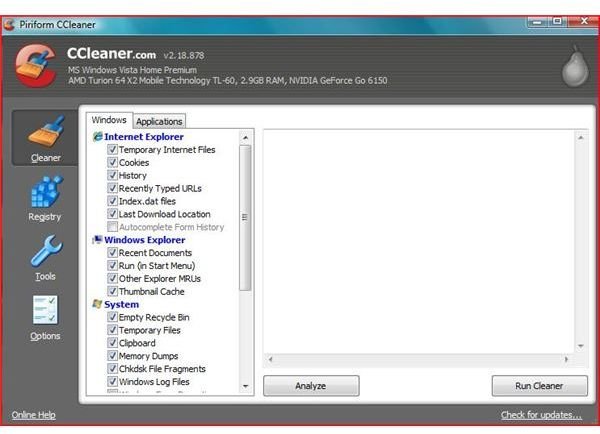
CCleaner (by Piriform) is one of the best utilities made to clean both your registry and temporary files from your computer. (BrightHub Article ) CCleaner cleans all major Browsers including Google’s Chrome, Safari, Opera, Internet Explorer and Firefox. CCleaner also cleans the recycle bin, the clip board, Windows temp files, application temp files and dozens of other areas.
Glary Utilities
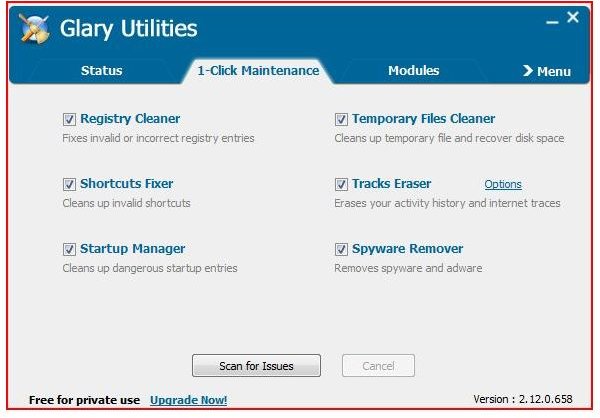
Glary Utilities is a new comer to the cleanup arena and offers an excellent program that offers a 1 click cleaning of your computer that cleans internet files, temporary files and the registry. (BrightHub Article)
Comodo
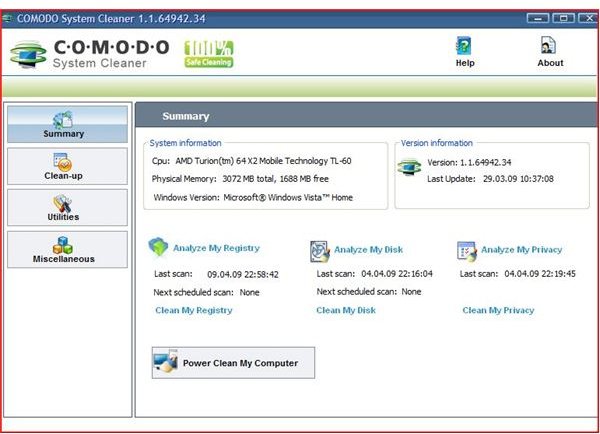
Comodo recently released an excellent cleaner that cleans all major operating systems including Windows Server. Comodo provides both 32 bit and 64 bit versions that clean all areas of your hard drive including the registry. With their safe file deletion and systematic backup, changes are not committed until after a reboot by the user. (BrightHub Article )
Conclusion
Temporary files are junk files left behind on your computer from surfing the internet and everyday computer use of applications. These files can be safely deleted to optimize your computer. Regardless of the program that you use, you should always defrag your computer to move all of the files back together. Computers should be cleaned every week to two weeks. By providing a thorough cleaning, your computer will run better and your privacy will be protected.
More advanced users can use the Ciper command (BrightHub Article ) to clear deleted files on a hard drive.
As with all clean up utilities, users should read all of the documentation before using these applications.


